Your 24.04 box is now being offered 26.04, and you want to know whether Ubuntu 24 vs 26 is worth a maintenance window. Ubuntu 26.04.1 LTS shipped in late August 2026, and Canonical switched the release upgrader on for 24.04 machines with it. What you need to decide has not changed: does your box gain enough from the Rust userland, the cgroup v1 cutoff, the newer server stack and the Wayland-only desktop to move, or should it sit on 24.04 until 2029?
We built two fresh VMs side by side, one on 24.04.5 and one on 26.04.1, patched both fully and pulled every version on this page straight from them. Then we compare kernel, toolchain, desktop, core defaults, APT, server runtimes, security and upgrade traps, with a short note on 26.10 at the end. I ran through this on Ubuntu 24.04.5 and 26.04.1 in November 2026, and every terminal capture below comes from those two boxes. Our Ubuntu 26.04 LTS features guide has the feature-by-feature tour.
Ubuntu 26 vs 24: the 30-second answer
Short answer: install 26.04 on anything new, upgrade a 24.04 desktop or developer box now, and keep a stable 24.04 server where it is until you have a reason to move, because its standard support runs to May 2029. The one thing that should stop an upgrade outright is a workload that still needs cgroup v1. On our patched 24.04.5 VM, do-release-upgrade -c already offers 26.04.1 LTS, so the decision is yours and not the calendar’s.
Most readers fit one of five situations, and the right move for each one is different. The evidence for every row follows further down, so read the table first and then jump to the sections that match your setup:
| Your situation | Do this | Why |
|---|---|---|
| Desktop power user on 24.04 who wants GNOME 50 polish and newer userland | Upgrade now | 26.04.1 is out and do-release-upgrade offers 26.04 to 24.04 boxes on the default Prompt=lts. The first point release has already absorbed the launch regressions. |
| Production server, stable workload, no compelling new feature | Stay on 24.04 until May 2029, or longer with Ubuntu Pro | 24.04 has standard support to May 2029, ESM to May 2034 and the Legacy add-on to May 2039. Nothing in 26.04 forces a move. |
| Container host running Docker < 20.10, LXC with cgroup v1, or anything that pins to the v1 hierarchy | Do not upgrade yet. Migrate to cgroup v2 first, then upgrade on your schedule | 26.04 will not run cgroup v1 workloads. The kernel parameters that used to force the legacy hierarchy no longer do anything, and this is the most common upgrade blocker. |
| Fresh install for a new server, workstation, or lab | Go straight to 26.04 | Standard support to May 2031 and the Legacy add-on to May 2041, a newer toolchain, post-quantum OpenSSL and SSH. There is no reason to install a two-year-old LTS on new hardware. |
| Tempted by 26.10 for 100% Rust coreutils or GNOME 51 | Stay on an LTS | 26.10 is an interim release supported until July 2027, and TPM-backed FDE systems cannot upgrade from 26.04 to it at release. |
The upgrade decision is now about your workload, not the calendar. If none of the blockers in the cgroup, dracut and sudo sections apply to you, the remaining reasons to hold back on a desktop are thin.
Side-by-side: the versions that actually change
These numbers were captured from running VMs, not copied from release notes. Both columns are apt-cache policy candidates or the installed binaries on our two November 2026 VMs, a 24.04.5 box and a 26.04.1 box, both on the 7.0.0-1018 cloud kernel. Rows we did not re-check on those boxes (glibc, LLVM, .NET, the desktop apps) carry the figures from the April launch capture and the release notes. The archive keeps moving on both sides through stable release updates, so treat the patch digits as a floor and the major and minor versions as the comparison that matters.
| Component | Ubuntu 24.04.5 LTS | Ubuntu 26.04.1 LTS | Practical impact |
|---|---|---|---|
| Codename | Noble Numbat | Resolute Raccoon | APT source line changes: noble → resolute |
| Linux kernel (GA) | 6.8.0 (6.8.0-151 candidate) | 7.0.0 (7.0.0-44 candidate) | First LTS on the 7.x line; enables Intel Core Ultra Series 3 (Panther Lake) |
| Linux kernel (HWE) | 7.0.0 (7.0.0-43~24.04.1 candidate) | n/a (base kernel is 7.0) | 24.04’s HWE stack has rolled forward to the same 7.0 kernel 26.04 ships. Desktop installs track HWE by default, server installs track GA |
| systemd | 255.4 | 259.9 | cgroup v1 support is gone (upstream dropped it in 258, and Canonical notes it as removed in 26.04’s 259); v1-pinned workloads break, though the host itself still boots on v2 |
| GNOME | 46 | 50 | Four major versions jumped. X11 session removed from Ubuntu Desktop (other flavours keep X.org) |
| APT | 2.8.4 | 3.2.1 | New solver as a fallback, apt-key removed |
| sudo | GNU sudo 1.9.15p5 | sudo-rs 0.2.13 (Rust), GNU sudo 1.9.17p2 kept as sudo.ws | Memory-safe rewrite; roughly drop-in but edge cases differ. 24.04 can install sudo-rs 0.2.2 from universe, but it is not the default |
| coreutils | GNU coreutils 9.4 | rust-coreutils 0.10.0 (uutils), with GNU coreutils 9.7 installed alongside as gnu-coreutils | cp, mv and rm are still GNU builds on 26.04. See our uutils vs GNU coreutils benchmarks |
| initramfs generator | initramfs-tools 0.142 | dracut 110 | Custom hooks under /etc/initramfs-tools/ do not run under dracut; port them, or switch back to initramfs-tools, which stays supported |
| NTP client | systemd-timesyncd | chrony 4.8 | Only new installs get chrony. An upgraded host keeps timesyncd until you run apt-mark auto systemd-timesyncd then apt install chrony. Cloud images can differ: our GCP 24.04.5 image already ran chrony 4.5 |
| Python (default) | 3.12.3 | 3.14.4 (package 3.14.3-0ubuntu2) | Two minor jumps. Venvs built on 3.12 must be recreated |
| OpenSSH | 9.6p1 | 10.2p1 | Adds ML-KEM post-quantum hybrid KEX; DSA keys removed |
| OpenSSL | 3.0.13 (Jan 2024) | 3.5.5 (Jan 2026) | 26.04 ships with post-quantum algorithms and the legacy provider for old ciphers |
| GCC | 13.2 | 15.2 | Same C23/C++26 progression most distros tracked through 2025 |
| glibc | 2.39 | 2.43 | Minor ABI changes; recompiling is rarely required |
| Rust (toolchain) | 1.75 | 1.93 (1.91 / 1.92 parallel) | Cargo resolver v3, edition 2024 stable |
| Go | 1.22 | 1.26 | Range-over-func stable, new testing/synctest |
| OpenJDK (default) | 21 LTS | 25 LTS | Next Java LTS after 21; rebuild and retest JVM services |
| LLVM / Clang | 18 | 21 | Affects eBPF toolchains and any project using clang-tidy |
| .NET (default) | 8 | 10 | Major jump; .NET 9 was STS only |
| PHP | 8.3 | 8.5 | Backtick operator and non-canonical cast names deprecated |
| PostgreSQL | 16 | 18 | Canonical cites up to 3× when reading from storage, thanks to PG 18’s new async I/O |
| MySQL | 8.0.46 | 8.4.13 LTS | MySQL’s first official long term support release |
| MariaDB | 10.11.14 | 11.8.6 LTS | Moved into main; full support, not universe |
| Samba | 4.19.5 | 4.23.6 | VFS modules consolidated; transitional packages removable |
| LibreOffice | 24.2 | 26.2 | Major UI and performance refresh |
| Firefox / Thunderbird | snap (tracks latest) | snap (tracks latest) | Both are snap-installer stubs in the archive on either release, so the snap channel decides your version, not the distro |
| GIMP | 2.10 (if installed) | 3.2 | GTK3, non-destructive editing, multi-threaded paint |
| Default terminal | GNOME Terminal | Ptyxis (GTK4, container-aware) | Reads .container metadata; tabs can pin to specific podman/toolbx containers |
| Default PDF viewer | Evince | Papers (GTK4, Rust) | Faster cold start, HiDPI fixes |
| Default image viewer | Eye of GNOME | Loupe (GTK4, Rust) | Memory-safe, smoother pan/zoom |
| Default video player | Totem | Showtime | Caveat: NVIDIA driver 580 crashes Showtime; 595+ required |
| Minimum desktop RAM | 4 GB | 6 GB | Tight on older laptops. The 26.04 release notes put Ubuntu Server as low as 1.5 GB |
| ARM64 desktop ISO | Community-only | Official (Snapdragon X Elite supported) | First LTS with an official ARM64 desktop image |
| TPM-backed FDE | Experimental | General availability | Productionized, with passphrase management UI |
You can reproduce the core rows on your own machines with a handful of version commands. We ran the same set on both VMs after a full upgrade and a reboot, so the running kernel matches the installed one:
grep -E '^(PRETTY_NAME|VERSION)=' /etc/os-release
uname -r
systemctl --version | head -1
sudo --version | head -1
apt --version
python3 --version
ssh -V
ls --version | head -1
The 24.04.5 box answers with the userland most of you already run in production: systemd 255, GNU sudo, APT 2.8 and GNU ls. Note the kernel line, because this GCP image already tracks the 7.0 cloud kernel, the same kernel line 26.04 ships:

The same eight commands on the 26.04.1 box show where the two releases really part ways. sudo --version now names sudo-rs, ls --version names uutils, and APT, Python and OpenSSH have all moved a full release line:

Both boxes report the identical 7.0.0-1018-gcp kernel, which is the clearest sign that the kernel is no longer a reason to upgrade on a cloud VM. What changes under you is the userland, and the sudo and coreutils lines are where scripts notice it first.
Support end dates for 24.04, 26.04 and 26.10
Both LTS releases get the same 5 + 5 + 5 shape, so moving to 26.04 buys you exactly two extra years at every tier and nothing more. The dates below are the ones Canonical lists on its Ubuntu release cycle page:
| Support tier | Ubuntu 24.04 LTS ends | Ubuntu 26.04 LTS ends |
|---|---|---|
| Standard security maintenance | May 2029 | May 2031 |
| Expanded Security Maintenance (Ubuntu Pro) | May 2034 | May 2036 |
| Break/bug support (Ubuntu Pro + Support) | May 2034 | May 2036 |
| Legacy add-on | May 2039 | May 2041 |
The 26.04 release notes word the standard window as “supported until April 2031”, one month earlier than the release cycle table, so plan your own migration deadline against April and you are covered either way. Ubuntu Pro is free for personal use on up to five machines, which makes the ESM years a real option for a homelab that wants to stay on 24.04 well past 2029.
26.10 is a different animal. The release notes from Canonical give it 9 months of support, from its 15 October 2026 release until July 2027, with no ESM or Legacy tier. That is fine for a test box or a laptop you reinstall often, and the wrong choice for anything you expect to leave alone.
The upgrade prompt is open: what 26.04.1 changed
Ubuntu holds the do-release-upgrade prompt for LTS-to-LTS jumps until the first point release, and that gate opened with 26.04.1. The gate itself is the Supported field in the LTS meta-release feed shown below. The 26.04.1 changelog rolls up every security update published through 25 August 2026, and it also switches 26.04’s own upgrade policy to Prompt=lts (LP: #2154602), which matters for 26.04 machines now that 26.10 is out. On the 24.04 side, the current point release is 24.04.5.
The upgrader decides what to offer from a meta-release feed, and you can read the same feed from any machine to see what your boxes will be told. We ran this on 21 November 2026:
curl -s https://changelogs.ubuntu.com/meta-release-lts | grep -A4 -E "Dist: (noble|resolute)"The Supported: 1 line under resolute is the gate. Before the point release that field read 0 (an archived copy of the feed from 26 August still shows it), and that single field is why a fully patched 24.04 machine refused to offer 26.04 all summer:
Dist: noble
Name: Noble Numbat
Version: 24.04.5 LTS
Date: Thu, 25 April 2024 00:24:04 UTC
Supported: 1
--
Dist: resolute
Name: Resolute Raccoon
Version: 26.04.1 LTS
Date: Thu, 23 April 2026 00:26:04 UTC
Supported: 1
Ignore the Date lines when you read this feed. They carry the original release date of each series (April 2024 and April 2026), not the date of the point release named in the Version line.
Your own machine only follows that feed if its upgrade policy allows LTS jumps. Check the policy line before you assume the upgrader is broken:
grep ^Prompt /etc/update-manager/release-upgradesBoth of our VMs came up with Prompt=lts, which is the value that lets a 24.04 box see 26.04. With that in place, do-release-upgrade -c checks the feed without changing anything, and on the patched 24.04.5 VM it named the target straight away:

That is the confirmation to look for before you schedule anything. The same check on the 26.04.1 VM returned “There is no development version of an LTS available” with exit code 1, which is the expected answer on an LTS box with nothing newer to move to. If the file says Prompt=never, someone turned release upgrades off on purpose, often an image builder or a config-management role, so find out why before you change it. On a 26.04 machine the same line decides whether you get offered 26.10: Prompt=normal follows interim releases, and because the file is a conffile, a copy someone edited locally keeps its old value after 26.04.1. Set it to Prompt=lts on any 26.04 box that must stay on the LTS, especially one with TPM-backed encryption.
Older releases still have to hop. Canonical’s 26.04 release notes say that from 22.04 LTS or 25.04 you must first upgrade to either 24.04 LTS or 25.10 before you can go to 26.04, so a 22.04 server faces two separate upgrades and two reboots.
Kernel 6.8 versus kernel 7.0
The version bump from 6.x to 7.0 is Linus Torvalds following his “bump major when we hit X.19” convention, not a single architectural rewrite. The substantive wins over the 6.8 GA kernel that 24.04 servers run by default are still meaningful:
- Hardware enablement: Intel Core Ultra Series 3 (Panther Lake), better Battlemage (Arc B580/B570) support, Snapdragon X Elite graphics. AMD Zen 6 client enablement arrives with 26.10’s kernel 7.3, not 26.04
- Extensible scheduling (sched_ext): the BPF-backed scheduler hooks are in the kernel, though the
scxscheduler tools are not packaged in the 26.04 archive, so you build them yourself - Kdump default: crash dumps enabled by default on both desktop and server installs
- NVIDIA driver improvements: Dynamic Boost on by default, suspend/resume finally works reliably on laptops with Optimus
For 24.04 users, this matters less than it sounds because the HWE stack on 24.04 has already rolled forward to the 7.0 line. Users who kept the GA kernel (6.8) stayed on 2024-vintage hardware support. Users who follow HWE are on the same kernel line as 26.04 and gain nothing here by upgrading the distro.
GNOME 46 versus GNOME 50: Wayland-only is the real story
The four-version GNOME jump brings real polish: improved variable refresh rate, fractional scaling on by default, a heavily improved Files app, a new parental controls panel, and Sysprof installed by default for quick desktop profiling. The headline change is that GDM no longer offers an X11 login session on Ubuntu Desktop. The entire session runs on Wayland. XWayland remains, so legacy X11 clients still work.
This is the single biggest breaking change for desktop users:
- If you rely on
xdotool,wmctrl, or global input hooks, many will silently fail. Port toydotoolor the compositor-specific equivalents - Screen recording and screen sharing in video calls now go through the PipeWire portal. Older Electron apps that shipped before 2023 may need updates
- NVIDIA users are fine. Explicit Sync landed in NVIDIA 555 and has been stable since. Drivers 580 and newer (excluding the one Showtime regression) are solid
- The memory ceiling moved. The desktop ISO now lists 6 GB as the minimum. It will boot on 4 GB, but heavy web apps and Electron stacks push into swap immediately
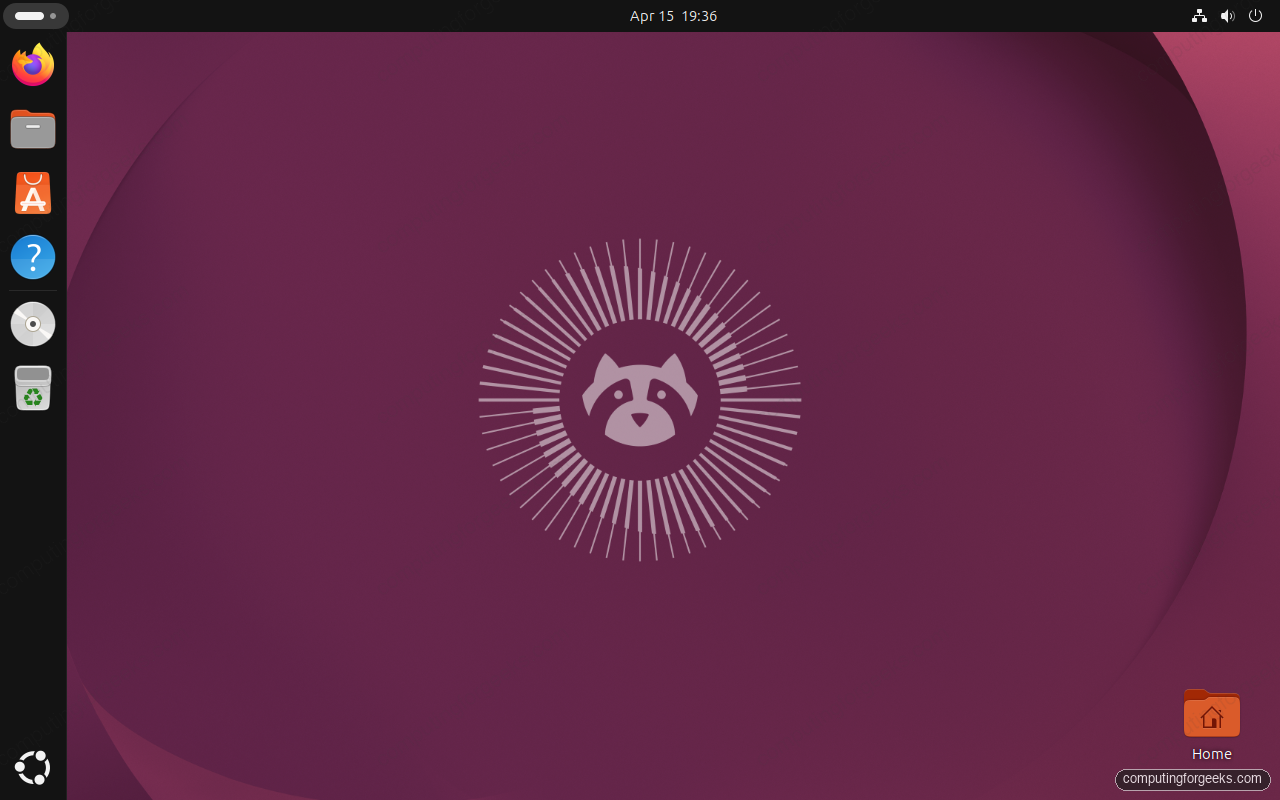
The desktop above is 26.04 on the stock GNOME 50 session. Same Ubuntu yaru theme and dock, noticeably crisper fractional scaling, and the default terminal icon in the Activities overview now launches Ptyxis instead of GNOME Terminal. If the desktop is the machine you are moving, our lab-tested Ubuntu Desktop 26.04 guide goes from the install through Chrome, Node.js 24, Java, Docker and KVM on top of it.
The default apps swap
A lot of the old GTK3 GNOME apps were replaced in 26.04. The new defaults are GTK4 or Rust rewrites, and most of them are notably snappier on cold start.
| Role | 24.04 default | 26.04 default | Notes |
|---|---|---|---|
| Terminal emulator | GNOME Terminal | Ptyxis (GTK4) | Container-aware tabs, better theming; keybindings compatible with GNOME Terminal muscle memory |
| PDF viewer | Evince | Papers | Rust backend, HiDPI fixes, much faster on large PDFs |
| Image viewer | Eye of GNOME | Loupe | Smooth pan/zoom, memory-safe; raw-format support improved |
| Video player | Totem | Showtime | Known issue: crashes on NVIDIA driver 580. Use 595+ or swap for mpv |
| File manager | Files (Nautilus 46) | Files (Nautilus 50) | Same app, redesigned sidebar and path bar; network sessions persist properly |
| Document processor | LibreOffice 24.2 | LibreOffice 26.2 | UI refresh, theme support, faster Calc recalculation |
| Image editor | GIMP 2.10 (if installed) | GIMP 3.2 | Non-destructive layers, multi-threaded paint, GTK3 |
| Mail client | Thunderbird (snap) | Thunderbird (snap) | 26.04 launched on the 140 “Eclipse” ESR, but the deb is a ~20 KB transitional stub on both releases and the snap has since rolled well past it, so this is not an upgrade win |
| Resource monitor | GNOME System Monitor | Resources | New GPU, battery, and sensor panels; faster refresh |
If you depend on an old app, everything above is still installable via apt on 26.04. Evince, Eye of GNOME, Totem, GNOME Terminal, and System Monitor all remain in the archive. They are just not the default.
The Rust userland: sudo-rs and uutils coreutils
Ubuntu 26.04 is the first LTS where Rust is not experimental, optional, or isolated to a corner. Two long-standing C binaries get swapped for Rust rewrites on fresh installs:
sudo-rsreplaces GNU sudo at/usr/bin/sudo. GNU sudo stays in the archive as thesudopackage and installs its binary at/usr/bin/sudo.ws, so both are selectable throughupdate-alternativesrust-coreutils(uutils) ships in parallel with GNU coreutils. A fresh install prefers the Rust builds for most tools, butcp,mvandrmdeliberately stay GNU on 26.04 because the Rust replacements still had open bugs at release. 26.10 moved those three as well, so this split is a 26.04 detail rather than the end state
List what the 26.04 VM actually has installed, because the shim packages decide which implementation answers when you type ls:
dpkg -l | grep -E ' (coreutils|rust-coreutils|gnu-coreutils|coreutils-from-uutils|sudo|sudo-rs) ' | awk '{print $1,$2,$3}'
readlink -f /usr/bin/sudo
update-alternatives --query sudo | grep -E '^(Value|Alternative)'
On the 26.04.1 VM the list holds rust-coreutils, the coreutils-from-uutils symlink shim, gnu-coreutils as the fallback, and both sudo packages. The last two commands show that /usr/bin/sudo resolves to the Rust binary under /usr/lib/cargo/bin, with GNU sudo registered as the second alternative:

The launch image carried rust-coreutils 0.8.0, and the archive has since moved it to 0.10.0 through a stable release update, so run a full upgrade before you judge compatibility on an older install. The same commands on the 24.04.5 VM list only GNU coreutils and sudo, and update-alternatives answers “no alternatives for sudo”, because nothing on 24.04 competes for that path by default.
For operators, behavior is close enough that common shell scripts just work. The catch is real: if you rely on GNU-specific long-option spellings or obscure ls --format flags, you may hit a error: unexpected argument instead of the quiet compatibility you had on 24.04. The GNU binaries are already on disk under a gnu prefix, so gnuls, gnudate and friends give you the old behavior one call at a time. To flip the whole system back, swap the provider package. Both providers Conflict on the virtual coreutils-from package and APT will not pick a winner on its own, so the removal is named explicitly with a trailing hyphen, the same form the Canonical summary for LTS users prints.
The first line below moves the system to GNU, the second brings the Rust set back. Add -s to either one first if you want to read the plan before APT touches an Essential package.
sudo apt install coreutils-from-gnu coreutils-from-uutils- --allow-remove-essential
sudo apt install coreutils-from-uutils coreutils-from-gnu- --allow-remove-essential
We ran the first line with -s on the 26.04.1 VM. APT reports the trade as one removal and one install. The Essential-package warning is expected here, and the Summary line is the part to read before you confirm:
Installing:
  coreutils-from-gnu

REMOVING:
  coreutils-from-uutils

WARNING: The following essential packages will be removed.
This should NOT be done unless you know exactly what you are doing!
  coreutils-from-uutils

Summary:
  Upgrading: 0, Installing: 1, Removing: 1, Not Upgrading: 0
For sudo, the list of traps is shorter. sudo-rs implements the sudoers parser plus the most common flag set, but it does not implement the full plugin API that GNU sudo exposes. If your environment uses sudo_noexec.so or custom sudoers_policy plugins, select GNU sudo instead. LDAP-backed sudoers has no equivalent escape hatch: the sudo-ldap package is gone from 26.04 entirely, and the Canonical answer is LDAP authentication through PAM. Two more things bite automation: the password prompt changed to [sudo: authenticate], which breaks Expect-style scripts, and sudoreplay I/O logging is not implemented in sudo-rs. That last one is worth checking before you panic: the sudo package is a dependency of ubuntu-minimal, so GNU sudo is already on every 26.04 box as /usr/bin/sudo.ws alongside /usr/bin/sudoreplay.ws. You do not install anything, you just repoint the alternative:
sudo update-alternatives --set sudo /usr/bin/sudo.wsThe init system and filesystem defaults are the other userland change that shifts behavior in places you might not expect. We checked the cgroup hierarchy, the /tmp mount, boot time and idle memory on both VMs with the same four commands:
stat -fc %T /sys/fs/cgroup
findmnt -no FSTYPE,SIZE /tmp
systemd-analyze | head -1
free -m | head -2
On 26.04.1 /tmp is a 3.9G tmpfs, half of the VM’s 8 GB, while the 24.04.5 VM returned nothing for findmnt because its /tmp is a plain directory on the root disk. Boot time and idle memory came out nearly identical: 18.97s against 19.62s to boot, and between 469 and 518 MB used at idle on either box across our runs:

Both boxes report cgroup2fs, which is why a stock 24.04 host has nothing to migrate. The tmpfs /tmp is the change to plan for instead: anything that parks large files there now spends RAM and loses them on reboot. The cgroup section below covers the hosts that do still lean on v1.
Dracut replaces initramfs-tools
24.04 still builds its initramfs with initramfs-tools, the Debian-lineage generator Ubuntu has used for more than a decade. 26.04 switches to dracut, the RHEL-family tool. The feature set is richer (systemd inside the initrd, network booting, better encrypted-root handling), but any custom hooks you dropped into /etc/initramfs-tools/hooks/ or scripts/ simply will not run.
If you maintain a custom initramfs (encrypted root with a non-default unlock, network-boot tweaks, special storage drivers), budget a morning to port them. The dracut module format is different:
ls /usr/lib/dracut/modules.d/
# Each module is a directory with a module-setup.sh and optional scripts
# Your hooks become dracut modules with a well-defined API
You do not have to port on day one. The Canonical summary for LTS users says the original initramfs-tools remains supported and you can switch between the two implementations if required, so a host with hooks you cannot rewrite yet can stay on initramfs-tools while you port them. Our upgraded 24.04.5 VM did exactly that on its own: after do-release-upgrade it still ran initramfs-tools, while the fresh 26.04.1 VM came up with dracut 110, so the port only becomes urgent on new builds.
The cgroup v1 cliff (this is the upgrade blocker)
24.04 defaults to cgroup v2 (“unified”) but keeps v1 support compiled in for compatibility. 26.04 will not drive it: the kernel still carries the v1 controllers, but upstream systemd deleted the legacy and hybrid hierarchies in 258, so v2 is always mounted at boot. Setting systemd.unified_cgroup_hierarchy=0 or systemd.legacy_systemd_cgroup_controller=1 no longer buys you anything, because there is no v1 left to fall back to. The host still boots. Your v1-dependent workloads are what break.
Check your current hierarchy before upgrading:
stat -fc %T /sys/fs/cgroup
cat /proc/1/cgroup | head -3
mount | grep cgroup
If you see cgroup2fs and a single unified hierarchy, you are already on v2 and the upgrade is safe. If you see tmpfs at /sys/fs/cgroup with separate per-controller mounts, you are on v1 and anything relying on that hierarchy will break on 26.04. The fix is to first move to v2 on 24.04 (remove the kernel parameter, reboot), verify your containers still work, and then upgrade to 26.04.
Who is actually on v1 in 2026? Rare, but it happens:
- Docker older than 20.10 (Docker on modern Ubuntu is already fine)
- LXC containers with
lxc.cgroup.*rules instead oflxc.cgroup2.* - Legacy Kubernetes nodes with custom
--cgroup-driver=cgroupfssetups from before 2022 - Anything pinning v1 in
/etc/default/grubfor a specific workload
If any of the above describes your fleet, treat this as the real migration. The kernel and the desktop can wait.
APT 3.2, the new solver, and apt-key
APT jumped from the 2.8 line on 24.04 to the 3.2 line on 26.04. The new solver is there, but Canonical’s notes say it steps in automatically when the classic solver cannot find a solution or needs to explain a failure (and in some other cases to evaluate itself), so day to day resolution behaves much as it did on 24.04. What bites in automation is smaller:
apt-keywas deprecated in 21.10 and is fully removed in 26.04. Third-party repos must use keyring files under/etc/apt/keyrings/and reference them in the sources file’sSigned-By:field. If your cloud-init or Ansible still runsapt-key add, update it before the upgrade- deb822
.sourcesfiles are not new: 24.04 already keeps the archive in/etc/apt/sources.list.d/ubuntu.sources. A box upgraded from an older release with a classicsources.listshould be converted before 26.04, because third-party repos withSigned-By:keyrings are far easier to manage in that format
Our 26.04.1 VM reports apt 3.2.1 after the November updates, against apt 2.8.4 on the 24.04.5 VM, as the core version captures near the top show. Python, OpenSSL and OpenSSH change underneath you on the upgrade, but the apt-key removal is the change that breaks a playbook on its first run.
Server runtimes and databases
This is the table admins care about most. The versions are the archive candidates on our two patched VMs, which is what apt install gives you today. The one-liner below prints the candidate for each package without installing anything, so you can run it on your own boxes:
for p in linux-generic postgresql mysql-server mariadb-server nginx php valkey-server redis-server containerd docker.io golang-go rustc default-jdk; do printf '%-15s %s\n' "$p" "$(apt-cache policy $p | awk '/Candidate/{print $2}')"; doneThe 24.04.5 VM shows how much the old LTS has quietly gained through updates. Valkey 7.2 is now in its archive, and Docker 29.1.3 with containerd 2.2.1 arrived as ~24.04 builds through updates:

The 26.04.1 VM moves every database and web server a full release line, while docker.io sits on the same 29.1.3 as 24.04. If Docker is your main workload, the archive no longer gives you a reason to upgrade:

The table pulls those candidates together with what each jump means once the service is running:
| Stack | 24.04 | 26.04 | Why it matters |
|---|---|---|---|
| PostgreSQL | 16.x | 18.x | Up to 3× on storage reads per Canonical; incremental backup, async I/O |
| MySQL | 8.0 | 8.4 LTS | Oracle’s first explicit MySQL LTS release. mysql_native_password is deprecated and accounts that use it are locked out unless you enable the plugin, so move those accounts to caching_sha2_password before upgrading (re-enabling the old plugin is a stopgap that MySQL 9.7 removes) |
| MariaDB | 10.11 (universe) | 11.8.6 LTS (main) | Canonical moved MariaDB into main with full support, not community |
| Redis / Valkey | Redis 7.0.15, Valkey 7.2.14 | Valkey 9.0.6 (main), Redis 8.0.5 (universe) | Valkey moved into main on 26.04 and is the supported option. Redis did not go away, it stayed in universe and is newer than 24.04’s |
| Samba | 4.19.5 | 4.23.6 | VFS module consolidation; review vfs objects stanzas before upgrading |
| OpenSSH | 9.6p1 | 10.2p1 | ML-KEM-768×25519 hybrid KEX by default; DSA keys removed; PerSourcePenalties on by default, which can lock out CI runners and monitoring probes that fail auth repeatedly. Exempt them with PerSourcePenaltyExemptList (default none) |
| Nginx (archive) | 1.24 | 1.28.3 | nginx.org’s mainline repo now publishes resolute, so the noble-repo workaround from launch week is no longer needed |
| Apache | 2.4.58 | 2.4.66 | Default ssl.conf refuses TLS 1.0 and 1.1 |
| Docker (Ubuntu archive) | docker.io 29.1.3, containerd 2.2.1 | docker.io 29.1.3, containerd 2.2.2 | Same Docker release on both LTS lines now, so a container host gains nothing here by upgrading. Docker’s own repo publishes for both releases too |
The PostgreSQL 16 → 18 jump is not a simple apt upgrade. Run pg_upgrade with a dump and restore plan. Our Install PostgreSQL 18 on Ubuntu 26.04 guide covers the upgrade path in detail.
Security posture: what changed
- Post-quantum cryptography: OpenSSL 3.5.5 ships with ML-KEM and ML-DSA algorithms. 24.04’s OpenSSH 9.6p1 already negotiates the
sntrup761x25519-sha512hybrid KEX; 10.2p1 makesmlkem768x25519-sha256the default, which is the NIST-standardised ML-KEM. Older clients fall back to what both ends support - DSA key removal: OpenSSH 10.2 no longer accepts DSA keys. If you have ancient keys, rotate before upgrading
- TLS 1.0 and 1.1 off in Apache: the 2.4.66 package’s
mods-available/ssl.confreadsSSLProtocol all -SSLv2 -SSLv3 -TLSv1 -TLSv1.1, in line with RFC 8996. 24.04 already refused both through Ubuntu’s OpenSSL SECLEVEL=2 policy; 26.04 now says so in Apache’s own config - TPM-backed FDE out of experimental: the installer exposes TPM-backed disk encryption as a supported option, with passphrase rotation from the UI. 24.04 shipped this as experimental
- AppArmor permission prompting: the Security Center app, added in 24.10, offers experimental prompting when a snap asks for access to the home directory. 24.04 has no such app
- SSSD now runs as non-root: the daemon drops to the
sssduser at start. Directory permissions on/var/lib/ssschange
None of this individually forces an upgrade. Together they make 26.04 the correct base for any new compliance-driven deployment in 2026 and beyond.
Breaking-change cheat sheet
Everything below worked on 24.04 and either fails or behaves differently on 26.04. Skim this table before you point any automation at a fresh 26.04 host, because most of these surface as a silent change in behavior rather than a clear error:
| Change | What breaks | Fix |
|---|---|---|
apt-key removed | Any cloud-init or Ansible playbook running apt-key add | Write keyrings to /etc/apt/keyrings/*.gpg and reference via Signed-By: |
| cgroup v1 removed | Docker < 20.10, LXC with v1 rules, kernel param overrides | Move to v2 on 24.04 first, verify, then upgrade |
| X11 session removed from Ubuntu Desktop (other flavours keep X.org) | xdotool, some Electron apps pre-2023, screen sharing in old video-call clients | Use Wayland-native equivalents; update Electron apps to 2024+ builds |
| Postfix chroot default off | Hardening guides that assumed the chroot directory exists | There is no smtpd_chroot setting. Chroot is the 5th column of each service line in /etc/postfix/master.cf, and 26.04 supports it only partially now |
/tmp is now tmpfs | Anything parking large files or state in /tmp and expecting it to survive a reboot or exceed RAM | Ubuntu now ships upstream’s tmp.mount. Move durable scratch to /var/tmp, or mask the unit |
| System V init scripts deprecated | Vendor-supplied SysV scripts that predate systemd | 26.04 still runs them. 26.10 removed systemd-sysv-generator, so port them to native units before you move past 26.04 |
| DSA SSH keys removed | Ancient keys from pre-2015 deployments | ssh-keygen fresh ed25519 keys before upgrade |
The SysV row is the one that changed since launch. It was a warning for “some future release” in April, and 26.10 has now made it real, so any vendor package that still ships only an /etc/init.d script has a fixed shelf life on Ubuntu.
Performance: what benchmarks actually show
One caveat before the numbers: the most-cited Phoronix comparisons were published in February and March 2026, against development snapshots rather than the shipped release, so treat them as directional rather than final. Broad strokes:
- AMD Strix Point with RDNA 3.5 graphics: substantial lift for 3D workloads and compute, primarily driven by the newer Mesa stack rather than the kernel bump alone
- Timed Linux kernel compile: modestly faster on 26.04 with GCC 15.2 and LTO tuning, in the single-digit percent range on high-core-count desktop parts
- PostgreSQL pgbench: Canonical’s up to 3× figure is specifically about reads from storage, not mixed OLTP. Published pgbench 17 to 18 comparisons land nearer 20 to 30%, so size expectations off your own read/write mix
- Network throughput: unchanged. This stack has been mature for years
Where 24.04 still has an edge: workloads that sit on the 24.04 HWE kernel and stress already-mature subsystems. The delta is noise-level for most web, API, and database hosts. If you care about real numbers, benchmark your own workload, not a published chart.
Upgrade 24.04 to 26.04 now, step by step
With the prompt open, the order of the checks matters more than the upgrade command itself, because the upgrader can only work with what the old system hands it. One check is new since launch, and it is worth running on every 24.04 machine that has been upgraded from an older release:
test -L /lib32 && ! test -e /lib32 && echo "dangling /lib32 symlink"No output means /lib32 is either a working link or not there at all, which is what we got on both the 24.04.5 and the 26.04.1 VM, and you can carry on. If it prints the warning, read the next section before you start, because that leftover link is what stops the base-files package in the middle of a release upgrade. With that out of the way, the sequence is:
- Back up, and confirm the host is on cgroup v2 with
stat -fc %T /sys/fs/cgroup(it should saycgroup2fs) - Run
sudo apt update && sudo apt full-upgradeon 24.04, reboot, and confirm nothing is held back - Remove every PPA that does not already publish
resolutepackages (check withapt policy); re-enable after the upgrade - Confirm the offer with
do-release-upgrade -c, then runsudo do-release-upgradeand answer the config-file prompts withNunless you know you need the new defaults - Reboot, run
sudo apt autoremove, and re-enable the PPAs that now publish for 26.04 - Verify your application stack end to end: systemd unit states, database connectivity, cron jobs, user logins
Our 24.04 to 26.04 upgrade walkthrough runs that sequence on a real server with every prompt shown, including the third-party repositories the upgrader disables and the Python virtualenvs that need rebuilding afterwards. Building fresh is the easier path if the box is mostly configuration: the step-by-step 26.04 install guide covers the installer, and initial server setup plus the post-install checklist cover what to do before the box faces the internet.
What an upgraded 24.04 box ends up with
We ran the upgrade itself on the patched 24.04.5 VM with the non-interactive frontend, so no prompt waited on a keyboard. It finished in 11 minutes 25 seconds with exit code 0, and after a reboot we ran the same checks as on the fresh 26.04.1 box:
sudo do-release-upgrade -f DistUpgradeViewNonInteractiveThe upgraded box picked up sudo-rs, uutils ls and a tmpfs /tmp, so those three defaults reach upgrades as well as fresh installs. The initramfs generator did not switch: initramfs-tools 0.151 stayed installed, with only the small dracut-install helper pulled in, so your old hooks keep running after an upgrade:

That makes the dracut change a fresh-install concern, not an upgrade one. The tmpfs /tmp is the default that does follow you across, so check what your services leave in /tmp before the reboot that ends the upgrade. Use the interactive upgrader on a real server, because the non-interactive frontend answers every config-file question for you.
Error: “The base-files package cannot be installed because /lib32 is a dangling symbolic link”
This is Launchpad bug 2131303. The base-files pre-install script refuses to continue when one of the optional multilib alias links (/lib32, /libo32, /libx32) points at a /usr directory that no longer exists, which happens when the last package that shipped files in /usr/lib32 was removed. Reports on the bug include 24.04 to 26.04 upgrades that stopped at this point, and at least one that left the machine unbootable. The fix described in the bug makes the script remove a dangling alias link instead of aborting, and base-files recreates the link later if /usr/lib32 comes back. Launchpad now shows that base-files fix as released for resolute, so an upgrade that pulls the current package gets past it. The release-upgrader check that is meant to catch it up front was still in progress in November 2026, so removing a dangling link yourself with sudo rm /lib32 (it is only a symlink, so nothing else goes with it) before you run do-release-upgrade remains a cheap precaution. Run the same test against /libx32 and /libo32, because the bug covers all three.
A short note on 26.10
Ubuntu 26.10 (Stonking Stingray) came out on 15 October 2026 and does not change the LTS decision on this page. It is an interim release supported until July 2027, so treat it as a preview of what 28.04 is likely to ship. The 26.10 release notes list the changes a 26.04 admin should watch:
- Kernel 7.3 and GNOME 51
- 100% Rust uutils, including
cp,mvandrm dbus-brokerreplacesdbus-daemon- OpenSSL 4 and MySQL 9.7 LTS
- System V init script support removed
Getting there from 26.04 is not a one-flag change yet. We read both release feeds from the 26.04.1 VM on 21 November 2026, and the normal feed still ended at 26.04.1 LTS while 26.10 appeared only in the development feed:
curl -s https://changelogs.ubuntu.com/meta-release | grep -E '^(Dist|Version|Supported):' | tail -3
curl -s https://changelogs.ubuntu.com/meta-release-development | grep -E '^(Dist|Version|Supported):' | tail -6
The first block is what plain do-release-upgrade reads, the second is what do-release-upgrade -d reads. Until Dist: stonking shows up in the first one, a 26.04 box with Prompt=normal still needs -d to see 26.10:

Systems with TPM-backed full-disk encryption cannot take that upgrade at release, and the /lib32 check above applies to it as well. We did not run a 26.04 to 26.10 upgrade for this comparison. Our guide to upgrading Ubuntu 26.04 to 26.10 walks through the Prompt=normal switch, the -d run inside tmux and a snapshot rollback, and the Ubuntu 26.10 install guide is the cleaner way to get a test box.
Launch-window issues, and which ones are fixed
These are the problems that dominated the first weeks after release. Most of them only hit specific hardware, so check the list against your own machine before you read any of them as a reason to wait:
- NVIDIA 580 + Showtime crash: the default video player segfaults on NVIDIA driver 580. Upgrade to driver 595 or install
mpv - Intel iGPU regression in some GNOME apps: Arc and older Iris Xe users reported frame hitching in Resources and GNOME Weather. A fix was queued for a later 7.0 kernel update, and the 26.04 kernel has moved well past the 7.0.0-14 it shipped with, so re-test before assuming it still bites
- Nginx mainline repo gap (fixed): nginx.org had no
resolutesuite at launch, which forced anoble-repo workaround. Upstream publishesresolutenow, and the archive build has moved to the 1.28 line, so neither workaround is needed - snap-confine conflicts on upgrade from 25.10: rare but reported. Clean up with
sudo apt install --reinstall snapdafter the upgrade finishes - EFI System Partition weirdness: some UEFI boards (notably early AM5 and B460 boards) show the installer complaining about an unrecognized ESP. Creating the ESP manually before the installer runs works around it
None of these is a blocker for a server. The NVIDIA and Intel items are desktop problems, and the ESP one only matters on a fresh install.
Recommendation, by role
Collapsing everything above into a one-line answer for common roles:
| Role | Verdict | Reasoning |
|---|---|---|
| Desktop power user with recent hardware | Upgrade now | Real wins in GNOME 50, GIMP 3.2, and the Ptyxis terminal. No kernel win: a 24.04 desktop already tracks HWE, so it is on 7.0 too |
| Desktop user on pre-2019 hardware with 4 GB RAM | Stay on 24.04 | 6 GB is the new minimum; GNOME 50 will be painful on older laptops |
| Production web / database server, stable | Stay on 24.04, plan the move before 2029 | No forcing function; 24.04 standard support runs to May 2029 |
| Kubernetes / container host | Audit cgroup v1 first; upgrade after confirmation | v1 is the blocker; everything else is cosmetic |
| New server, no legacy | Install 26.04 | Longer support, newer everything, ML-KEM in SSH and OpenSSL |
| Developer workstation | Upgrade now | Python 3.14, Go 1.26, Rust 1.93, OpenJDK 25, LLVM 21 all matter for modern toolchains |
| Ubuntu MATE / Unity user | Check your flavor’s own support statement first | Flavors are community-maintained and their support periods can differ from Ubuntu’s, so confirm the 26.04 status on the flavor’s site |
| Someone who wants the newest of everything | Run 26.10 on a spare box, keep the main machine on 26.04 | 9 months of support, until July 2027 |
If you are on the fence about a server, the conservative answer is still the right one. 24.04 is a stable LTS with standard support to May 2029, and the only real mistake is upgrading a production host in a hurry and learning about cgroup v1 or a dangling /lib32 at 3 a.m. On a desktop, the point release removed the last good reason to wait.
Frequently asked questions
Is Ubuntu 26.04 stable enough for production now?
Yes for new builds, and yes for upgrades once you have cleared the checks above. 26.04.1 shipped in late August 2026 and Canonical opened the upgrade prompt with it, which is how the project signals that the LTS-to-LTS path is ready. Still give the upgrade a run on a staging host that matches production, because the blockers on this page are about your workload, not about the release.
Can I skip 24.04 and upgrade directly from 22.04 to 26.04?
No. Canonical’s 26.04 release notes say that from 22.04 LTS or 25.04 you first upgrade to 24.04 LTS or 25.10, then to 26.04. On a 22.04 server that means two release upgrades, so budget two maintenance windows or build a fresh 26.04 machine instead.
Will my Docker containers break after the upgrade?
Only if your Docker is ancient (older than 20.10) or if you have manually pinned cgroup v1 in /etc/default/grub. Docker 20.10 and newer runs on cgroup v2 without any changes. Check your host with stat -fc %T /sys/fs/cgroup; if it reports cgroup2fs, Docker will survive the upgrade unchanged.
How long is 24.04 supported if I do not upgrade?
Standard security maintenance for 24.04 runs until May 2029. With Ubuntu Pro, Expanded Security Maintenance extends that to May 2034, and the Legacy add-on reaches May 2039. There is no security-coverage reason to leave 24.04 before 2029.
Should I move to 26.10 instead of 26.04?
Not on a machine you depend on. 26.10 is supported until July 2027, so you sign up for another upgrade within nine months, and TPM-backed FDE systems cannot take the 26.04 to 26.10 upgrade at release. Use it on a spare box if you want to see 100% Rust coreutils and dbus-broker before they reach an LTS.
Does 26.04 break my existing Python virtualenvs?
Yes. The default Python moved from 3.12 to 3.14, and existing venvs are pinned to the interpreter they were created against. Install python3-venv first (sudo apt install python3-venv), because a box that only had python3.12-venv fails with “ensurepip is not available”. Then recreate venvs: rm -rf .venv && python3 -m venv .venv && source .venv/bin/activate && pip install -r requirements.txt. If a project genuinely needs 3.12, the archive will not save you: 26.04 ships python3.14 and nothing older. Use the deadsnakes PPA, uv python install 3.12, or pyenv.
Both releases keep moving through stable release updates, so re-run the apt-cache policy check above against your own boxes before you fix a migration window. Canonical’s summary for LTS users is the authoritative list of what changed between the two LTS releases.