XNULinux boots macOS 27 on a stock arm64 Linux kernel with no hypervisor between them. Apple’s XNU kernel loads as a Linux module, xnu.ko, on top of a small GPL shim called fki.ko, and Darwin’s userland runs on CPUs that Linux lends it. When Phoronix wrote up Heyang Zhou’s project on 23 November, my first question was simple: has anyone outside his own machines got it to a shell?
So I tried it on Apple Silicon in a Tart Linux VM, one of the README’s two setups. I got a long way: the kernel builds, the disk converts, macOS boots to a root console, takes a DHCP lease and accepts SSH from Linux. I then timed it against a stock Tart macOS VM on the same Mac. I did not get a desktop, and the reason is worth knowing first.
Every log here comes from November 2026 on box1, an Ubuntu 24.04 VM with Linux 7.0 under Tart 2.42.0 on an M4 Mac mini running macOS 27.2.1, built from xnulinux commit 5b9600a. Below: what worked, every place it broke, and the fix where there was one.
Understanding what XNULinux loads into Linux
XNULinux is not a VM and it isn’t Darling. The xnulinux README describes XNU running as a guest kernel inside an unmodified arm64 Linux kernel, in its own address space, with fki.ko (the “foreign kernel interface”) handing it a block of reserved RAM, some CPUs, a disk image and a network device. Phoronix’s write-up adds that it only targets ARM64 Linux, not x86_64, and that the macOS binaries come from your own installation.
Phoronix’s second point decides the whole workflow. You need a Mac anyway, because the macOS system disk is converted from a real macOS VM install, so a Linux box on its own can’t get you started. The GPU half of the project also needs Xcode on that Mac. The README’s requirements, as I read them:
- arm64 CPU with pointer authentication (PAC) and a Linux kernel on 4K pages
- 16 GB of RAM or more, 8 GB of it for XNU
- a Mac with Xcode for the disk and the CPU Metal plugin
- your own macOS 27 VM disk
According to the README, it has run on an NVIDIA DGX Spark and on M1 or newer Macs inside krunkit or Tart. Mind the licence, though: Apple’s macOS licence allows macOS virtual machines only on Apple hardware, so the README’s DGX Spark run sits outside it. Every step in this post ran on an M4 Mac mini. My Mac mini had 24 GB, so the Linux VM got the stated 16 GB and XNU kept its default 7900 MB. Because XNU’s memory is carved out of the Linux VM’s RAM, where that carve-out starts depends on Tart’s memory map, and the repo’s default address is wrong for Tart, which I’ll get to.
Creating the two Tart VMs on the Mac
Two VMs live on the Mac, and each has one job:
$S-mac: a plain macOS 27 install, only there to be converted$S-linux: the arm64 Ubuntu box that runsxnu.ko
I used a short prefix so every name below is predictable:
export S=xnulinux
mkdir -p ~/$S && cd ~/$S
tart create $S-mac --from-ipsw latest --disk-size 80
tart clone ghcr.io/cirruslabs/ubuntu:24.04 $S-linux
tart set $S-linux --cpu 6 --memory 16384 --disk-size 160
The --from-ipsw latest install pulled Apple’s restore image and finished in about ten minutes. Keep the macOS VM stopped while the conversion script runs, because it clones that disk image directly. I never booted it at all. Start the Linux VM headless with tart run --no-graphics $S-linux & and keep its address in vm.ip.
The repo’s Mac-side helpers expect a work directory holding poc/ (the clone), vmkey and vm.ip, and they log in as admin, the user Cirrus Labs’ Ubuntu image ships with. That’s why I used admin rather than my usual lab user:
tart ip $S-linux > vm.ip
ssh-keygen -q -t ed25519 -N "" -f vmkey
ssh-copy-id -i vmkey.pub admin@$(cat vm.ip)
git clone https://github.com/AFK-surf/xnulinux poc
git -C poc checkout 5b9600a
Pin the commit. On a project this young the scripts can change under you between two runs, and every fix below is written against this one. Below, the Mac has both VMs in place, the Linux one running and the macOS one stopped.

If you already build macOS images with Tart, the same Cirrus Labs tooling I covered in building macOS images with Packer and Tart applies here unchanged.
Checking the Linux VM for PAC and 4K pages
Inside the Linux VM, clone the repo again to ~/w/poc, because the rebuild script hardcodes that path, and pin the same commit:
git clone https://github.com/AFK-surf/xnulinux ~/w/poc
git -C ~/w/poc checkout 5b9600a
Then confirm the two hard requirements. Apple Silicon passes PAC through to Tart guests, and Ubuntu’s arm64 kernel already uses 4K pages:
uname -r; getconf PAGESIZE; grep -o -w -E "paca|pacg" /proc/cpuinfo | sort | uniq -c; nproc; free -h | head -2You want 4096 and one paca plus one pacg per CPU. Asahi Linux on bare metal runs 16K pages, so it fails this check, which is why a VM is the practical route on a Mac.

My free line shows 7.7 GiB because I first created the VM with 8 GB; create it with 16 GB as above, and Linux keeps only 7 GB of that once mem= takes effect later. Six vCPUs were enough, since four go to XNU later and Linux only needs the rest for the console and dnsmasq.
Building the XNU kernel inside Linux
The kernel build leans on Droid-VM’s macOS-DroidVM tooling. Into ~/w/dvm, vm-xnu-build.sh pulls:
- the DroidVM scripts and configs
- a Linux-hosted cctools and LLVM toolchain
- the open source XNU tree it compiles
The build itself is one script, run as admin. Give the VM plenty of disk before you start, because the macOS image lands on the same disk later and one bug below filled my 144 GB within 14 minutes. The script clones DroidVM at its current head only when ~/w/dvm is missing, which for me gave 524d27b from 16 November, so clone and pin it yourself first to get the same tree:
git clone https://github.com/Droid-VM/macOS-DroidVM ~/w/dvm
git -C ~/w/dvm checkout 524d27b
bash ~/w/poc/scripts/vm-xnu-build.sh
On a fresh VM it failed twice before it worked. Both are ordering bugs in the scripts rather than anything about your machine, so you’ll hit them too unless upstream has fixed them since this commit.
sed: can’t read toolchains/linux/cctools-work/cctools/include/foreign/mach/thread_status.h
Here the script patches a cctools header before the toolchain that contains it has been fetched. Because the header doesn’t exist yet, the grep guard and the sed both miss it and the first build fails. Build the toolchain on its own first, then run vm-xnu-build.sh again:
cd ~/w/dvm
python3 scripts/setup-env.py toolchain --jobs 6
It printed toolchain ready: /home/admin/w/dvm/toolchains/linux, and the second build got past the cctools step.
decomment never exits and fills the disk
Fourteen minutes into the header install, my 144 GB disk was at 100%. Three decomment processes had each written a 12 GB .strip file from headers a few kilobytes long. The cause is in XNU’s own helper: bufchar is declared char, so on arm64, where char is unsigned, it never compares equal to EOF and the loop runs forever.

The build script does carry this exact sed, but it runs before setup-env.py has created out/k27/xnu, so on a first run it patches nothing. Stop the build, kill the stray decomment processes, delete the half-written header objects, change the type to int and run the build script again. The rerun applies its own sed too, now that the file exists; mine just makes the fix explicit:
sudo pkill -x decomment
cd ~/w/dvm
rm -rf out/x12377/build/xnu/hdrs-obj
sed -i 's/^\tchar bufchar;/\tint bufchar;/' out/k27/xnu/SETUP/decomment/decomment.c
bash ~/w/poc/scripts/vm-xnu-build.sh
My third run ended with build-exit=0 and a 23 MB kernel-k27.macho, reported by file as a Mach-O 64-bit arm64e executable. Watch df -h / in a second terminal the first time; a runaway like this doesn’t print anything until the disk is gone.
Fetching the kernel cache the README doesn’t mention
Next comes vm-xnu-rebuild.sh, which quietly checks for out/kc/kc27.bin. Everything after the kernel build sits inside that check: the slot layout, XNULinux’s kexts, the AMFI patch and the copy to /lib/firmware/xnu/kc.bin. Without the file none of that runs and no bootable collection is written, yet the README never says where it comes from. It’s the KernelCache from Apple’s macOS 27 restore image for the virtual Mac identity, and DroidVM’s scripts fetch just that member without downloading the whole IPSW:
sudo apt-get install -y lzfse
cd ~/w/dvm
python3 scripts/macos-inputs.py --profile configs/macos-27.2-26B123.json --output artifacts/27.2/inventory-26B123
python3 scripts/macos-fetch-member.py KernelCache --profile configs/macos-27.2-26B123.json --inventory artifacts/27.2/inventory-26B123/identities.json --identity vma2macosap --output-dir artifacts/27.2 --jobs 8
A good fetch ends with "matches_apple_manifest_digest": true, which is the check that the bytes are Apple’s. What you get is an IM4P wrapper around an LZFSE payload, and neither repo ships an unpacker. I wrote a short one that walks the DER fields and hands the bvx2 payload to lzfse -decode. Open ~/w/im4p-extract.py in your editor:
vim ~/w/im4p-extract.pyPaste this, exactly as I ran it:
#!/usr/bin/env python3
"""Unpack an IM4P (Apple's kernelcache wrapper): payload OCTET STRING, LZFSE (bvx2) decoded with the lzfse CLI."""
import subprocess
import sys


def der(buf, i):
    tag = buf[i]
    n = buf[i + 1]
    i += 2
    if n & 0x80:
        k = n & 0x7F
        n = int.from_bytes(buf[i:i + k], 'big')
        i += k
    return tag, i, n


src, dst = sys.argv[1], sys.argv[2]
b = open(src, 'rb').read()
tag, i, n = der(b, 0)
assert tag == 0x30, 'not a DER sequence'
fields = []
end = i + n
while i < end and len(fields) < 4:
    tag, j, n = der(b, i)
    fields.append((tag, b[j:j + n]))
    i = j + n
assert fields[0][1] == b'IM4P', fields[0]
print('type', fields[1][1].decode(), 'desc', fields[2][1].decode())
payload = fields[3][1]
print('payload magic', payload[:4], len(payload), 'bytes')
if payload[:4] == b'bvx2':
    subprocess.run(['lzfse', '-decode', '-o', dst], input=payload, check=True)
else:
    open(dst, 'wb').write(payload)
print('wrote', dst)
Then unpack the kernel cache to where the rebuild looks for it:
cd ~/w/dvm && mkdir -p out/kc
python3 ~/w/im4p-extract.py artifacts/27.2/kernelcache.release.vma2 out/kc/kc27.bin
It should print type krnl, a bvx2 payload of about 23 MB and the output path:

My unpacked file is 81,674,240 bytes and file calls it a Mach-O arm64e fileset. Note that DroidVM’s profile is the 27.2 build (26B123) while my disk was 27.2.1 (26B131). That mismatch is the kind docs/production.md says the AMFI patch exists for, and it booted fine here, so I didn’t chase an exact match.
Linking the kernel collection
This rebuild applies xnulinux’s patches to the kernel, links XNULinux’s own kexts and writes the boot kernel collection to /lib/firmware/xnu. AMFI_PLATFORM=27 tells it which macOS major the AMFI patch should expect. Nothing in the scripts creates that firmware directory, and the final copy fails without it, so make it first. The Mac-side disk conversion later writes there too:
sudo mkdir -p /lib/firmware/xnu
cd ~/w/poc
AMFI_PLATFORM=27 bash scripts/vm-xnu-rebuild.sh
On six vCPUs the kernel step took 110 seconds and the collection 5. Three things in the output tell you it worked:
- eight Xnu kexts, from XnuCPU to XnuInput
kc-k27.bin: 0x55a8000 byteswith 432815 chained pointersAMFI expected platform version ... 27 -> 27
XnuCpuMetal shows up as a linked kext even without Xcode. Don’t read that as GPU support, because the kext is only the kernel side and the userland bundle comes later.

That AMFI line is one of the “stopgaps” the project’s docs/production.md owns up to. XNULinux patches AMFI, relaxes SIP and merges the OS cryptex into the system volume, so treat the hosted system as a lab machine, not something to trust with your Apple ID.
Converting the macOS disk on the Mac
Back on the Mac, mk-macvm-disk.sh turns the Tart macOS VM’s disk into the hosted system’s disk. It adds to the Data volume, and it also merges the OS cryptex into the System volume, which breaks the seal (docs/production.md says as much). What it changes:
- user
xnu, passwordxnulinux, automatic login - a root shell on
/dev/console - disabled daemons for hardware that isn’t there
- the build’s static trust cache, 18480 entries
Then it copies everything into the Linux VM as /var/tmp/mac.img. The privileged mounts and copies run through sudo -n, so run sudo -v first on a normal Mac (the EC2 Mac’s ec2-user has passwordless sudo):
cd ~/$S/poc
SRC=$HOME/.tart/vms/$S-mac/disk.img bash scripts/mk-macvm-disk.sh
Two things bit me here. The script copies gpu/xnu-cpu-metal/dist/XnuCpuMetal.bundle into /Library/GPUBundles, and without Xcode there’s no bundle to copy. Under set -euo pipefail that kills the script, so I changed line 54 to skip the copy when the bundle is missing:
[ -d "$GPU" ] && sudo -n rm -rf "$D/Library/GPUBundles/XnuCpuMetal.bundle" && sudo -n ditto "$GPU" "$D/Library/GPUBundles/XnuCpuMetal.bundle"The transfer also died once with Connection timed out during banner exchange while the VM was busy; re-running only the script’s transfer block sent the 80 GB sparse image in 184 seconds. That block, lines 151 to 153 of mk-macvm-disk.sh, with the script’s SSH wrapper spelled out:
cd ~/$S/macvm
tar -cSf - mac.img | ssh -i ../vmkey admin@$(cat ../vm.ip) "rm -f /var/tmp/mac.img; tar -C /var/tmp -xSf -"
scp -i ../vmkey mac.conf admin@$(cat ../vm.ip):/var/tmp/mac.conf
scp -i ../vmkey trustcache.bin admin@$(cat ../vm.ip):/var/tmp/trustcache-mac.bin
ssh -i ../vmkey admin@$(cat ../vm.ip) "sudo mv /var/tmp/trustcache-mac.bin /lib/firmware/xnu/trustcache-mac.bin"
Tar keeps the image’s holes, so under 30 GB of real data crosses the wire instead of 80 GB of mostly zeros.
Reserving RAM for XNU under Tart
XNU does not get its memory from Linux’s allocator. Instead, fki.ko maps a physical range Linux was told not to use. So the service installer shrinks Linux with mem= on the kernel command line, then loads fki.ko with a base address and a size. The installer does not build the module, and the repo ships only its source, so build it first or the unit fails on the next boot:
cd ~/w/poc
make -s -C /lib/modules/$(uname -r)/build M=$PWD/fki-ko modules
It printed only a harmless pahole version warning and left fki-ko/fki.ko. On a 16 GB Tart VM, install the service with Linux on 7 GB and the installer’s full 8156 MB carve-out, but move the base to 0x230000000. Then reboot so the new mem= takes effect and the unit loads fki.ko:
cd ~/w/poc
LINUX_MEM=7G CARVE_BASE=0x230000000 CARVE_MB=8156 bash scripts/vm-install-fki-service.sh
sudo reboot
After the reboot, dmesg said fki: 8156 MiB at 0x230000000 for the foreign kernel's DRAM (outside the host's memory). Without CARVE_BASE, the installer uses its default 0x200000000, so I loaded that too to see what happens. The module loaded without a word, and the failure only showed when the boot script started xnu.ko.
fki: carve-out overlaps IORESOURCE_SYSTEM_RAM; refusing to map
Blame the script’s comments, which assume krunkit, where guest RAM starts at 0x40000000. Tart starts it at 0x70000000, 768 MB higher, so with mem=7G Linux owns everything up to 0x22fffffff, and the default carve-out at 0x200000000 lands on its last 768 MB. /proc/iomem tells you exactly where the free gap is:
sudo grep -i "system ram\|Kernel code" /proc/iomemStart the carve-out where the last low System RAM range ends and end it below the first high System RAM range. For a 16 GB Tart VM that’s 0x230000000, and 8156 MB from there ends at 0x42dc00000, under the high System RAM ranges from 0x45cdf0000 up, which hold the kernel image. To recover from the wrong base, unload the module, rerun the installer with the new base and restart the unit:
sudo rmmod fki
LINUX_MEM=7G CARVE_BASE=0x230000000 CARVE_MB=8156 bash scripts/vm-install-fki-service.sh
sudo systemctl restart xnulinux-fki
The whole round trip, default base refused, /proc/iomem read, corrected base loaded:

Got less RAM to spare? My first run had a 12 GB VM, so Linux got mem=5G, XNU got CARVE_MB=6108 with RAM_MB=5850 at boot, and the same mistake came out of the comment’s arithmetic: 0x180000000 was refused and 0x1b0000000 worked. It boots, but XNU has 2 GB less to work with.

Would you rather not count hex? On Tart, free space starts at 0x70000000 plus whatever you gave Linux with mem=. Get it wrong and nothing breaks loudly, because fki.ko refuses to map rather than corrupting Linux memory, so you lose a boot attempt and not a filesystem.
Booting macOS 27 on the Linux kernel
By default the boot script asks for 7900 MB for XNU, which fits inside the 8156 MB carve-out, so leave RAM_MB alone on a 16 GB VM. Per the README, GPU=off means no virtio-gpu bridge and rendering on the CPU, which is how the DGX Spark runs. I booted the same way:
cd ~/w/poc
GPU=off CPUS=4 bash scripts/xnulinux-boot.sh
lsmod then shows xnu stacked on fki, and dmesg prints XNU’s own boot log prefixed with fki: xnu]. The line I waited for was load_init_program: attempting to load /sbin/launchd, which arrived 0.7 seconds after the block disk attached (fki: xnu: block disk at 615.17 s, launchd at 615.85 s on one of the 12 GB boots). So macOS PID 1 was starting on a Linux kernel in under a second.
Talking to it is done through a pair of files. You append a line to /var/tmp/console-in and the hosted root shell’s output turns up in dmesg as fki: darwin console::
echo "sw_vers; uname -a; sysctl hw.ncpu hw.memsize machdep.cpu.brand_string; ps -ax | wc -l" >> /var/tmp/console-in
sudo dmesg | grep -a "darwin console" | grep -v -E "AppleVPKeyStore|AMFI" | tail -10
The second grep drops the keystore and AMFI noise that daemons print in between. What came back:

Read uname carefully. Userland is Apple’s macOS build. The kernel, though, reports Darwin 25.5.0 with a DEVELOPMENT_ARM64_BCM2837 config built at 01:38 that morning, because it’s the open source XNU tree compiled in the previous step. hw.ncpu is 4 and hw.memsize is 8,380,219,392 bytes, which is 7992 MiB, about 90 MiB above the 7900 MB RAM_MB default and the same gap I saw on the 12 GB run. ps counted 158 processes, header line aside.
Getting DHCP and SSH working
Networking comes from the boot script too. It creates xnu0 at 192.168.77.1/24 with NAT out of the VM’s uplink and a dnsmasq for DHCP. On my first boot en0 in macOS sat on a 169.254 address, and the boot output had already told me why.
dnsmasq: failed to create listening socket for 192.168.77.1: Address already in use
A dnsmasq from the previous run still held the port when the new one started. The new one gave up, and when I checked a few seconds later no dnsmasq was running at all, so nothing answered DHCP even though the script printed dnsmasq: yes. It happened on two boots out of three. Stop any old dnsmasq before booting. This VM runs no other dnsmasq, so I killed them all; on a host with libvirt or NetworkManager’s dnsmasq, kill only the PID in /run/dnsmasq-xnu0.pid instead:
sudo pkill -x dnsmasq; until ! pgrep -x dnsmasq >/dev/null; do sleep 0.5; doneAvoid pkill -f over SSH. A pkill -f dnsmasq run over SSH matches its own command line and kills your session, which I did twice. If macOS is already up without an address, start the script’s dnsmasq by hand and ask for a lease again from the hosted console:
sudo dnsmasq --interface=xnu0 --bind-interfaces --except-interface=lo --dhcp-range=192.168.77.2,192.168.77.50,12h --dhcp-option=3,192.168.77.1 --dhcp-option=6,192.168.77.1 --pid-file=/run/dnsmasq-xnu0.pid
echo "ipconfig set en0 DHCP" >> /var/tmp/console-in
Mine took 192.168.77.37 from the .2 to .50 pool; read yours with echo "ifconfig en0" >> /var/tmp/console-in and dmesg, and use it in place of .37 below. It pinged the gateway in about a millisecond and got HTTP/2 200 from apple.com through the NAT. Remote Login is off in the converted image, so enable sshd from the console. The first login asks for the password the conversion set, xnulinux:
echo "launchctl enable system/com.openssh.sshd; launchctl bootstrap system /System/Library/LaunchDaemons/ssh.plist" >> /var/tmp/console-in
ssh [email protected] "sw_vers; uname -m; sysctl hw.ncpu hw.memsize hw.pagesize; uptime"
For me this is the most useful screen in the whole exercise, because SSH is what you’d automate against while the GUI is missing. The uptime of 5 seconds is real: this login came straight after a fresh boot. Note hw.pagesize of 16384, which is the 16K VM page mode docs/production.md lists as the default, running over the Linux kernel’s 4K granule. On the Linux side, ps -eLo comm,psr,pcpu shows where macOS really runs: xnu-cpu kernel threads pinned to CPUs 1 to 3, plus the insmod thread on CPU 0.

Once you’re in, it’s an ordinary macOS shell, and the Mac terminal commands cheat sheet applies as is. For the Linux half, where most of the debugging happens with grep, pgrep and process listings, the Linux commands cheat sheet for files, grep, find and processes is the one I keep open next to dmesg.
Hitting the WindowServer wall
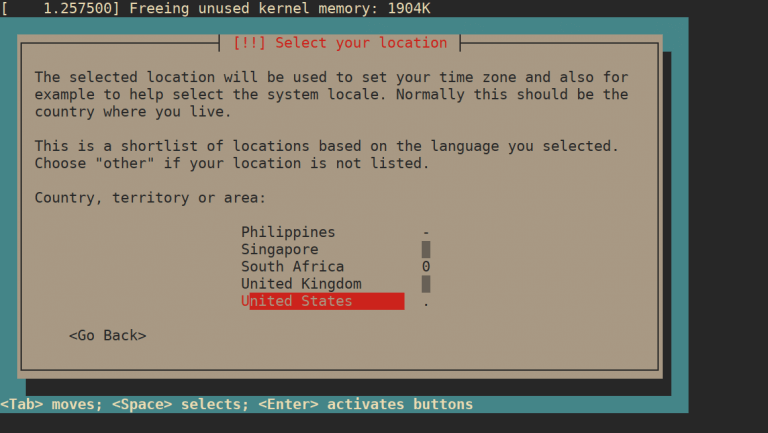
Meanwhile the framebuffer at /var/tmp/xnu-fb.raw stayed a flat blue on the 12 GB run, which is where the screenshot below comes from, and the 16 GB boot logged the same WindowServer crash loop (15 denied core dumps in its dmesg). In dmesg, AMFI denied a core dump for WindowServer every 30 seconds, ten times in five minutes, each with a new PID. /Library/GPUBundles is empty and every crash report ends in an abort() inside __WSSystemCanCompositeWithMetal_block_invoke.

WindowServer on macOS 27 won’t composite without a Metal device. XNULinux’s answer is gpu/xnu-cpu-metal, a software Metal plugin installed as XnuCpuMetal.bundle. According to that plugin’s own gpu/xnu-cpu-metal/README.md, building it takes:
- Xcode on the Mac
- Rust and an arm64e LLVM 22 toolchain
lp-sip0=2, which the boot script’s defaultlp-sip0=2050already includes
My rental Mac had only the Command Line Tools and no Apple ID to fetch Xcode, so this is where my run stopped. The README reports the desktop booting in 31 to 48 seconds on krunkit with that plugin in place, and a 30-minute stress run without a panic; I can’t confirm either from this box.
So be clear about what GPU=off buys you. It means no GPU bridge, not “no Metal plugin needed”: the DGX Spark reaches its desktop with GPU=off because the CPU plugin is installed, and without the plugin only the headless system works. If you do set BOOTARGS yourself, keep amfi_get_out_of_my_way=1 lp-sip0=2050 in it rather than replacing it with lp-sip0=2.
Stopping and rebooting the hosted macOS
To shut down, run the boot script with stop. Mine took 4.8 seconds, unloaded xnu, left fki holding its carve-out for the next run, and logged run stopped by the host (stop_run):
bash scripts/xnulinux-boot.sh stopOnce sshd is enabled it stays enabled, so later boots come up reachable without touching the console. The one-off costs of getting there, from the captures:
| Step | Time on box1 |
|---|---|
| Kernel rebuild (6 vCPUs) | 110 s |
| Kernel collection link | 5 s |
| Disk image copy, Mac to Linux VM | 184 s |
| Block disk attach to launchd | 0.7 s |
| Stop | 4.8 s |
How fast is it next to a Tart macOS VM?
Headless macOS under XNULinux reached a working SSH login in a median 6.6 seconds, against about 11 seconds for a stock Tart macOS 27 VM on the same Mac. Per operation it was a mixed result: plain CPU work ran level, a large memory copy was within timer noise, and process creation took roughly twice as long.
For the baseline I cloned Cirrus Labs’ macOS 27 base image on the same Mac and gave it the same 4 CPUs and 7900 MB that XNU gets:
tart clone ghcr.io/cirruslabs/macos-golden-gate-base:latest $S-tart
tart set $S-tart --cpu 4 --memory 7900
Both sides were timed the same way, three boots each in one session. XNULinux’s clock starts when xnulinux-boot.sh is launched, after the old dnsmasq is killed; Tart’s starts at tart run --no-graphics. Each clock stops at the first ssh ... true that succeeds, polled every half to one second. Then the same script went to each guest over SSH, three runs of five jobs timed with /usr/bin/time -p:
cd /tmp
t(){ /usr/bin/time -p "$@" 2>&1 >/dev/null | awk '/^real/{print $2}'; }
echo "os $(sw_vers -productVersion) $(sw_vers -buildVersion) ncpu $(sysctl -n hw.ncpu) memsize $(sysctl -n hw.memsize) pagesize $(sysctl -n hw.pagesize)"
for r in 1 2 3; do
  cpu=$(t awk 'BEGIN{s=0;for(i=0;i<30000000;i++)s+=i%7;print s}')
  memcpy=$(t perl -e '$a="x" x (256*1024*1024); for (1..20){ $b=$a; substr($b,0,1)="y"; } print length($b)')
  faults=$(t perl -e '$a="x" x (2*1024*1024*1024); print length($a)')
  fork=$(t bash -c 'for i in $(jot 1000); do /usr/bin/true; done')
  disk=$(t bash -c 'dd if=/dev/zero of=/tmp/bench.dat bs=1m count=2048 2>/dev/null; sync; rm -f /tmp/bench.dat')
  echo "run $r cpu_awk_30M=$cpu memcpy_5GB=$memcpy touch_2GB=$faults fork_exec_1000=$fork write_2GB_sync=$disk"
done
Save it as bench.sh and pipe it in with ssh [email protected] bash -s < bench.sh. The substr write matters: without it Perl shares the copied string and the “5 GB copy” finishes in 0.05 seconds, which is what my first run measured. On the XNULinux side, from the Linux VM:

The 14.3 second boot was the first of the session. Its script returned at 12.9 s instead of 6.2 s, so most of that gap is the script’s own work before XNU starts. The Tart VM, timed on the Mac itself:

My first Tart pass started while the guest was still busy after boot (its 5-minute load average still read 5.44 when it finished), and its first run came out slow on memory (0.40 s copy, 0.95 s touch). By then the 1-minute load had dropped to 1.67, so I ran it again; that second pass is the one above and in the table. Every row is the median of three, with the boot and disk rows listing each run:
| Measure | XNULinux (hosted macOS 27.2.1) | Tart VM (macOS 27.2) |
|---|---|---|
| Boot to SSH login, median (runs) | 6.62 s (14.30, 6.55, 6.62) | 11.16 s (11.16, 11.60, 10.79) |
| awk loop, 30M iterations (CPU) | 1.07 s | 1.04 s |
| Perl 256 MB string copied 20 times (memory) | 0.18 s | 0.16 s |
| Perl 2 GB string allocate and fill (page faults) | 0.35 s | 0.58 s |
1000 fork and exec of /usr/bin/true | 1.49 s | 0.78 s |
| dd 2 GB plus sync | 2.48 s (0.61, 21.89, 2.48) | 7.05 s (7.05, 7.15, 6.58) |
Don’t read the boot row as XNULinux being the faster macOS. The hosted image has eight daemons disabled by mk-macvm-disk.sh and no WindowServer that survives, while the Tart VM boots a full GUI session behind --no-graphics. It’s a fair answer to “how soon can I script against it”, not to “how soon is the desktop ready”. The XNULinux figure is also an upper bound: the boot script drops caches and sleeps 5 seconds after insmod to check for a carve-out error before it returns, so the script itself returned at about 6.2 seconds, five of them that fixed sleep, and SSH answered a few tenths of a second later.
The per-op rows match the README’s own direction without matching its size. docs/production.md says memory-bound code is “still up to 1.6x slower” and lists fork, exit and wait at 0.97 ms hosted against 0.25 ms native. My big sequential copy came out 0.18 s against 0.16 s, two ticks of time -p‘s 10 ms resolution and inside the noise, which makes sense, because a streaming copy barely stresses the TLB the way a pointer chase does. Process creation is the real tax: 1.49 ms per fork and exec against 0.78 ms, close to 2x. If your workload is a build system or a test runner spawning thousands of short processes, expect that one to hurt.
Two rows need a warning. XNU touching 2 GB faster than the Tart VM surprised me, and I haven’t pinned down why. My guess is that the carve-out is RAM mapped up front, while Apple’s hypervisor may still be backing guest pages on first touch. The disk row isn’t comparable at all: the hosted disk is a sparse file inside the Linux VM, so sync lands in Linux’s page cache and the 21.89 s run is Linux flushing to Tart’s disk underneath. The Tart guest runs 27.2 (26B123) from the Cirrus image, not 27.2.1, which matters less than any of that.
The README also puts an Apple Virtualization.framework VM at 49 seconds to the desktop against 31 to 48 for XNULinux; those are the upstream author’s figures, and a desktop race needs the Metal plugin this rental Mac couldn’t build. If you just need a working macOS guest today, a macOS VM in UTM on Apple Silicon gives you the desktop this setup didn’t. If what you want is containers rather than macOS itself, the Docker Desktop, OrbStack and Colima comparison is the saner path.
What I still don’t know
My biggest unknown is the desktop. I’d like to see the CPU Metal plugin built and WindowServer stay up, because every claim about it so far is the README’s own. I’d also want to see the pointer-chase case that docs/production.md blames on the 4K host granule measured on a real workload, because my streaming copy showed no gap worth the name, and a 16K Linux kernel under it is still on the project’s to-do list.
I don’t know whether this runs on bare metal arm64 boxes other than a DGX Spark, and on any non-Apple box it’s a licence question as well as a technical one, because Apple’s macOS licence only covers Apple hardware. Run the PAC check above on any of the ARM mini PCs before you build: cores older than Armv8.3 don’t have it. And Linux on a MacBook means Asahi’s 16K pages, so a Tart or krunkit VM on a Mac may stay the practical home for it. And I don’t know how long the patched AMFI and relaxed SIP will survive the next macOS 27 point release. If you rebuild after an update, start with the AMFI line in the rebuild output.