Repository navigation
Map Editor
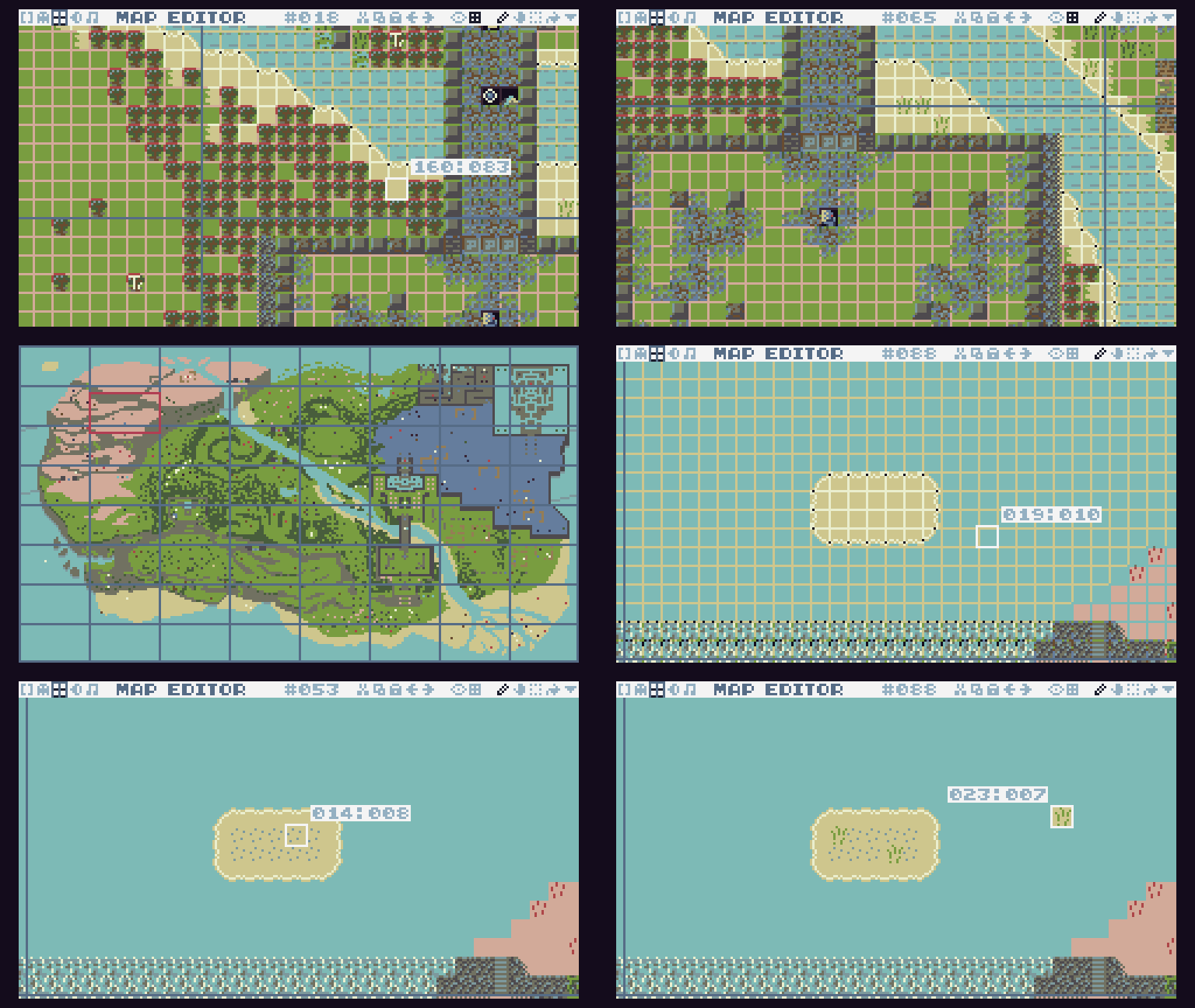
The map editor provides a set of tools to design and customize your game world efficiently. They live in the menu bar's MAP menu.
- Draw enables you to place tiles or sprites onto the map canvas.
- Drag map lets you move around the map canvas. You can also use the arrow keys of your keyboard.
- Selection tool allows you to select specific areas of the map. This is useful for copying, moving, or modifying groups of tiles.
- Filling tool often referred to as the paint bucket tool, lets you fill an enclosed area with a chosen tile or sprite, making it efficient for creating large sections of uniform terrain.
- Tileset opens the tilesheet preview and switches between the tilesheet and spritesheet, the 4/2/1 bits per pixel depth and the sheet pages.
The rest of the MAP menu holds the view options:
- Grid (`) toggles the visibility of the grid overlay on the map.
-
Random (
R) toggles random tile placement: each drawn cell gets a random tile. -
Show tiles (
SHIFT) shows the tilesheet. -
World map (
TAB) switches to a full world map view for a broader perspective.
The map can be up to 240 cells wide by 136 deep, each cell being 8×8 pixels. Only 30x17 cells appear on screen at a time.

PRO version allows to use 8 memory banks for larger map space.
SHIFT                   Show tilesheet.
CTRL+CLICK              Replace all identical tiles (when the Fill tool [4] is selected).
`                       Show/hide grid.
TAB/SCROLL              Switch to full world map.
1                       Select draw.
2                       Select drag map.
3                       Select selection tool.
4                       Select filling tool.
The general hotkeys are available in the map editor too.
