How you can use GPT-J
GPT-J explained and 3 easy ways how you can access it
GPT-J explained and 3 easy ways how you can access it

What's GPT-J?
GPT-J is a 6 billion parameter model released by a group called Eleuther AI. The goal of the group is to democratize huge language models, so they relased GPT-J and it is currently publicly available. GPT3 on the other hand, which was released by openAI has 175 billion parameters and is not openly available at the time. But don't let that discrepancy in the number of parameters fool you. GPT-J actually outperforms GPT3 in code generation tasks.
GPT models can perform various tasks in language processing without any further training, also including tasks, which it was never trained for. The way this is implemented in the GPT models so far, is by training them with written text from the internet. A slice of the text was presented to the model and it had to predict how it continues. So it can "only" predict how a text is likely to continue, but this can be used to solve a lot of different tasks like language translation, code completion, chatting, blog post writing and many more.
Usescases of GPT-J
Code generation
GPT-J can be used to generate code, that is of very high quality and really works. Let's say we want to train a CNN in tensorflow. We can write a code comment of what the program does (and maybe include a library we want the program to use) and GPT-J generates the rest.
Input:
Output:
Chat Bot
You can make a chat bot by writing the whole conversation like a theater script.
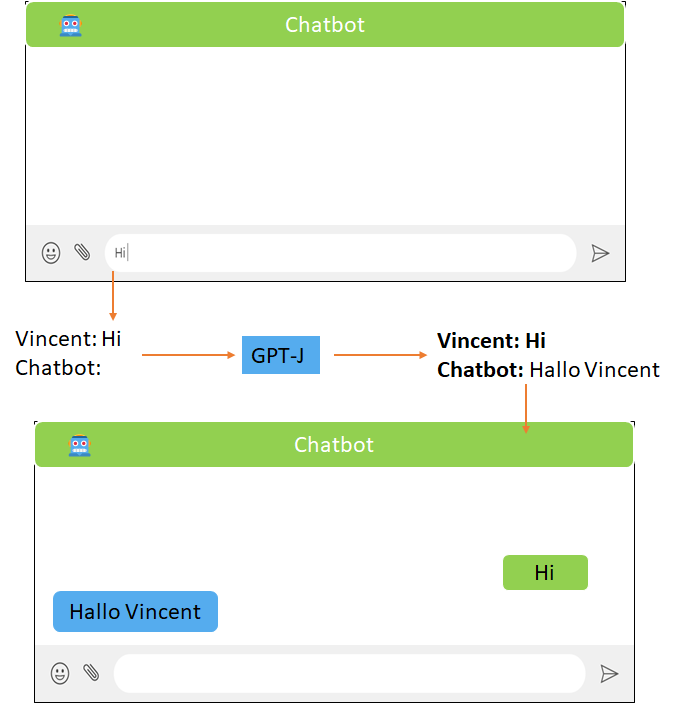
It is important, that you keep feeding a big chunk of the whole conservation into GPT-J. Otherwise the model will loose the context of the conversation pretty fast.
Story writing
Start writing you story and feed it into GPT-J and it will continue it.
Language translation
Input:
Output:
Searching information
GPT-J has been trained on many scientific articles and has internalized much knowledge. If wan't to search a specific piece of information, you can type in the title of the topic into GPT-J and read what it writes.
Input:
Output:
1. GPT-J in the browser
Eleuther AI has designed a web page containing an API to GPT-J in which we can enter Text and see how the model continues it.
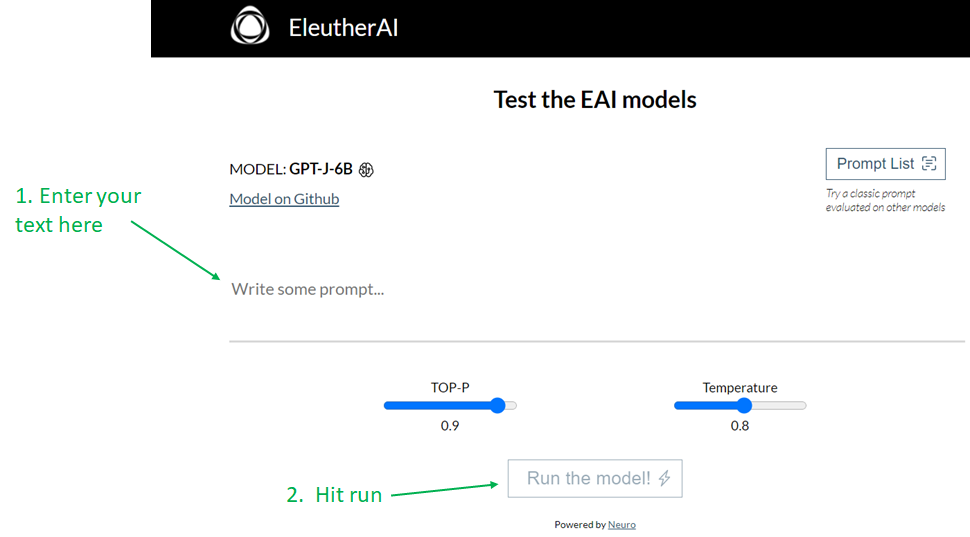
Here is the link, so you can try it out yourself.
Temperature setting
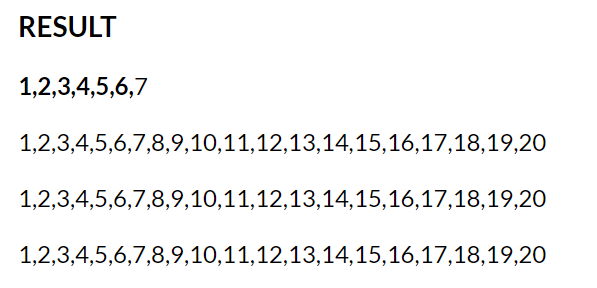
We also have the option to set the temperature of the transformer model on the website. Setting the temperature to a very low value means, that The model becomes more confident in the words it views as likely. A too low temperature often results in the model getting stuck in loops. We can this well in the following example with temperature = 0.33.
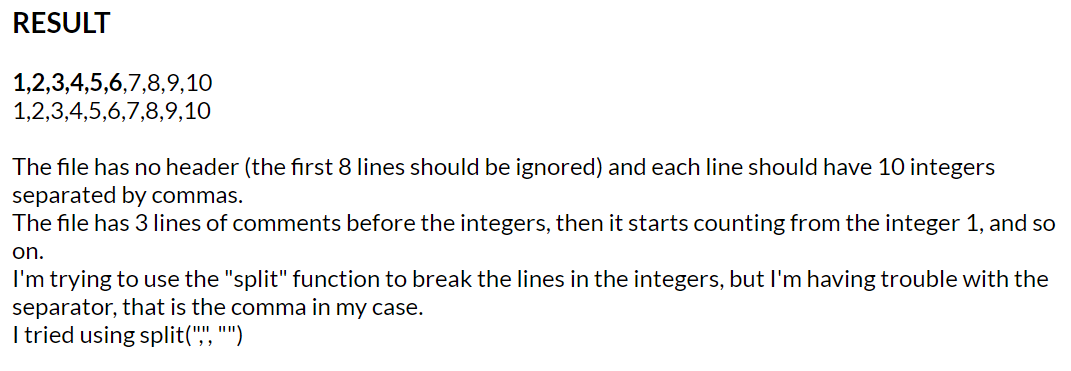
A high temperature results in wilder, more unexpected choice of words. I used temperature = 1.22 in the following example. We can see that now the counting to ten is part of a computer science problem and looks like a forum post from stackoverflow.
Top-P setting
The Top-P value determines, how much of the unlikely word get excluded from the total sampling pool. For example a Top-p of 0.9 would mean, that the most unlikely 10% of all words get excluded from sampling. Please note, that in theory one word alone could have a probability of 90% to occur next and therefore all other would be excluded from sampling. The probability of word also change with the temperature.
In practice this means, that increasing temperature and increasing Top-P has a very similar effect.
2. Running GPT-J on google colab
A problem with the Eleuther AI website is, that it cuts of the text after very small number of words. If you want to choose the length of the output text on your own, then you can run GPT-J in a google colab notebook. I you have never run such a notebook, don't worry I will guide you through. But I have to warn you, the colab takes around 10 minutes to initialize the model.
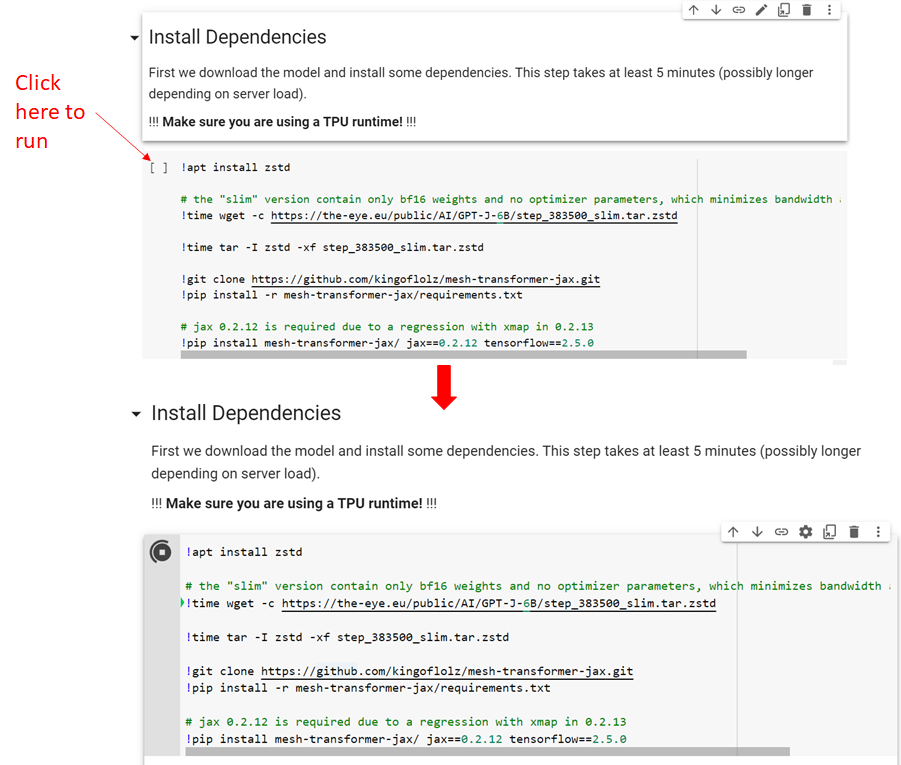
Here is the link to access the notebook:
Run all the notebook cells up to the last cell. In the last cell of the notebook, we can do our inference. We can change the Top-P and temperature settings and set the input text. But we also have the option to change the length of the output text.
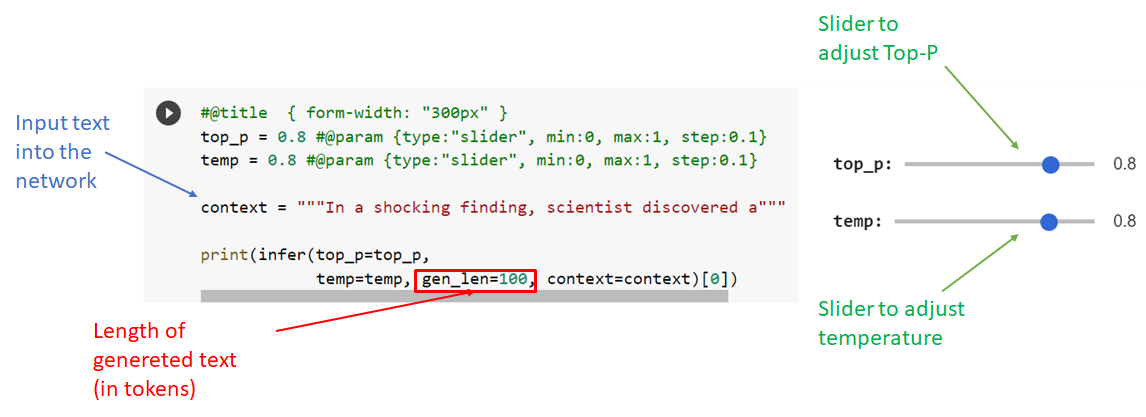
The three quotation marks in python mean, that the string can extend over multiple lines. So you can copy whole paragraph of text into the program.
Example:
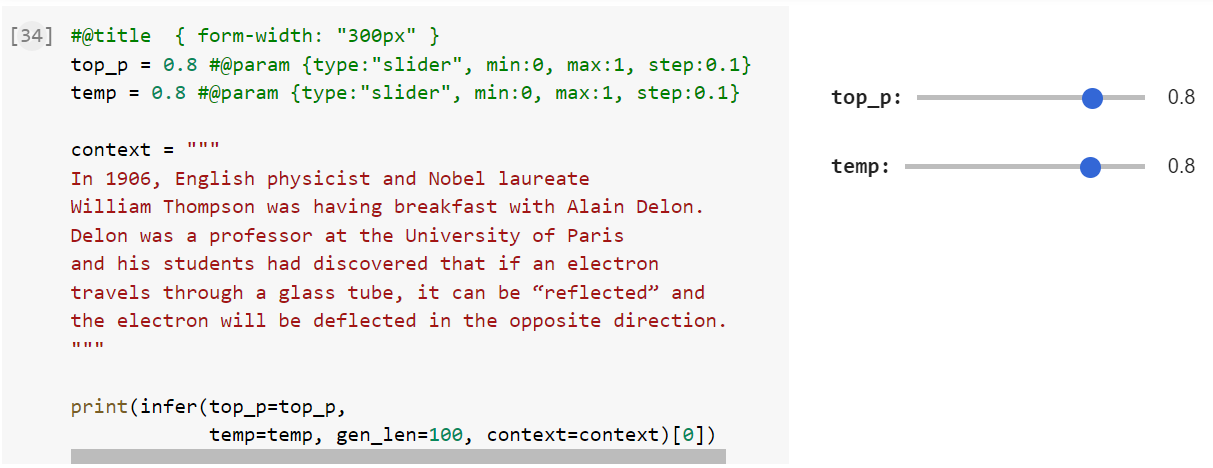
The length of the output text is measured in Tokens, this is neigther characters nor words. Tokens are common sequences of characters, found in text on the internet.
In the image below, we can see of how our input text is divided into tokens. This example comes from the OpenAI tokenizer for their GPT2 models. This is actually the same tokenizer also used in GPT-J.
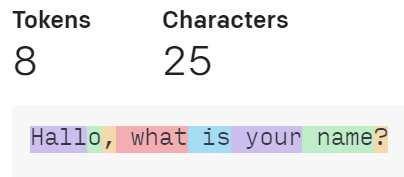
We can see, Hallo get's divided into "Hall" and "o". And punctuation marks are seperate tokens too. Apart most words equal one token. So you can set gen_len slightly higher than the number of words you want to get in the end.
3. Using HuggingFace in python
You can run GPT-J with the "transformers" python library from huggingface on your computer.
Requirements
For inference, the model need approximately 12.1 GB. So to run it on the GPU, you need a NVIDIA card with at least 16GB of VRAM and also at least 16 GB of CPU Ram to load the model. You can also run it on CPU only, then you would need only 16 GB of normal RAM, but the runtime will be much longer.
Installation
of library needs either pytorch or tensorflow to work. So if you don't have any of them, install one with pip or any other package manager.
or
Then install the transformer library.
You can load the model and run the inference with the following code. You can change the input text by changing the content of the "context" string like in the notebook.
The full documentation of the transformers library can be found on: https://huggingface.co/transformers/master/model_doc/gptj.html
Conclusion
GPT-J is really easy to access and it can be really handy tool for a lot of applications.
Related articles
Linkedin https://www.linkedin.com/in/vincent-m%C3%BCller-6b3542214/ Facebook https://www.facebook.com/profile.php?id=100072095823739 Twitter https://twitter.com/Vincent02770108 Medium https://medium.com/@Vincent.Mueller Become medium member and support me (part of your membership fees go directly to me) https://medium.com/@Vincent.Mueller/membership