
Timeline diff
See what your agent added, removed or changed, right on the timeline. Review the result, then approve or revert the whole edit.
The agent native video editor
Let the agent be the weft in your timeline—threading every cut, caption, and transition into place while you stay in control.
Opening SceneOne shot. All agent.
An agent edits the video end to end over MCP, with no human intervention. On the right, the same session's log replays line by line.
Scene 01The differentiator
WeftCut brings your agent onto the timeline over standard MCP — real edits, visible as they happen.
Settings → Agent, copy, paste — Claude, Cursor, or any MCP client connects in a minute. WeftCut's built-in Skill harness keeps every step your agent takes within bounds.
Let the agent look and listen before it cuts: shots, pauses, transcription, scene description. Choose local engines or configure a cloud provider.
The full editing vocabulary is on the table: trim, split, transitions, keyframes, effects, captions, markers, undo.

See what your agent added, removed or changed, right on the timeline. Review the result, then approve or revert the whole edit.
Your agent leaves notes and questions on specific moments. Jump to the footage to review them; the notes follow clips and flag later changes.
Scene 02Code as motion
From animated titles to 2D drawings and 3D scenes, describe your idea. Your agent turns it into a Motif you can refine and reuse.
Ask for a title, an illustrated animation, a 3D scene, or an entirely new design.
Your agent turns the idea into a Motif you can play on the timeline.
Refine it in context and reuse the finished look in your next edit.
Scene 03The human cut
You keep the precision and control of a serious desktop editor. Your agent gets access to the same tools, while every change remains visible on your timeline.

A professional timeline that works the way you expect.
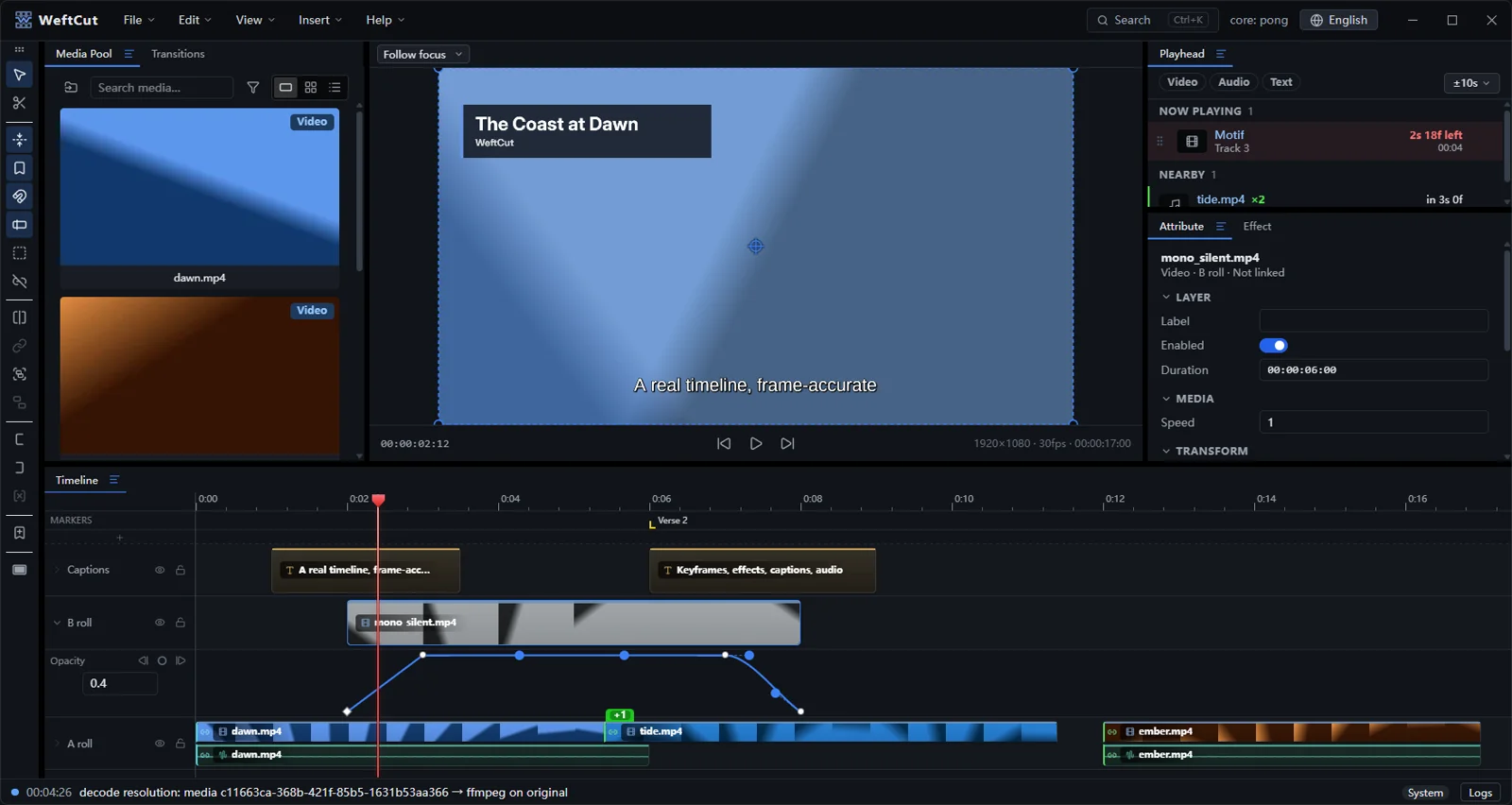
Shape motion with Bézier curves, motion paths, and tangent controls.
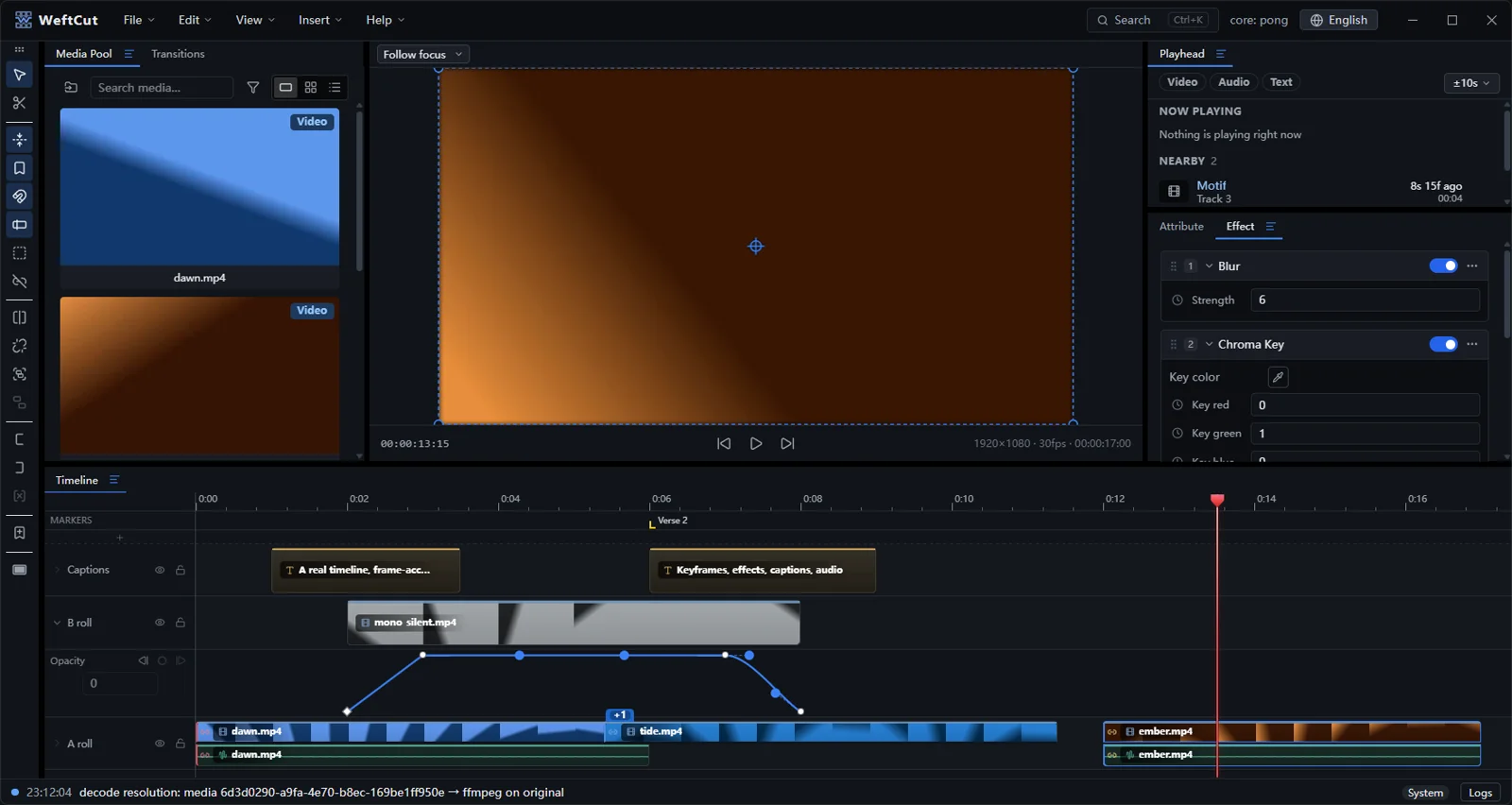
Stack, reorder, and fine-tune effects beside the preview.
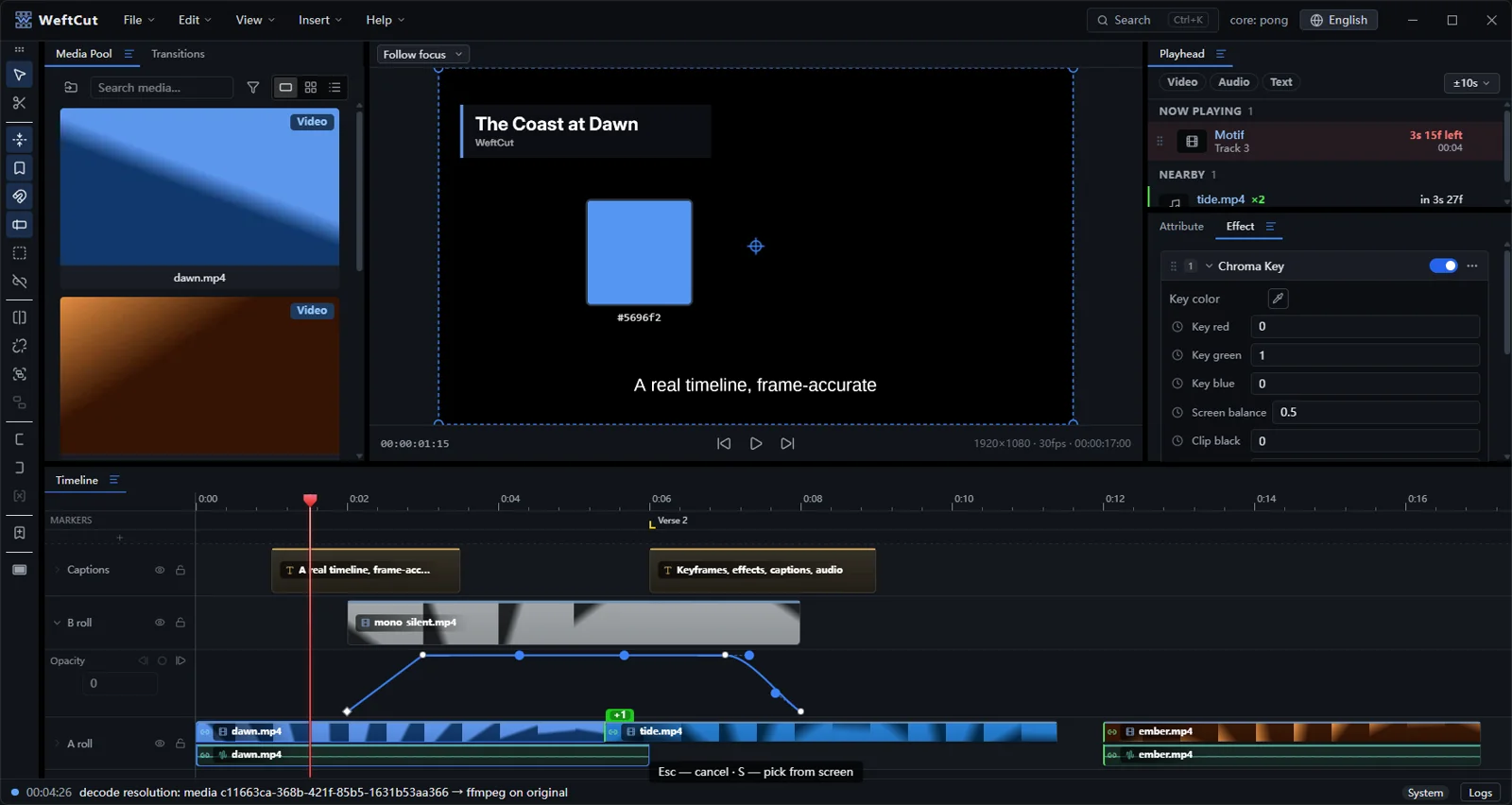
Sample the key color from the preview, then refine the result in place.
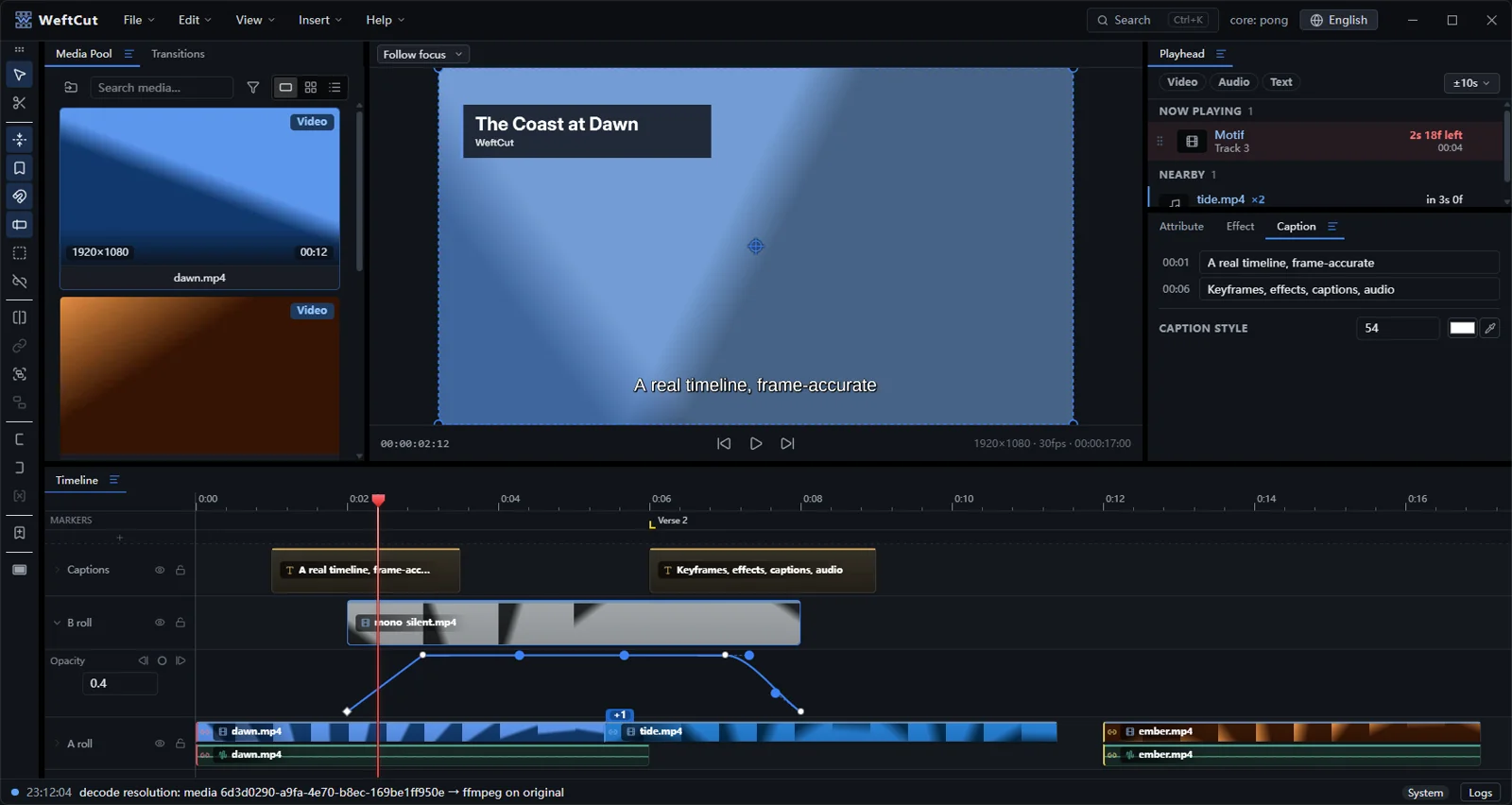
Transcribe speech or import SRT, VTT, or ASS, then restyle every caption in one step.
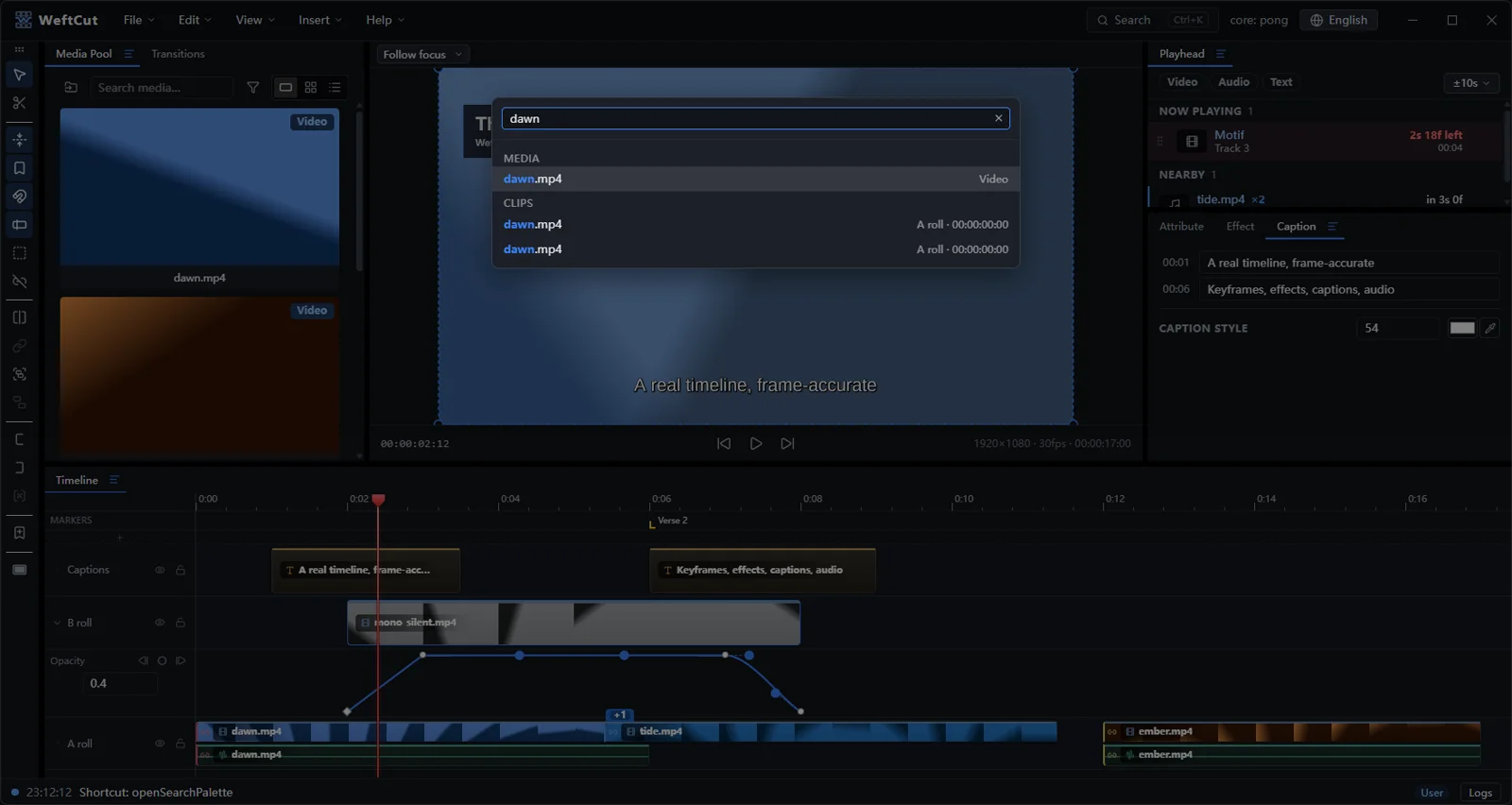
Press Ctrl-K to find commands, media, clips, captions, and markers—even in pinyin.
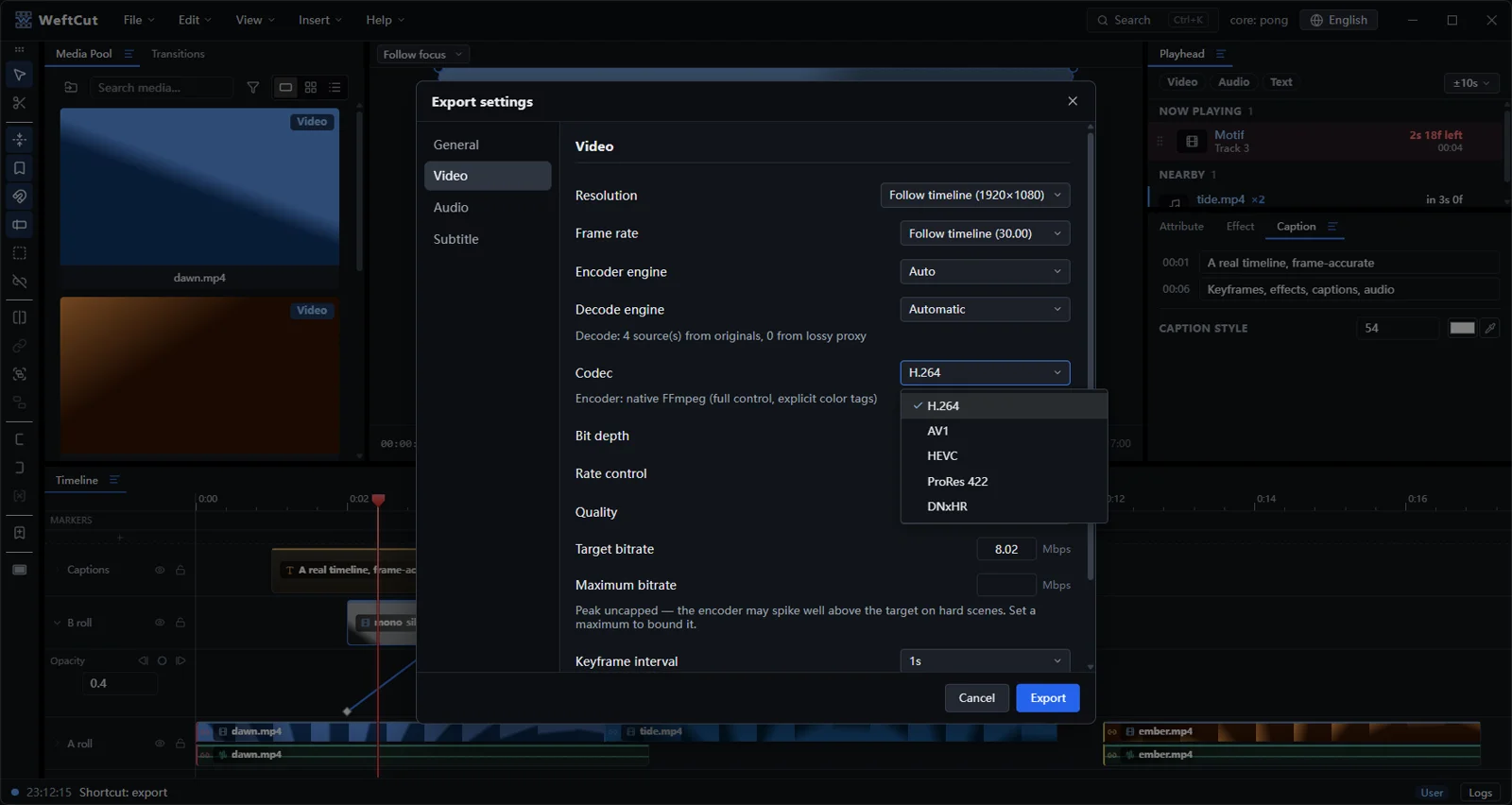
Export H.264, HEVC, 10-bit AV1, ProRes, or DNxHR—full timeline or selected ranges.
EpilogueAt the speed of ideas
Turn creative intent into real edits, refine every detail with full control, and spend more time making the story feel right.
Turn a creative direction into timeline changes without getting buried in repetitive work.
Let your agent carry the mechanics while you focus on pacing, tone, and feeling.
Every change stays visible and reversible, ready for your judgment and final touch.
Let the timeline keep up with every idea.
Post-creditsA few details
Yes — free and open source under the MIT license. FFmpeg is bundled under its own LGPL/GPL terms.
Any MCP client — Claude Desktop, Cursor, Codex, or your own. Copy one snippet from Settings → Agent, paste it into your client, and the agent can edit alongside you. WeftCut bundles no AI models — your agent is the intelligence.
Yes — it’s a complete editor on its own: timeline, keyframes, effects, captions, motifs, audio mixing, and export up to 10-bit AV1 and ProRes.
Your connected agent provides the editing intelligence. WeftCut bundles no model weights. Optional speech and vision tools use local engines you download or cloud providers you configure.
macOS, Windows and Linux — one desktop app, same feature set everywhere. The ready-made builds need Windows 10 or 11 (x64), macOS 13 or newer on Apple Silicon, or x86_64 Linux with glibc 2.28 or newer, such as Ubuntu 22.04 and later. Every other target builds from source.
