1. Overview
When we build JSP pages in Java web applications, we often encounter situations where we need to iterate over a Map and display its content in the UI.
In this tutorial, let’s walk through two common approaches for achieving this: using JSP scriptlets and using the JSP Standard Tag Library (JSTL).
2. Preparing an Example
In this tutorial, we’ll use Spring Boot to navigate our JSP pages. We’ll use a simple movie list as our example, and we’ll see how to prepare it in our controller before rendering it in JSP:
@Controller
@RequestMapping("/map-demo")
public class MapDemoController {
    private final static Map<String, String> movies = Map.of(
      "M-01", "No Country for Old Men",
      "M-02", "The Silence of the Lambs",
      "M-03", "Back to the Future",
      "M-04", "Gone with the Wind",
      "M-05", "The Girl with the Dragon Tattoo"
    );

    @GetMapping("/using-scriptlets")
    public String usingScriplets(Model model) {
        model.addAttribute("movieMap", movies);
        return "map-demo/using-scriptlets";
    }

    @GetMapping("/using-jstl")
    public String usingJstl(Model model) {
        model.addAttribute("movieMap", movies);
        return "map-demo/using-jstl";
    }
}
In the MapDemoController class, we use a predefined Map (movies) as the data source and pass it to the JSP.
For simplicity, we’ll skip the Spring MVC configurations. Next, let’s see how to traverse the movies Map in JSP scriptlets and JSTL.
3. Using JSP Scriptlets
Using JSP scriptlets is the traditional approach that involves embedding Java code directly into JSP pages. Let’s first have a look at the code in using-scritlets.jsp:
<%@ page import="java.util.Map" %>
<%@ page contentType="text/html;charset=UTF-8" language="java" %>
<html>
<head>
    <title>Demo - Using Map in JSP (Scriptlets)</title>
    <style>
        table, th, td {
            border: 1px solid black;
            border-collapse: collapse;
            padding: 3px;
        }
    </style>
</head>
<body>
<div>Movies in the Map Object (Using JSP Scriptlets)</div>
<br/>
<% Map<String, String> movieMap = (Map<String, String>) request.getAttribute("movieMap");%>
<table>
    <tr>
        <th>Code</th>
        <th>Movie Title</th>
    </tr>
    <%
        if (movieMap != null) {
            for (Map.Entry<String, String> entry : movieMap.entrySet()) {
                String key = entry.getKey();
                String value = entry.getValue();
    %>
    <tr>
        <td>
            <%= key %>
        </td>
        <td>
            <%= value %>
        </td>
    </tr>
    <% }
    }%>
</table>
</body>
</html>
As we can see, first, we fetch the movieMap Map from the request scope. We store this Map in the movieMap variable so we can use it in the rest of the JSP. Then, we leverage an enhanced for loop to iterate over each Map.Entry and extract the key (movie code) and the value (movie title).
Also, we output the data in an HTML table format for easy reading.
When we navigate to the JSP in the browser, the movie data is displayed as expected:
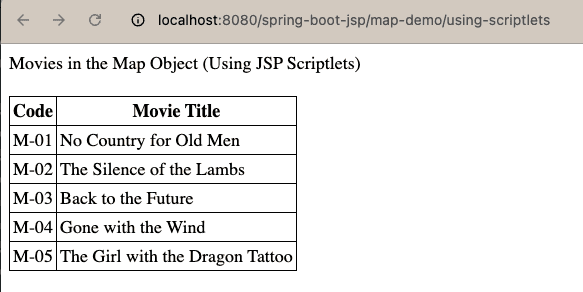
While this approach works, we should note that scriptlets are generally discouraged in modern JSP development due to maintainability and separation-of-concerns issues.
Next, let’s see how to iterate over a Map in JSTL.
4. Using JSTL
JSTL offers a cleaner, tag-based approach to iterating over collections, including maps. Let’s first have a look at the source of using-jslt.jsp:
<%@ taglib prefix="c" uri="http://java.sun.com/jsp/jstl/core" %>
<%@ page contentType="text/html;charset=UTF-8" language="java" %>
<html>
<head>
    <title>Demo - Using Map in JSP (JSTL)</title>
    <style> ... </style>
</head>
<body>
<div>Movies in the Map Object (Using JSTL)</div>
<br/>
<table>
    <tr>
        <th>Code</th>
        <th>Movie Title</th>
    </tr>
    <c:forEach items="${movieMap}" var="entry">
        <tr>
            <td>
                ${entry.key}
            </td>
            <td>
                ${entry.value}
            </td>
        </tr>
    </c:forEach>
</table>
</body>
</html>
For simplicity, we omitted the style in the above code. Next, let’s understand how the JSTL approach works.
First, we must import the JSTL core tag library at the top of our JSP:
<%@ taglib prefix="c" uri="http://java.sun.com/jsp/jstl/core" %>
Then, we loop through the Map with <c:forEach items=”${movieMap}” var=”entry”>:
- items= “${movieMap}” – Access the movieMap object from the request scope
- var= “entry” – For each iteration, JSTL stores the current key-value pair in the variable entry. This entry behaves like a Map.Entry in Java: it has .key and .value properties
Now, if we point to the corresponding URL in the browser, the following page will be rendered:
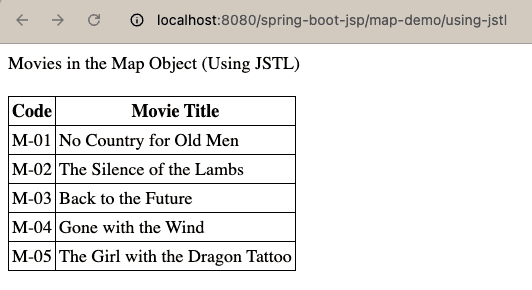
As we can see, the JSTL approach is more concise and keeps Java code out of the JSP, making our pages easier to read and maintain.
5. Conclusion
In this article, we’ve learned two ways to traverse a Map in JSP:
- JSP Scriptlets – Give us full Java control in the page, but make the view layer harder to maintain
- JSTL – Offer a clean, declarative way to iterate over maps without mixing Java logic into HTML.
In modern projects, we prefer JSTL for better separation of concerns and cleaner templates. However, knowing both methods ensures we can work with older codebases while building maintainable new ones.
The code backing this article is available on GitHub. Once you're
logged in as a Baeldung Pro Member, start learning and coding on the project.


