

Medusa is an open-source, command-line password auditing tool that performs authenticated login testing against numerous network services. It supports concurrent connections and multiple authentication modules, allowing security testers to assess password security efficiently across enterprise environments.
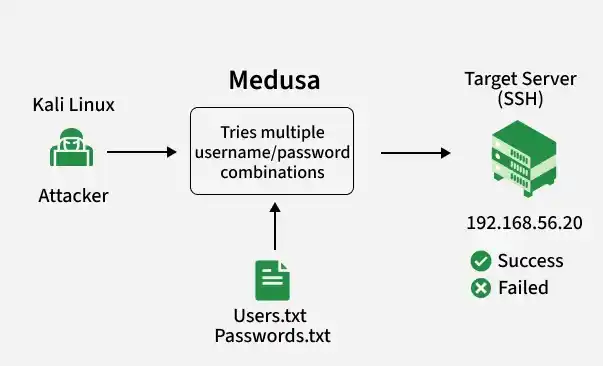
Features
Medusa is a high-speed, modular and parallel brute-force login auditor for network services. Here is a breakdown of its key capabilities:
- High-Speed Multithreading: Executes simultaneous authentication attempts to maximize testing speed.
- Parallel Host Testing: Runs concurrent tests against multiple target hosts and different network services at the same time.
- Modular Architecture: Uses independent .mod files to support numerous protocols (e.g., SSH, FTP, HTTP, Telnet, SMB) without altering the core application.
- Flexible List Support: Accepts custom username lists, password lists or combined credential files for targeted audits.
- Targeted Testing Modes: Supports single-user/multiple-password or multiple-user/single-password permutations.
- Host List Scanning: Reads a large list of target IP addresses or hostnames from a text file for automated, bulk scanning.
- Verbose Logging: Provides granular, real-time output levels to track successful logins, failed attempts and connection errors.
- Session Resumption: Saves progress during interrupted scans, allowing you to resume testing without restarting from scratch.
- Resource-Efficient: Built in C to remain lightweight, ensuring minimal CPU and memory consumption during intensive operations.
Medusa Architecture
Medusa consists of several core components:
- Core Engine: Coordinates authentication tasks, thread management and result processing.
- Authentication Modules: Each supported protocol has its own module responsible for communicating with the target service.
- Thread Manager: Handles concurrent authentication attempts to maximize performance.
- Credential Engine: Generates username and password combinations from supplied input files.
- Output Handler: Displays authentication results and logs successful credentials.
Working of Medusa
Rather than cracking password hashes offline, it communicates directly with the target service and checks whether the supplied credentials are accepted. The authentication process follows these steps:
- Establishes Connection: Opens a direct network socket to the targeted service (e.g., port 22 for SSH, port 21 for FTP) on the destination host.
- Loads Protocol Module: Initialises the specific .mod file required to speak the target language (e.g., loading ssh.mod to handle the SSH cryptographic handshake).
- Ingests Credentials: Reads individual inputs from the command line or parses bulk username and password arrays from text files into memory.
- Pairs Combinations: Generates credential matrices based on user preferences, pairing usernames against password lists sequentially or non-sequentially.
- Spawns Threads: Launches multiple parallel network workers simultaneously to push combinations down the wire instead of waiting for single-thread roundtrips.
- Parses Responses: Decodes the exact server return codes (e.g., HTTP 200 vs 401 or FTP 230 vs 530) to definitively verify access status.
- Logs Results: Outputs successful matches immediately to the terminal and log files, optionally terminating the thread pool if configured to stop on the first hit.
Installing Medusa
Medusa is pre-installed in most Kali Linux distributions. Verify installation:
medusa -h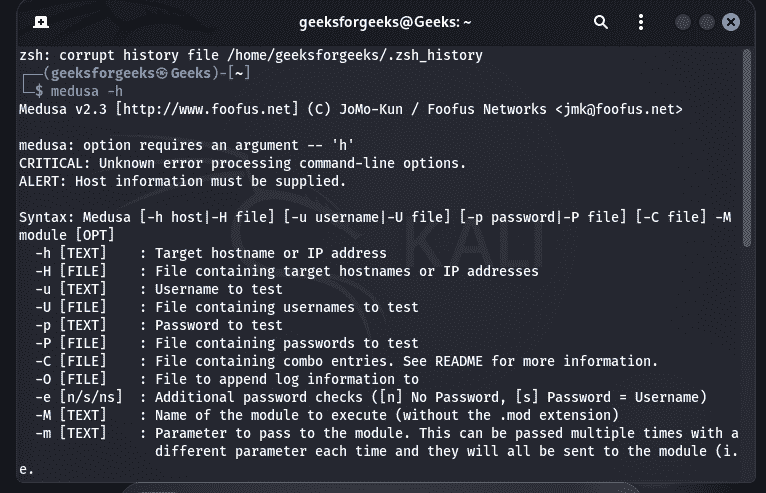
If required, install it manually:
sudo apt update
sudo apt install medusa
Basic Medusa Syntax:
medusa [options]General format:
medusa -h <target> -u <username> -P <password-list> -M <module>Common Command Options
- (-h | -H): Target host | Target host list.
- (-u | -U): Single username | Username list.
- (-p | -P): Single password | Password list.
- (-M | -m): Authentication module | Module-specific options.
- (-t | -T): Number of concurrent threads | Concurrent hosts.
- (-f | -F): Stop after first valid credential | Stop after first successful host.
- (-v | -V): Verbose output | Version information.
Simple Medusa Lab (Authorized Environment Only)
- Objective: Use Medusa to verify weak credentials on a deliberately configured test system in a controlled lab environment.
- Lab Requirements: Kali Linux (Attacker), Ubuntu Server or Metasploitable 2 (Target), SSH service enabled on the target, Both machines connected to the same virtual network (Host-Only or Internal Network).
Step 1: Verify Connectivity
From Kali, ensure the target is reachable.
ping 192.168.56.20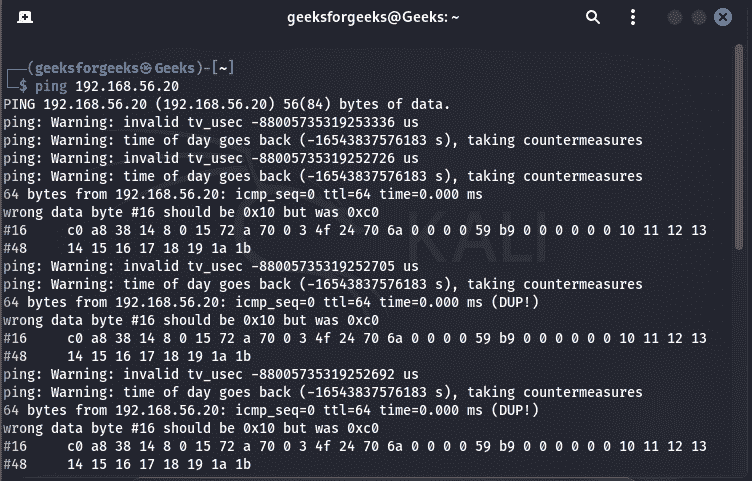
Step 2: Verify SSH Service
Confirm that the SSH service is running on the target.
nmap -p 22 192.168.56.20Expected result:
22/tcp open ssh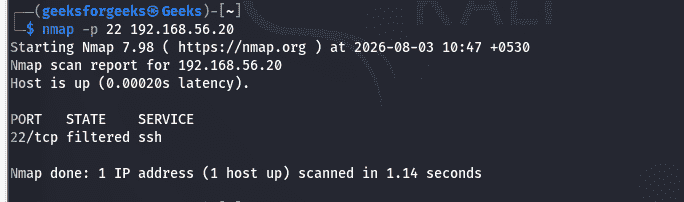
Step 3: Prepare Test Credentials
Create a small username list. users.txt:
testuser
student
admin
Create a small password list. passwords.txt:
Password123
Welcome123
Test123
Step 4: Run Medusa
Use Medusa to perform an authorized credential audit. If reachable the result is different from the attached image.
medusa -h 192.168.56.20 -U users.txt -P passwords.txt -M ssh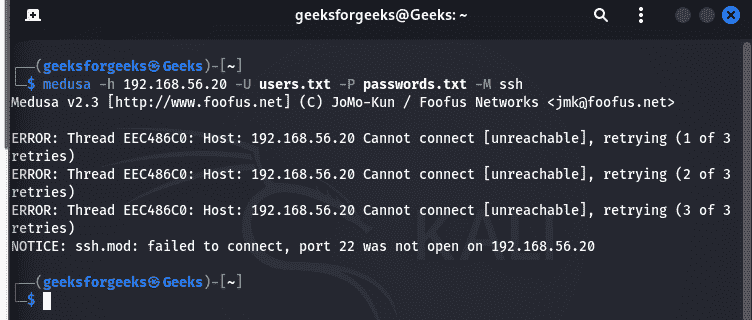
Step 5: Analyze the Results
Medusa attempts authentication using each username-password combination and reports whether each login succeeds or fails. Successful credentials are displayed in the output, allowing you to identify weak or default passwords that require remediation.
Limitations of Medusa
- Strictly Online Only: Requires a continuous, active connection to the target system; it cannot crack password hashes extracted from a database.
- Network Dependent: Performance, speed and accuracy degrade heavily if there is high network latency, packet loss or unstable bandwidth.
- Triggers Account Lockouts: Rapid login attempts will quickly breach account security thresholds, locking out legitimate users from their accounts.
- High IDS/IPS Visibility: Generates a massive volume of failed login noise, making it incredibly easy for Intrusion Detection and Prevention Systems to spot and block.
- Zero Hash Support: Cannot process local shadow files, SAM databases or cryptographic handshakes, unlike offline tools like John the Ripper or Hashcat.
- Dictionary Reliant: Completely dependent on the quality of your wordlists; it will fail entirely if the correct password is not present in your input files.
Medusa vs. Hydra
- Authentication Type: Both Medusa and Hydra perform online authentication testing against live network services.
- Multithreading: Both tools support multithreading, allowing multiple login attempts to run simultaneously for faster testing.
- Modular Design: Both use a modular architecture, where protocol-specific modules handle authentication for different services.
- Protocol Support: Medusa and Hydra support a wide range of network protocols, making them suitable for testing various authentication services.
- Parallel Host Testing: Medusa is generally more efficient at testing multiple hosts concurrently, while Hydra also supports parallel testing but is often favored for single-target flexibility.
- Ease of Use: Both provide a straightforward command-line interface with simple syntax and extensive configuration options.
- Offline Hash Cracking: Neither tool performs offline password hash cracking; both validate credentials by attempting authentication against live services.
