One of the components provided by ReactRouter is `MemoryRouter`, which offers a unique way to handle routing without manipulating the browser's URL. It is used when you want to handle routing within your application's state or memory, making it suitable for scenarios like testing or isolated UI components. It works seamlessly with other React Router components such as Route, Link, Switch, etc.
- It keeps track of the route location and history internally using React's state management, without relying on the browser's URL.
- It allows you to define routes and render components based on the route path within the memory router context.
Features:
- Internal Routing: Handles routing within the app, enabling dynamic component rendering based on route changes without affecting the browser's address bar.
- State Management: Tracks route location and history in React's component state, driving navigation and rendering through state changes.
- Isolated Environment: Creates a self-contained routing context, ideal for testing and scenarios where direct URL manipulation is undesirable.
- No Browser Dependency: Operates independently of the browser's URL, enabling controlled navigation within complex UIs.
- Flexible Configuration: Supports configuration options similar to
BrowserRouterandHashRouter, allowing easy integration with existing routing components. - Integration: Seamlessly integrates with React apps to manage routing efficiently within the application's memory space.
Steps to create a React App
Step 1: Create a new React application using Create React App.
npx create-react-app myapp
cd myapp
Step 2: Install React Router if not already installed.
npm install react-router-domThe dependencies will look something like this after installation:
      "dependencies": {
        "@testing-library/jest-dom": "^5.17.0",
        "@testing-library/react": "^13.4.0",
        "@testing-library/user-event": "^13.5.0",
        "react": "^18.2.0",
        "react-dom": "^18.2.0",
        "react-router-dom": "^6.22.3",
        "react-scripts": "5.0.1",
        "web-vitals": "^2.1.4"
      }
Project Structure:
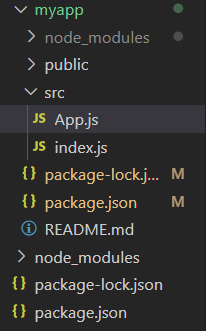
Step 3: Below example demonstrates the usage of MemoryRouter in React.
import React from 'react';
import { MemoryRouter, Routes, Route, Link } from 'react-router-dom';

const Home = () => <h2>Welcome to Home!</h2>;
const About = () => <h2>Learn more about us.</h2>;

const App = () => {
  return (
    <MemoryRouter>
      <div>
        <nav>
          <ul>
            <li>
              <Link to="/">Home</Link>
            </li>
            <li>
              <Link to="/about">About</Link>
            </li>
          </ul>
        </nav>

        <hr />

        <Routes>
          <Route path="/" element={<Home />} />
          <Route path="/about" element={<About />} />
        </Routes>
      </div>
    </MemoryRouter>
  );
};

export default App;
Step 4: Run the application.
npm startOutput:
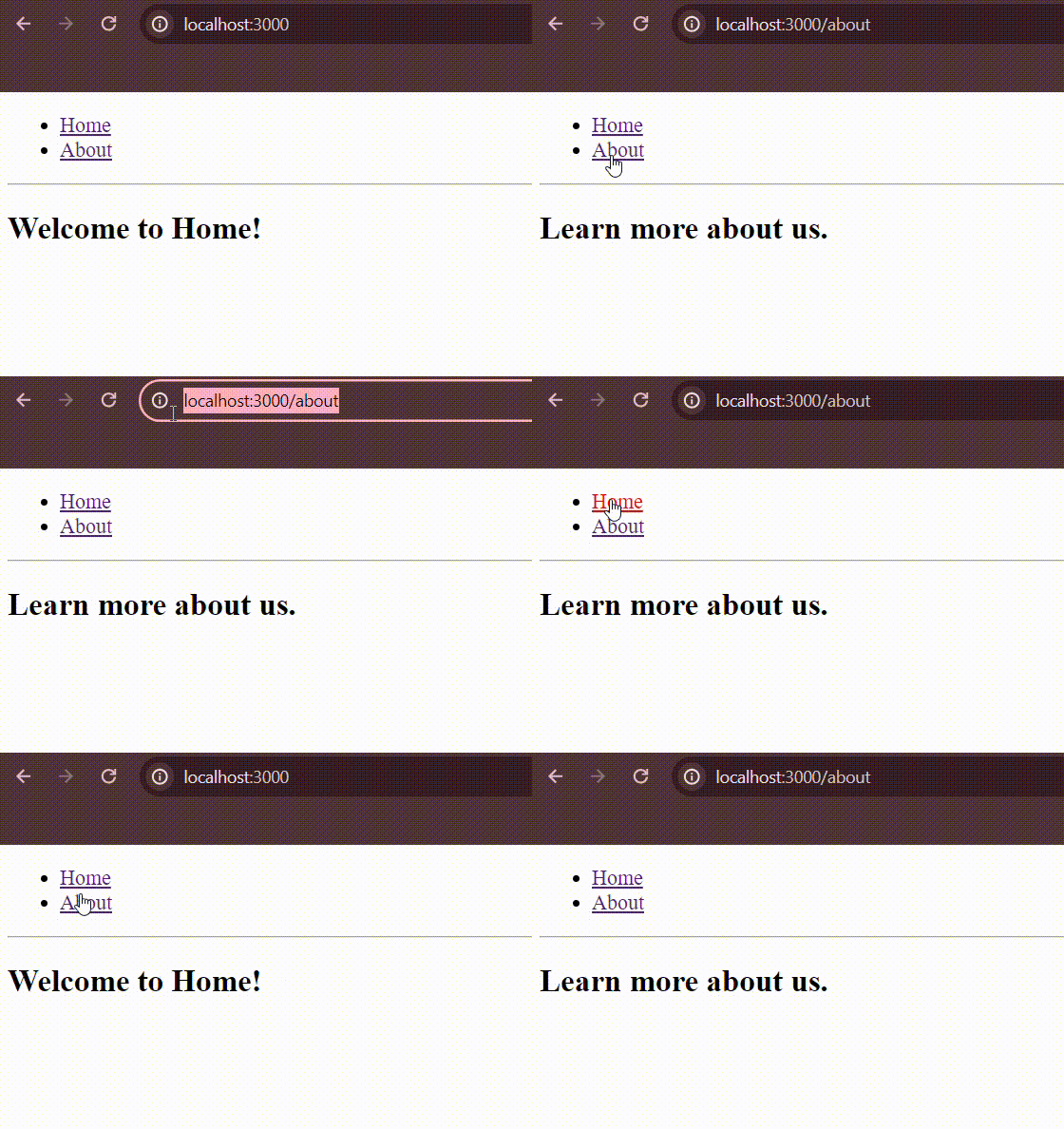
Properties of `MemoryRouter`
initialEntries
The `initialEntries` property in `MemoryRouter` allows you to specify an array of initial URL paths when the router is first rendered. Each path in this array represents a location within the virtual memory history of the router. By default, if `initialEntries` is not provided, it defaults to ["/"] (a single entry at the root URL` /`).
<MemoryRouter initialEntries={['/', '/about', '/contact']} initialIndex={0}>
  {/* Routes */}
</MemoryRouter>
initialIndex
The `initialIndex` property in `MemoryRouter` specifies the index of the active entry (URL path) within the `initialEntries` array when the router is first rendered. If `initialIndex` is not provided, it defaults to the last index of `initialEntries`.
<MemoryRouter initialEntries={['/', '/about', '/contact']} initialIndex={1}>
  {/* Routes */}
</MemoryRouter>
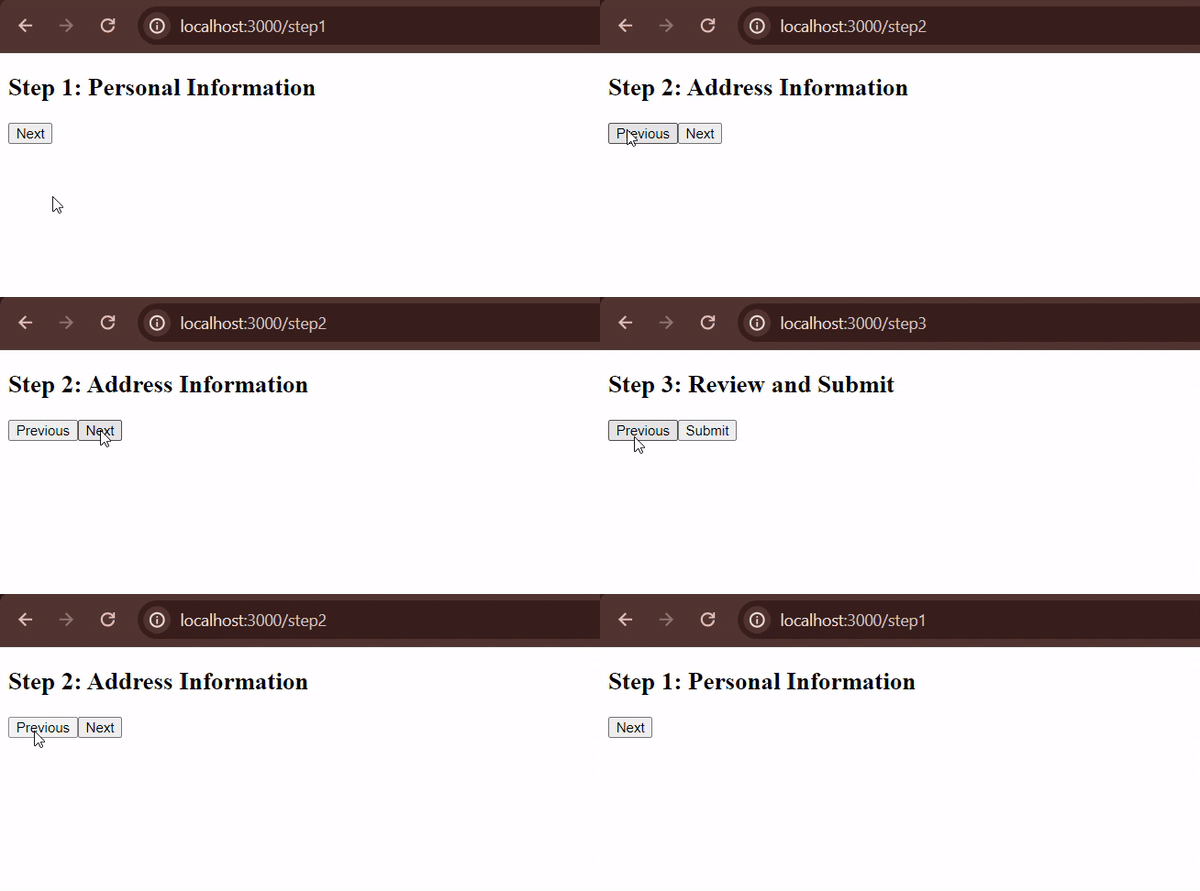
Example: Below example demonstrates the usage of different properties in MemoryRouter.
// src/App.js
import React from 'react';
import { MemoryRouter, Routes, Route } from 'react-router-dom';

const Step1 = ({ nextStep }) => {
  const handleNext = () => {
    nextStep('/step2');
  };

  return (
    <div>
      <h2>Step 1: Personal Information</h2>
      <button onClick={handleNext}>Next</button>
    </div>
  );
};

const Step2 = ({ prevStep, nextStep }) => {
  const handlePrev = () => {
    prevStep('/step1');
  };

  const handleNext = () => {
    nextStep('/step3');
  };

  return (
    <div>
      <h2>Step 2: Address Information</h2>
      <button onClick={handlePrev}>Previous</button>
      <button onClick={handleNext}>Next</button>
    </div>
  );
};

const Step3 = ({ prevStep }) => {
  const handlePrev = () => {
    prevStep('/step2');
  };

  const handleSubmit = () => {
    alert('Form submitted successfully!');
  };

  return (
    <div>
      <h2>Step 3: Review and Submit</h2>
      <button onClick={handlePrev}>Previous</button>
      <button onClick={handleSubmit}>Submit</button>
    </div>
  );
};

const App = () => {
  const nextStep = (path) => {
    window.location.href = path;
  };

  const prevStep = (path) => {
    window.location.href = path;
  };

  return (
    <MemoryRouter initialEntries={['/step1']} initialIndex={0}>
      <div>
        <Routes>
          <Route path="/step1" element={<Step1 nextStep={nextStep} />} />
          <Route path="/step2" element={<Step2 prevStep={prevStep} nextStep={nextStep} />} />
          <Route path="/step3" element={<Step3 prevStep={prevStep} />} />
        </Routes>
      </div>
    </MemoryRouter>
  );
};

export default App;
Output: