
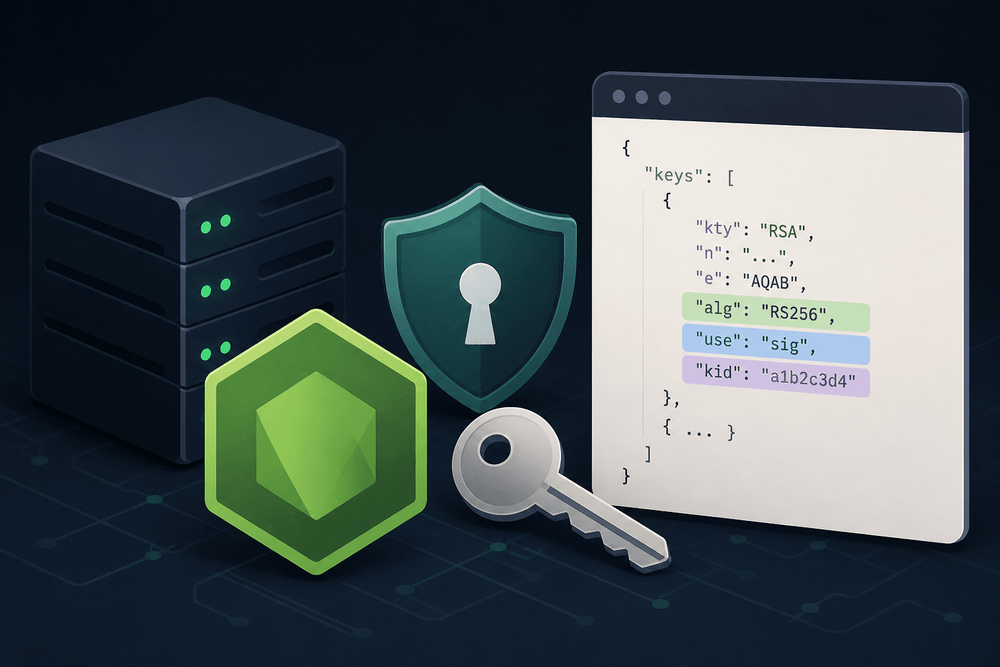
Developers building an OAuth 2.0 or OpenID Connect provider in Node.js can generate key pairs and export them as JSON Web Keys with the built-in crypto module: call publicKey.export({ format: 'jwk' }), wire up a JWKS endpoint, and let resource servers verify tokens. The export contains only the key material (kty plus n and e for RSA, or crv, x and y for EC). It leaves out alg, use and kid. RFC 7517 marks all three as optional, and we tested that a single bare key still verifies with current jose and jwks-rsa. The metadata matters once you publish more than one key, which is what key rotation requires: without a kid, verifiers cannot tell which key signed a token. This article builds a /.well-known/jwks.json endpoint using only Node.js's native crypto module and Express, covering key generation, metadata enrichment, RFC 7638 thumbprint derivation, and end-to-end verification.
Prerequisites: a current Node.js LTS release (the code here was tested on Node.js 22), basic familiarity with Express, and an understanding of asymmetric key concepts such as public/private key pairs and digital signatures. The jose verification example uses ES module syntax, so it needs "type": "module" in package.json or a .mjs file extension. Updated October 2026: code tested against Express 4, jose 6.2.12 and jwks-rsa 4.1.0.
Table of Contents
- What a Spec-Compliant JWKS Endpoint Must Serve
- Setting Up the Project
- Generating an RSA Key Pair with Node.js Crypto
- Exporting the Public Key and Inspecting the Gap
- Enriching the JWK Object
- Building the Express JWKS Endpoint
- Testing and Verifying the Endpoint
- Production Considerations
- Building on the Foundation
What a Spec-Compliant JWKS Endpoint Must Serve
JWK and JWKS at a Glance
A JSON Web Key (JWK) is a JSON structure representing a cryptographic key, defined in RFC 7517. A JWK Set (JWKS) wraps one or more JWKs in an object with a single keys array: { "keys": [...] }. Authorization servers publish JWKS documents at a well-known URI (as described by RFC 8414 and OpenID Connect Discovery) so that relying parties can fetch public keys and verify signed JWTs without pre-shared secrets.
Every JWK includes kty (key type) plus the key's mathematical components: n and e for RSA, or crv, x, and y for EC. Both key types share the same metadata fields that verifiers expect alongside those components: alg (intended algorithm, e.g., "RS256" or "ES256"), use (purpose, e.g., "sig"), and kid (unique identifier for key selection from a set).
Native Export vs. Required Metadata
The gap between what Node.js provides and what verifiers need is concrete and predictable:
Properties returned by KeyObject.export({ format: 'jwk' }) | Optional properties (RFC 7517) that verifiers use |
|---|---|
RSA: kty, n, e | alg — identifies the signing algorithm (RFC 7517) |
EC: kty, crv, x, y | use — declares the key's purpose, e.g., "sig" (RFC 7517) |
kid — unique key identifier for key selection (RFC 7517) |
Node.js exports the key material only, so you add these properties yourself. Per RFC 7517, alg, use and kid are all optional. kid is the one that matters most in practice: it is how a verifier picks one key out of a JWK Set during key rollover, and the RFC says distinct keys in a set should use distinct kid values. We tested this with jose 6.2.12 and jwks-rsa 4.1.0. A JWKS with one bare RSA or EC key verified fine in both. A JWKS with two RSA keys and no kid failed in jose with ERR_JWKS_MULTIPLE_MATCHING_KEYS, and in jwks-rsa with "No KID specified and JWKS endpoint returned more than 1 key". Adding a kid to both keys fixed it.
Setting Up the Project
Before writing any code, initialize a project and install the required dependencies:
mkdir jwks-demo && cd jwks-demo
npm init -y
npm install express@4
The jose library (used later for verification) is ESM-first, so add "type": "module" to your package.json:
npm pkg set type=module
npm install jose
All code in this article assumes a single file (server.mjs) unless otherwise noted. Using the .mjs extension or "type": "module" keeps the examples working as ES modules.
Generating an RSA Key Pair with Node.js Crypto
Key generation uses crypto.generateKeyPairSync, which returns KeyObject instances for both the public and private keys:
import crypto from 'node:crypto';

// generateKeyPairSync blocks the event loop during key generation
// (~100ms for 2048-bit RSA on typical x86-64 server hardware).
// In latency-sensitive startup paths, use generateKeyPair (async) instead.
const { publicKey, privateKey } = crypto.generateKeyPairSync('rsa', {
  modulusLength: 2048,
});

// Persist the private key securely — PEM format to an encrypted file or secrets manager
const privatePem = privateKey.export({ type: 'pkcs8', format: 'pem' });
// In production, write privatePem to secure storage rather than keeping it solely in memory

// The publicKey KeyObject stays in memory for JWK export
The modulusLength: 2048 parameter produces a key size compliant with NIST SP 800-131A Rev. 2 for use through 2030; use modulusLength: 3072 for keys intended to remain valid beyond that date. The same pattern applies to EC keys using crypto.generateKeyPairSync('ec', { namedCurve: 'P-256' }); a companion EC example appears later in this article.
Exporting the Public Key and Inspecting the Gap
Exporting the public KeyObject in JWK format reveals exactly what the native API provides and what it leaves out:
const jwk = publicKey.export({ format: 'jwk' });
console.log(JSON.stringify(jwk, null, 2));
The output for an RSA key looks like this:
{
  "kty": "RSA",
  "n": "<base64url-encoded modulus>",
  "e": "AQAB"
}
No alg. No use. No kid. This matches the behavior documented in the Node.js crypto API reference at https://nodejs.org/api/crypto.html, which specifies that JWK export produces only the key's mathematical components. Three properties need to be added before this object is useful to any standards-compliant verifier.
Enriching the JWK Object
Setting alg and use
The alg property declares the signing algorithm for the key. For an RSA key, valid values include RS256, RS384, RS512, PS256, PS384, and PS512. For an EC key on curve P-256, the corresponding algorithm is ES256; P-384 maps to ES384, and P-521 maps to ES512. The use property declares the key's purpose. For signing JWTs, the value is "sig".
A helper function can attach these properties while validating that the key type and algorithm are compatible:
const RSA_ALGORITHMS = new Set(['RS256', 'RS384', 'RS512', 'PS256', 'PS384', 'PS512']);
const EC_CURVE_ALG_MAP = { 'P-256': 'ES256', 'P-384': 'ES384', 'P-521': 'ES512' };

function enrichJwk(jwk, algorithm) {
  if (jwk.kty === 'RSA') {
    if (!RSA_ALGORITHMS.has(algorithm)) {
      const err = new Error(`Algorithm ${algorithm} is not valid for RSA keys`);
      err.code = 'ERR_INVALID_ALGORITHM';
      throw err;
    }
  } else if (jwk.kty === 'EC') {
    const expectedAlg = EC_CURVE_ALG_MAP[jwk.crv];
    if (!expectedAlg || expectedAlg !== algorithm) {
      const err = new Error(
        `Algorithm ${algorithm} is not valid for EC key with curve ${jwk.crv}; expected ${expectedAlg}`
      );
      err.code = 'ERR_INVALID_ALGORITHM';
      throw err;
    }
  } else {
    const err = new Error(`Unsupported key type: ${jwk.kty}`);
    err.code = 'ERR_UNSUPPORTED_KEY_TYPE';
    throw err;
  }

  return {
    ...jwk,
    alg: algorithm,
    use: 'sig',
  };
}
This validation step prevents a bug where, for example, an EC P-256 key is accidentally labeled RS256, causing verifiers to fail with cryptic algorithm mismatch errors.
Deriving kid via RFC 7638 JWK Thumbprint
RFC 7638 defines a deterministic method for computing a JWK thumbprint. The procedure is straightforward: construct a canonical JSON object containing only the required members for the key type, in lexicographic (alphabetical) order as mandated by RFC 7638 §3, then compute the SHA-256 hash of that JSON string, and finally encode the hash as base64url.
For RSA keys, the required members are e, kty, and n (alphabetical order). For EC keys, they are crv, kty, x, and y. The determinism of this approach is its primary advantage over UUIDs or random strings: the same key material always produces the same kid, making key identification reproducible across deployments.
The determinism of this approach is its primary advantage over UUIDs or random strings: the same key material always produces the same
kid, making key identification reproducible across deployments.
function deriveKid(jwk) {
  let canonicalObj;

  if (jwk.kty === 'RSA') {
    canonicalObj = { e: jwk.e, kty: jwk.kty, n: jwk.n };
  } else if (jwk.kty === 'EC') {
    canonicalObj = { crv: jwk.crv, kty: jwk.kty, x: jwk.x, y: jwk.y };
  } else {
    const err = new Error(`Unsupported key type for thumbprint: ${jwk.kty}`);
    err.code = 'ERR_UNSUPPORTED_KEY_TYPE';
    throw err;
  }

  // RFC 7638 §3 requires lexicographic member ordering by Unicode code point.
  // Do NOT use localeCompare here — it is locale-sensitive and non-deterministic
  // across environments. Plain < / > comparison gives correct code-point order.
  const canonicalJson = JSON.stringify(
    Object.fromEntries(
      Object.entries(canonicalObj).sort(([a], [b]) => (a < b ? -1 : a > b ? 1 : 0))
    )
  );
  const hash = crypto.createHash('sha256').update(canonicalJson).digest();

  // Base64url encoding: replace +, /, and remove trailing =
  const base64url = hash
    .toString('base64')
    .replace(/\+/g, '-')
    .replace(/\//g, '_')
    .replace(/=+$/, '');

  return base64url;
}
Assembling the Final JWK
Combining both helpers into a single utility function produces a JWK you can publish immediately:
function buildPublicJwk(keyObject, algorithm) {
  const rawJwk = keyObject.export({ format: 'jwk' });
  const enriched = enrichJwk(rawJwk, algorithm);

  // Thumbprint is computed from rawJwk (pre-enrichment): RFC 7638 §3
  // explicitly excludes alg, use, and kid from the canonical form.
  const kid = deriveKid(rawJwk);

  const finalJwk = {
    ...enriched,
    kid,
  };

  return finalJwk;
}

// Usage
const completedJwk = buildPublicJwk(publicKey, 'RS256');
if (process.env.NODE_ENV !== 'production') {
  console.log(JSON.stringify(completedJwk, null, 2));
}
The logged output now contains all expected fields: kty, n, e, alg, use, and kid. This object is ready to be served from a JWKS endpoint.
Building the Express JWKS Endpoint
The /.well-known/jwks.json Route
The following code assumes crypto, enrichJwk, deriveKid, and buildPublicJwk are defined in the same file (or imported from a shared module). A production-ready Express application can generate (or load) a key pair at startup, build the JWK, and serve it with appropriate headers:
import express from 'express';

// Continues the same server.mjs file: crypto, publicKey, privateKey,
// enrichJwk, deriveKid and buildPublicJwk are already defined above.
const app = express();

// WARNING: Replace with HTTPS or place behind a TLS-terminating reverse proxy
// before any non-local deployment. Serving JWKS over plain HTTP allows MITM
// attackers to substitute forged public keys.

// In production, load persisted keys rather than generating on every restart.
// Generating keys at startup (as in the earlier snippet) means all tokens issued
// before a restart become unverifiable unless you persist and reload keys.
const rsaJwk = buildPublicJwk(publicKey, 'RS256');

// Use a function so key rotation can replace `currentKeys` and callers
// immediately see the updated document without restarting.
let currentKeys = [rsaJwk];
const getJwksDocument = () => JSON.stringify({ keys: currentKeys });

app.get('/.well-known/jwks.json', (req, res) => {
  res.set('Content-Type', 'application/json');
  res.set('Cache-Control', 'public, max-age=3600, stale-while-revalidate=60');
  res.set('X-Content-Type-Options', 'nosniff');
  res.set('Vary', 'Accept-Encoding');
  res.send(getJwksDocument());
});

const server = app.listen(3000, () => {
  console.log('JWKS endpoint available at http://localhost:3000/.well-known/jwks.json');
});

server.on('error', (err) => {
  console.error('Server failed to start:', err.code, err.message);
  process.exit(1);
});
Using a getJwksDocument() function instead of a pre-serialized constant allows the endpoint to serve updated key material after rotation without restarting the process. For key rotation, the strategy is to pre-publish the next key by pushing it to the front of the currentKeys array while retaining old keys until all tokens signed with them have expired. Verifiers select keys by matching the kid in the JWT header against the kid values in the JWKS response, so maintaining both old and new keys during a transition window prevents verification failures.
Adding an EC Key Alongside RSA
Supporting multiple algorithms requires generating an additional key pair and including both JWKs in the keys array. Update currentKeys to include both JWKs rather than registering a second route (Express does not replace route handlers -- a duplicate app.get for the same path would silently shadow the second handler):
const { publicKey: ecPublicKey, privateKey: ecPrivateKey } = crypto.generateKeyPairSync('ec', {
  namedCurve: 'P-256',
});

const ecJwk = buildPublicJwk(ecPublicKey, 'ES256');

// Update currentKeys to serve both key types from the same endpoint.
currentKeys = [rsaJwk, ecJwk];
The deriveKid function handles both key types without modification because it selects the canonical members based on kty. Each key gets a unique, deterministic kid derived from its own mathematical components.
Testing and Verifying the Endpoint
Manual Verification with curl
A quick manual check confirms the endpoint serves well-formed JWKS (requires jq to be installed):
curl -s http://localhost:3000/.well-known/jwks.json | jq .The output should show the keys array with each JWK containing kty, n, e (or crv, x, y), alg, use, and kid. For visual inspection, sign a JWT using the private key and paste it into jwt.io. Note that jwt.io cannot fetch JWKS from localhost in most browser environments; use programmatic verification below, or expose the endpoint via a tunnel such as ngrok.
Programmatic Verification with jose
End-to-end verification using the jose library proves that a real-world token verifier can use the keys and metadata you publish. jose v6 is published as ES modules, so this file must use the .mjs extension or your project must have "type": "module" in package.json.
The following script assumes the server from the previous section is running on port 3000. It needs access to privateKey and rsaJwk -- either define all code in a single server.mjs file that also starts the server, or export those values from a shared module and import them here.
import { SignJWT, createRemoteJWKSet, jwtVerify } from 'jose';

// privateKey and rsaJwk must be in scope — imported from the server module
// or defined in the same file. See the complete example below.

async function verifyRoundTrip() {
  // Sign a JWT using the private key
  const jwt = await new SignJWT({ sub: 'user123' })
    .setProtectedHeader({ alg: 'RS256', kid: rsaJwk.kid })
    .setIssuedAt()
    .setExpirationTime('1h')
    .setIssuer('http://localhost:3000')
    .sign(privateKey);

  // Do NOT log the raw JWT; it is a bearer credential valid for 1 hour.
  console.log('JWT signed, length:', jwt.length);

  // Verify using the JWKS endpoint
  const JWKS = createRemoteJWKSet(
    new URL('http://localhost:3000/.well-known/jwks.json')
  );

  const { payload, protectedHeader } = await jwtVerify(jwt, JWKS, {
    issuer: 'http://localhost:3000',
  });

  console.log('Verified payload:', payload);
  console.log('Protected header:', protectedHeader);
}

verifyRoundTrip().catch((err) => {
  console.error('Verification failed:', err.code ?? err.name, err.message);
  process.exit(1);
});
If the kid in the JWT header does not match any kid in the JWKS response, jose throws ERR_JWKS_NO_MATCHING_KEY. If the JWKS holds several keys that could match and the token has no kid, you get ERR_JWKS_MULTIPLE_MATCHING_KEYS instead. If jwtVerify succeeds, the published keys and their kid values line up with the token.
Production Considerations
Key Storage and Rotation
If you generate keys on every restart, you invalidate all previously issued tokens. In production, persist private keys to an encrypted file, a hardware security module, or a cloud secrets manager such as AWS Secrets Manager or HashiCorp Vault. Load them at startup using crypto.createPrivateKey() with the stored PEM. For rotation, publish the new key's kid in the JWKS response before signing any tokens with it, giving verifiers time to cache the updated key set. Only remove the old key after all tokens signed with it have expired.
Caching and Performance
Setting Cache-Control: public, max-age=3600 tells downstream caches and verifier libraries to reuse the response for one hour rather than hitting the endpoint on every token verification. RFC 8414 does not mandate a specific value, so pick a TTL that matches how quickly you rotate keys. Using a getJwksDocument() function rather than calling JSON.stringify on each request in the hot path keeps serialization overhead minimal while still supporting dynamic key rotation.
Security: TLS in Production
The JWKS endpoint must be served over HTTPS in production. All code examples in this article use http://localhost for local development convenience. Before any non-local deployment, either configure Node.js's built-in https module with a TLS certificate, or place the application behind a TLS-terminating reverse proxy such as nginx or Caddy. Serving public keys over plain HTTP allows man-in-the-middle attackers to substitute forged keys, enabling them to forge tokens that verifiers will accept. The X-Content-Type-Options: nosniff header prevents browsers from reinterpreting the JSON response as an executable MIME type, which matters if the URL is ever loaded in a browser context.
Serving public keys over plain HTTP allows man-in-the-middle attackers to substitute forged keys, enabling them to forge tokens that verifiers will accept.
Building on the Foundation
Node.js's crypto module deliberately exports only the core mathematical components of a JWK. The alg, use, and kid properties are the developer's responsibility. RFC 7517 makes them optional, but kid is what lets verifiers pick the right key once you publish more than one. The approach covered here addresses all three gaps: alg and use through a validated helper function, and kid through an RFC 7638 thumbprint that is deterministic, reproducible, and compatible with both RSA and EC key types. The buildPublicJwk utility composes these pieces into a single call that transforms a bare KeyObject into a spec-compliant JWK. It does not yet cover Ed25519 (OKP) keys; adding support requires extending deriveKid with the OKP canonical members (crv, kty, x) and mapping EdDSA in the algorithm validation. Treat the RFC 7638 thumbprint as the default kid derivation strategy unless your infrastructure specifically requires an alternative.
