




























Get inspired by real-world Front AI workflows and use cases, or share your own!
Recently active
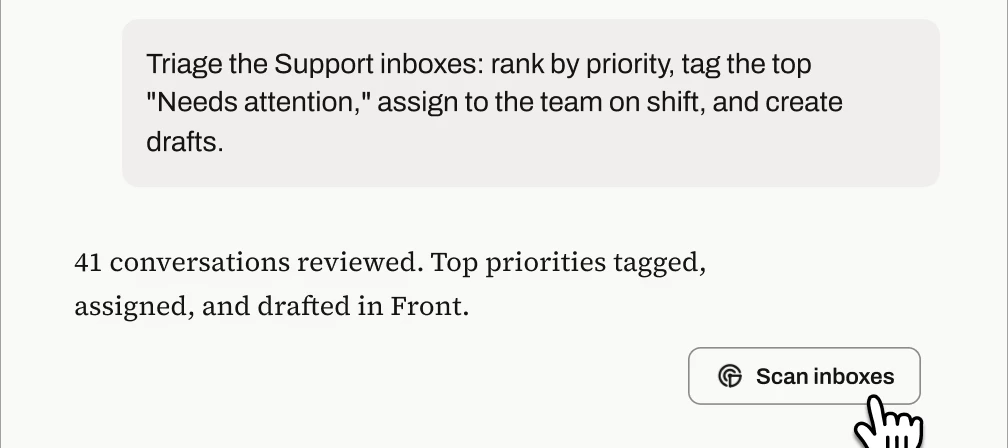
Front’s MCP server is here, and the best part is that you don’t need to invent prompts from scratch after your setup! We tested these templates against real Front inboxes and refined them until they produced accurate, verifiable results. Copy the ones below, swap in your {inbox names, dates, and details}, and you're minutes away from an auto-triaged queue, an account briefing, a trend report, or a knowledge-gap audit. 1. Inbox triage: prioritized action listTeam, personal, or both: Team (personal variant in the bonus section)User profile: Support team leads and managers (running it), support agents (consuming the output in Front)When to use:As a scheduled task that runs every morning or at every shift change: the team starts their shift with the highest-priority items already tagged, surfaced in a pinned view, and assigned, so they can action the top items immediately instead of scanning the queue Ad hoc after a volume spike, outage, or holiday backlog, when the queue is too big to eye
Front AI summarizes conversation trends in Topics and provides Smart QA and CSAT features to help you ensure you’re providing exceptional service to your customers. To learn more, refer to the following Help Center topics, or refer to the Analyze section of our AI overview topic.Topics Smart QA Smart CSAT
To view out-of-the-box integrations, visit front.com/integrations or navigate to Settings > Company > App store in Front. Â
Copilot helps you accelerate responses, compose emails, search your knowledge base for answers, execute admin actions in Front automatically, build workflows, and the list goes on. To learn more, refer to the following Help Center topics, or refer to the Assist section of our AI overview topic.Conversational assistance Suggested replies Compose Ask your knowledge base Admin Copilot
Autopilot instantly resolves messages with responses written by AI, sourced from your knowledge base and similar conversations. It can also set up complex workflows and decision trees that AI automatically handles for you. To learn more, refer to the following Help Center topics, or refer to the Automate section of our AI overview topic.Autopilot reply Autopilot in rules Autopilot Playbooks Autopilot Resolve
Connectors provide a no-code framework for connecting Front with your external tools. You can bring data into Front or perform actions in third-party systems, all from within Front. Connector examplesSubscribe to this forum to view, share, or ask questions about real-world Connector use cases and workflows. You can also view our Connector playlist on YouTube. Stay in the know Join our Connectors group to access workshops, events, and share your thoughts with our team. Unfamiliar with APIs?Take our Academy course—it will guide you through the basics. No engineering experience required! OverviewThere are two types of Connectors: Application objects: instantly display data from external systems (e.g. customer records, shipments, orders) directly in conversations.   Application requests: trigger actions in external systems (e.g. update an order, create a record, change a status).   Connectors are created in Developer settings at the company level, by company admins. Once created, the
This forum is the home base for all things workflows in Front, which we define as:An automation or rule you’ve set up to increase efficiency A series of automated rules and/or manual actions that enable individuals or teams to be more productiveThe type of posts you might expect to find here are:Our team showcasing our customers’ or Front’s own internal workflows Users sharing their own impactful workflows Questions from users for ideas on how to build workflows to achieve their goalsWe hope you find lots of inspiration here and also share any workflows that have helped you!If you have specific questions about how to use a feature in Front, head over to Product Q&A.
Hi Everyone, I am trying to set up Front’s AI features to auto-tag incoming conversations, for example by request type (quote request, booking, shipment update, complaint) and by urgency.Just a few questions for anyone who has tried this: How reliable has AI tagging been for you compared to keyword-based rules? Did accuracy improve over time, or did you need to tune it heavily? Is it really accurate or does it make unnecesaary mistakes?How did you define your tag categories so the AI could tell them apart? Did you write detailed tag descriptions or give it examples? Do you use AI tags as triggers for other rules, such as routing or assigning based on the tag? Any pitfalls with that?Any suggestions or things you wish you’d known before turning it on, would be really helpful. Thank you!
Hi everyone!  I’m curious to hear about how others are using the Front Read-only and/or Admin MCP. Right now, we’re looking at implementing some sort of workflow to proactively alert teams of potential incidents based on ticket/topic volume. What other uses are out there?
In some service companies I worked for, an incident ticket was never closed by us alone. When we thought it was fixed, the process sent the customer a message (sometimes through a different channel than the original one) with a link to reply and confirm that everything worked. Only that confirmation closed the ticket.The typical case: a user cannot log in, the admin restarts the server, the login works on their side, the ticket gets closed. But on the customer's side it still fails, for a different reason, and the investigation has to go further. With customer confirmation, those tickets stayed open instead of coming back later as repeat issues.In Front, as far as I can tell, the team decides when a conversation is Resolved. I found the Open, Waiting and Resolved statuses, custom ticket statuses, delayed rules, and the trigger "Incoming message is received". So I imagine something like this:1. The agent sets a custom status such as "Pending customer confirmation" and a rule sends the "
When Claude creates a reply draft through the Front MCP server, the draft contains only the body text - no quoted thread history and no signature. Front's own Reply button adds both.The Core API already supports this. POST /conversations/{id}/drafts accepts quote_body, signature_id and should_add_default_signature. The MCP create_draft and update_draft tools expose none of them, so an AI-created draft can never match what Front itself produces.Separately, there is no way to create a forward at all: no forward endpoint exists in the Core API, only in the Plugin SDK (Front.forward() / replyOptions.type: "forward"), which requires a plugin running in the Front UI.Impact: I have to re-add the quoted history and my signature by hand on every AI-drafted reply. The manual rework defeats the purpose of the integration - it is faster to skip the connector and hit Reply.Asks: (1) expose quote_body, signature_id and should_add_default_signature in create_draft and update_draft, ideally with quoti
Wondering how end users utilize the tagging function, in a group that manages a small-scale project for new retirement plan implementations to help manage outstanding tasks and timelines. Does it make the most sense to tag by client and use statuses? I was also thinking that tags for status or stage may be useful. What has worked for your team?
I'm currently working through Front onboarding and have only seen the platform through the training exercises so far.One thing I'm curious about is how experienced teams decide when to create new rules, tags, or automations versus keeping things manual. The examples in training make sense, but I imagine real environments can become complex pretty quickly.For those who manage Front long-term, what are some "lessons learned" or best practices you wish you had known when setting up workflows for the first time?
Hi all,We write and review our internal IT documentation in Notion (draft → review → publish). We'd like Front's Knowledge Base to be where people actually read it, but copy-pasting every article after each revision doesn't scale.Has anyone automated publishing from Notion (or another source) into a Front KB, via the API, n8n/Zapier, or something else? How do you handle updates to existing articles and FR/EN versions?Thanks!
Hi everyone,For those using Front for internal IT support (not customer-facing): how do you set it up?- Dedicated shared inbox or a channel inside an existing one?- Tags per category (access, hardware, software) or custom fields?- Rules for auto-assignment, and any SLA/status setup that works for a small IT team?Would love to see real examples before we commit to a structure.
Hey Front Community! 👋I’ve been following the updates around Front’s new AI Agent features, and I’m really intrigued by how much potential they have to transform shared inbox management.We’re currently looking into how we can integrate AI Agents into our daily operations to take some of the repetitive triage and manual tasks off our team’s plate, but we want to make sure we set them up for success.I’d love to learn from the community’s experience: Daily Workflows: What are the specific day-to-day tasks or workflows where you’ve seen the biggest impact using AI Agents? (e.g., tier-1 ticket deflection, initial context gathering, auto-routing, or drafting complex replies?) Best Practices: Did you start by letting the agent run in "draft/review" mode for your team, or did you roll it out directly to handle specific inbound channels? Surprises/Learnings: Is there a unique or creative use case for the AI Agent that you didn't expect when you first turned it on? Really excited to hear ho
I recently joined a team that uses Front as their primary tool for communicating with it’s users. I wanted to learn what others have found helpful as they were in the process to become a Front admin for their organizations and what features they utilize the most to gain operational efficienciesÂ
Hi, When did contacts become relationships? I’ve been away from the community for a while and am not up to speed on changes. Today I discovered my contacts on the right are now relationships. Sidebar still has contacts, but that is not visible or usable on the right. This didn’t seem like a big deal until I discovered you can no longer create new accounts as quickly and easily as before. We use the contacts and accounts visibility on the right all day, so this has really thrown a wrench in the works. Please tell me there is a way to fix this!Â
Hey, Having MCP and / or API be able to (at least) read the rules details would be a game changer. Other mail services allow to import / export rules as JSON files, which also helps a lot. Concrete example: Having to screenshot your rules 1 by 1 to share it to Claude to find bugs and inconsistencies is a real pain. The bigger the company, the more relevant this would be. Is this something Front could implement?Â
We use Front MCP (mcp.frontapp.com) from an inbox agent (Pit Bot / grok@xxx.com)Â Workflow: a teammate @mentions the agent in a Front comment and asks for a fairing-kit mockup. The agent generates a PNG and needs to post it as an internal comment on that same conversation, visible to CS, not to the customer.What we tried: add_comment with conversationId + body. The MCP schema only has those two fields. get_attachment can download comment images, but nothing can upload them.What we expected: add_comment to take an attachments list, same as Core API POST /conversations/{id}/comments which already documents attachments as multipart/form-data, max 25 MB (https://dev.frontapp.com/docs/attachments-1). Teammates already attach images to comments in the Front UI (we do this daily with color swatches).What happened: we can only post text. We have to drop the mockup in a side chat and ask a human to attach it on the thread. That breaks the workflow.Ask: please add an attachments argument on add_c
You can now connect ChatGPT and Codex assistants to the Front MCP server using the official OpenAI plugin, which greatly simplifies setup! To connect via an official directory:A Front admin (or any user authorized to install integrations from the Front App Store) must connect via the directory links above. Then, any user in your company can use the directory links to connect their own accounts.
I run an agency and we support many clients.  I want to be able to go to one spot and see all the emails from that company.  I had originally thought about doing this as tags. Then we made mailboxes for all the clients. This seems to be challenging though. I am seeing messages not show up in the mailboxes. I don’t think each client should have their own mailbox. How are other agencies doing this?
I was hoping to run some high-level reports through Claude using Front’s Analytics API, but hadn’t realized the Analytics API isn’t exposed in the MCP. Is there a timeline for this?Here is exactly what I was after:Total inbound message volume by inbox (in a specific calendar month) from the Workload report Topic breakdowns by inbox (in a specific calendar month) from the Topics report Average Response Time from Team Performance (for a specific calendar month) Smart QA / Smart CSAT scores (for a specific month)Here is what Claude said: The MCP doesn't expose Front's Analytics module (Workload, Topics, Team Performance, Smart QA, Smart CSAT reports) — those live in a separate reporting API that isn't part of the connector we have access to.Â
I connected the Front MCP server to Claude Code and it works well for conversations, messages, drafts, comments and tags. Thank you for shipping it. One gap: there is no way to work with message templates. The OAuth app's Resource permissions grid includes a "Message templates" row with Read, Write and Delete, so I ticked it and re-authorized, but the MCP server still exposes no tool that touches templates. The full tool list I get is: search_conversations, read_conversation, move_conversation, assign_conversation, tag_conversation, update_conversation_status, read_message, send_message, list_drafts, create_draft, update_draft, delete_draft, add_comment, get_attachment, list_channels, list_inboxes, list_tags, list_statuses, list_teammates, list_teams, read_contact, search_contacts, read_account, search_accounts, get_my_identity. The server also advertises no MCP resources. For comparison, the Core REST API does support templates: GET /message_templates works with an API token carrying
Our operations email is basically a distribution list that consist of our shared mailbox + archiving backend. We would like to take advantage of the auto reply feature on FRONT.Has anyone found a good workaround, or an easy way to automate replies when there’s a distribution list in the recipients field?
Already have an account? Login
No account yet? Create an account
Enter your E-mail address. We'll send you an e-mail with instructions to reset your password.