Repository navigation
Graphical issues in iDOLM@STER SP PS/WS/MM (ULJS00167, ULJS00168, ULJS00169) relating to hair textures #12376
Description

What happens?
The hair specular effect on character models completely fails to render on PPSSPP under all backends, including software rendering.
What should happen?
The hair specular effect should render correctly as is the case on real hardware and the the Vita's PSP emu.
What hardware, operating system, and PPSSPP version? On desktop, GPU matters for graphical issues.
OS: Windows 10 64bit
GPU: NVIDIA RTX 2060
CPU: AMD RYZEN 5 2600X
PPSSPP Version: v1.9.2-14-g633d1e761 (Note: This issue has been a thing since at least the 2015 builds of the emulator going by some old screenshots I've taken, though I only noticed it recently.)
Screenshots
PPSSPP Software Renderer (Though all backends produce a similar effect)

Vita built-in PSP emulator

Screenshot from official PS Store listing of iDOLM@STER SP Wandering Star

Supplementary screenshot showing how the girl on the left of the PS Store screenshot looks like in PPSSPP

Debug log with dump of the next frame (next frame dump starts at line 1292127)
GE Debugger Screenshots
Many screenshots


Activity
unknownbrackets commentedon Oct 6, 2019
Could you try exporting a GE frame dump? These help a lot.
See here for instructions - it's not hard and works on Android too:
https://github.com/hrydgard/ppsspp/wiki/How-to-create-a-frame-dump
You can zip that and then drag and drop it into a reply here.
-[Unknown]
melipog commentedon Oct 9, 2019
The ppsspp debugger site gave me a blank page on latest stable chrome so I recorded it using the other method.
ULJS00168_0001.zip
EDIT: I had remote debugging enabled, of course.
unknownbrackets commentedon Oct 12, 2019
I think it's using texenv mapping at 849/1884. It doesn't seem to be blending the expected colors in (even based on what's highlighted in the GE debugger.)
-[Unknown]
unknownbrackets commentedon Oct 12, 2019
See #12413 about the debugger access issue.
-[Unknown]
melipog commentedon Oct 12, 2019
I've kinda managed to get remote debugging to work. Will post some comments in the associated issue later.
Is there anything I can to do to help with this issue, by the way?
unknownbrackets commentedon Jan 9, 2022
The texenv lighting effect starts at 849/1884 - 933/1884, but is used again at 934/1884 - 950/1884, for the hair specifically.
Here's the PSP rendering of that frame dump:
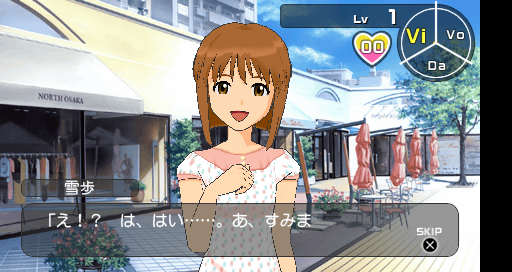
Light 1 is disabled, but used for T. Its position is 0,0,0 for all involved draws. If I disable its usage (only mapping S), I get some shine, although it's incorrect. Here's what that looks like:
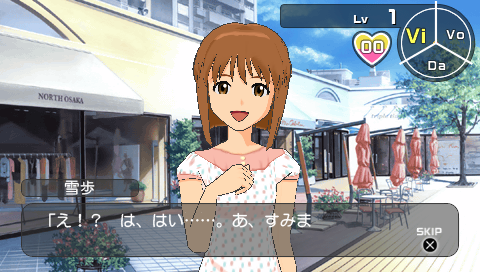
There are normals, though, which looks reasonable. World matrix is an identity. The specular coefficient is 1.0. Both lights are directional throughout.
Increasing S lowers the shine to about the right position roughly (but the wrong shape.) If, on the other hand, I take S as specular (it does have diffuse + specular enabled), I get this:
This is still with T using the original V. It's closer to correct, at least in shape and position, although overly harsh.
Anyway, this gives some interesting ideas to test for UV gen based on lighting.
-[Unknown]
Shade mapping: Use the light vector as lighting sees it
hrydgard commentedon Sep 30, 2026
This should be fixed now with #22399.