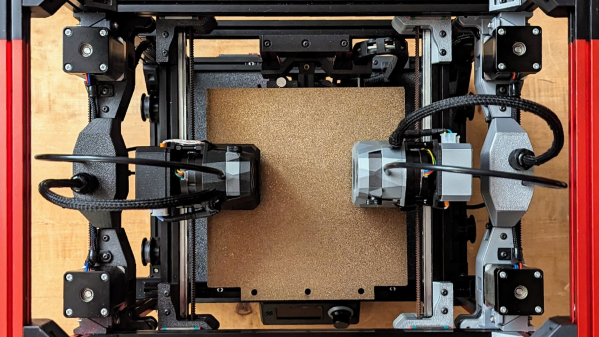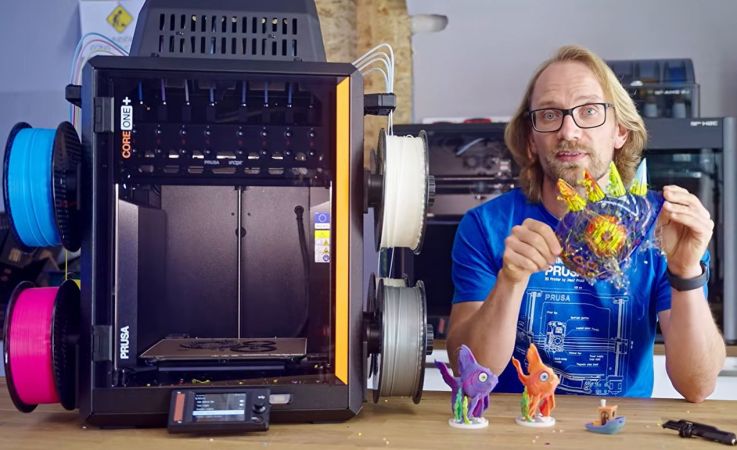
The Prusa Core One+ INDX is an interesting upgrade to the base FDM printer by Prusa, featuring eight independent extruders – hence the INDX – that in theory should allow for multi-material and multi-color printing with very little purge waste. As [Thomas Sanladerer] found out during his experiences with this printer, there are a lot of issues with this machine, including the ability – or lack thereof – to print with non-Prusa filament.
 Although the premise is solid, with a claimed 0.013 grams of purge waste per color or material change along with pretty nice dual-gear Bondtech extruders, the first major hurdle that [Thomas] encountered was that the mandatory calibration sequence on starting a print is designed to only work with Prusa’s own filament and its specific material properties. This resulted in an inability to print with Voxel PLA until [Thomas] removed this sequence manually from the g-code.
This is when [Thomas] found out that the entire print sequence uses the material presets for Prusa’s filament, resulting in a failed print. The results from the manual calibration are also not saved despite the display claiming it does, making this calibration on starting a print absolutely mandatory.
Other issues found are the useless position of the camera as it’s now blocked-off by the INDX hardware, with even manual peeking into the print chamber being heavily obscured by the contraption that holds the extruders. This makes even checking that filament has loaded correctly is borderline impossible, never mind ogling the printing process.
Although there’s a lot to like about this INDX upgrade to the Core One+, the above and other issues discussed in the video make it look somewhat shaky next to competitors like the Bambu Lab H2C and Snapmaker U1, as well as Prusa’s own XL toolchanger printers. During [Thomas]’s print test comparison between the XL and the Core One+ INDX there was no contest that the XL simply works, whereas the INDX even struggles with some Prusa filaments.
Continue reading “The Prusa Core One+ INDX, A Troubled Multi-Extruder Upgrade?”