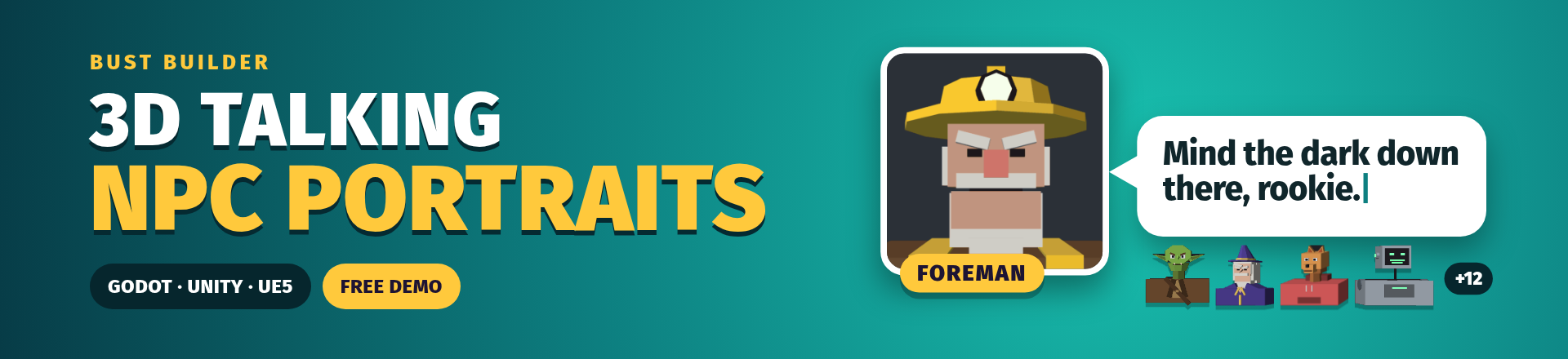
3D Talking NPC Portraits: Godot/Unity
👉 Build a bust free in your browser
No download needed. Pick a character, change anything, make it talk, then copy its code straight into your game.
Give every character in your game a face that talks, without drawing a thing. Bust Builder makes low-poly character busts from a short code, such as foreman beard=long. They blink, sway and move their jaw as they talk, ready for your dialogue boxes, shopkeepers and mission givers. For Godot, Unity and Unreal.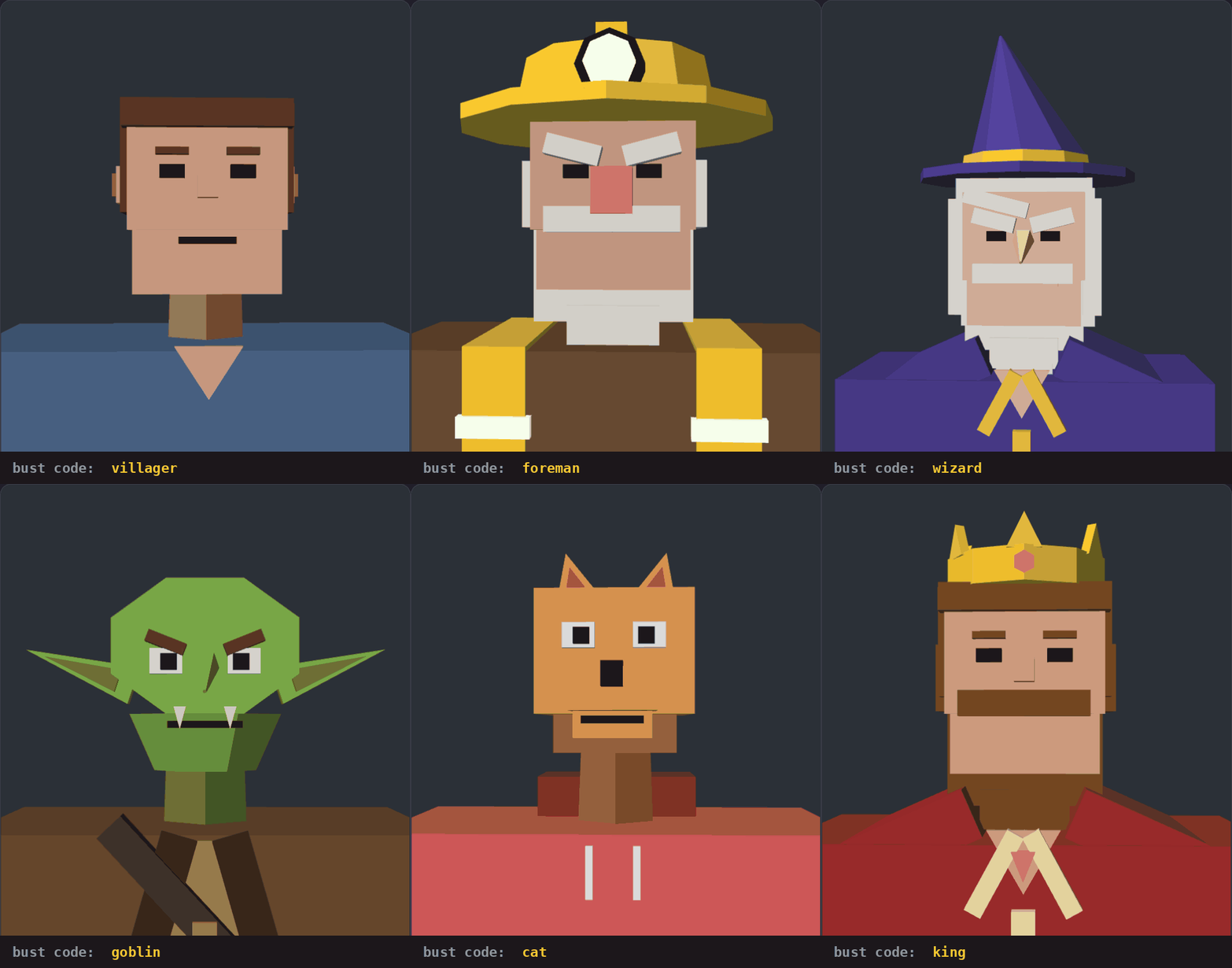
Who it's for
- Solo devs and small teams who want a portrait for every speaking character but don't have an artist (or the time) for dozens of faces.
- RPGs, adventures, management and narrative games with lots of NPCs to talk to.
- Prototypes and game jams, where you want characters with personality on day one and can swap the code later.
Features
- A character in one line: $BustPortrait.bust_code = "foreman beard=long", and the same code works in every engine.
- Seventeen characters to start from: villager, soldier, drone, foreman, scout, horror, wizard, king, goblin, orc, elf, robot, cat, punk, elder, kid and gentleman.
- Change anything: six head shapes, plus ears, eyes, brows, nose, mouth, beard, hair, hats, eyewear, neckwear, outfits and gear, seven colours and five proportion sliders.
- Feels alive: busts blink, sway and talk. Switch talking on and the jaw moves in its own rhythm, or hook it up to a voice and it follows what's said.
- No art assets: every bust is built from simple shapes in code, so there's nothing to import, store or license, and the library is tiny.
- Looks the same everywhere: one C99 core builds every bust, and the lighting is baked into vertex colours, so a bust looks and moves the same in Godot, Unity and Unreal.
- Repeatable: the same code always gives the same bust. Design it in the demo, copy the code, paste it into your game.
- Tested hard: automated tests check every part on every head shape and about 17,000 busts in total, so hats, beards and glasses sit where they should and nothing floats or flickers.
- Portraits and models: frame a camera on a bust for your UI, or export PNG portraits, OBJ models and a sheet of every preset with the command-line tool.
- Your own parts too: build fully custom busts from boxes, cylinders, spheres and prisms with the C API.
Pairs with Mumble Speak
Bust Builder works on its own. If you also use Mumble Speak (sold separately), my babble-voice SDK, point a bust at its speaker and the jaw follows the voice, so your characters talk and sound like it. Any node or component with a mouth-open value works too, if you have your own voice system.
What's included
- Godot 4.3+ addon for Windows, macOS, Linux, Android and iOS, with a portrait view for your UI, a node for 3D scenes and a demo project
- Unity 2021.3+ package for Windows, macOS, Linux, Android, iOS and WebGL (Built-in render pipeline or URP), with a gallery sample
- Unreal Engine 5.0+ plug-in (C++ source, built with your project), with Blueprint nodes and a gallery actor to drop into a level
- Command-line tool for Windows, macOS and Linux: PNG portraits, OBJ models, preset sheets and batches from a CSV file
Quick start
Godot: copy the addons/bust_builder folder into your project. For a portrait in your UI, add a SubViewportContainer with bust_portrait_view.gd as its script; for a bust in your 3D scene, add a BustPortrait node. Then:
$BustPortraitView.bust_code = "foreman beard=long"
Unity: add the package with Package Manager > Add package from disk, then add Bust Builder > Bust Portrait to a GameObject. Then:
GetComponent<BustBuilder.BustPortrait>().BustCode = "foreman beard=long";
Unreal: copy the BustBuilder folder into your project's Plugins folder, enable it and add a Bust Portrait component. Then call Set Bust Code from Blueprint, or from C++:
BustPortrait->SetBustCode(TEXT("foreman beard=long"));
Portraits: export with the command-line tool:
bust -c "foreman beard=long" -o foreman.png --size 512
To make a bust talk, tick Talking (or set talking = true in Godot), or point it at a Mumble Speak speaker.
FAQ
Do I need Mumble Speak?
No. Switch talking on and the jaw moves in its own rhythm, no voice needed. Mumble Speak is a separate pack if you want the jaw to follow a voice.
Can I just get still images?
Yes. Download PNGs from the free demo (256 to 1024 px, transparent or on a colour, with an optional pixel-art look), export them with the command-line tool, or take a snapshot in Godot.
Which Unity render pipelines work?
The Built-in render pipeline and URP. HDRP isn't supported.
Will the bust I made in the demo look the same in my game?
Yes. The demo runs the same core as the engine plug-ins, and the same code always gives the same bust.
Licence
Use Bust Builder in any number of free or commercial games and apps you make, with no royalties. Please don't share or resell the SDK itself.
👉 Try Bust Builder free in your browser and find your first character before you buy.
Purchase
In order to download this asset pack you must purchase it at or above the minimum price of $3.91 USD. You will get access to the following files:
Development log


Comments
Log in with itch.io to leave a comment.
The one line code is a nice way to keep a cast consistent. One question: the FAQ mentions an optional pixel art look for PNGs from the demo. Is that look available on a live talking bust inside the engine plugins too, or only on exported stills? A pixel art game would want the jaw and the blink as well.
Hey, the pixel rendering variant has now been added to the package - I appreciate the feedback!