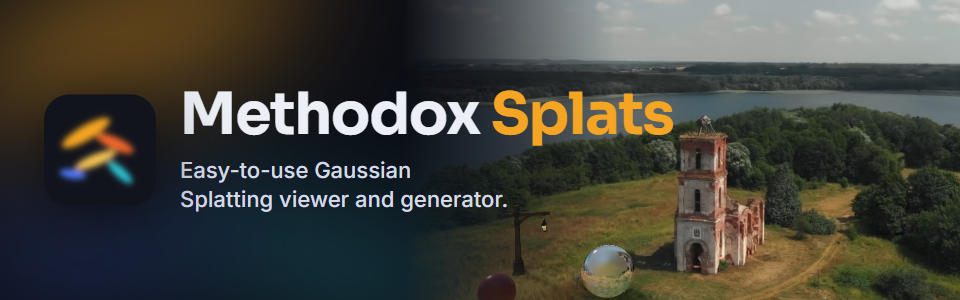
Methodox™ Splats
A downloadable software for Windows
Overview
Easy-to-use and fully interactive.
Methodox Splats turns a short video or a set of photographs into a 3D scene you can look round from any side using a technique known as Gaussian Splatting. The scene is built locally on your own computer, by a compatible graphics card supporting Vulkan API, and the training processing is iterative so you can watch it appear as it is built.
To capture a footage for training, you can walk round a subject with your phone, or use a drone for architecture shots. Once a high-quality video (with minimal motion blur) is available, you can load the clip, press a few buttons, and some minutes later you will be able see fully interactive 3D result from gaussian splatting visualization.
What it does
- Turn video or photo sequences into a 3D (gaussian splatting) scene. For video inputs, the loader picks the sharpest frames, works out where each was taken from, and builds the scene, all in one window.
- It stays on your computer. No account, no upload, no queue, and it works offline.
- No special hardware. It does not ask for a particular make of graphics card. Every picture on this page was made on a laptop's built-in graphics. Both AMD and NVIDIA are supported. (Intel is not tested)
- Interactive 3D navigation. Orbit with the mouse, fly with the keyboard, or stand exactly where a photograph was taken and fade between the photograph and the scene.
- (Experimental) Visualize 3D objects in the scene. Drop in a 3D model (.glb, .gltf or .obj). It is lit by the place, goes behind what is in front of it, casts a shadow, and polished things mirror their surroundings. Set the sun by dragging a shadow.
- (Experimental) Train from motion videos. Film something from several cameras at once and play it back as a moving 3D scene you can walk round while it moves.
- Tidy up and hand over. Crop, clear away haze, make it smaller. Save as PLY, SPZ, SOG, glTF, .splat or a Blender file, export a fly-through video, or send the solved cameras to Blender as a camera track.
- A command line interface.
splatsdoes every step without the window, for scripts and batch work.
What you need
- Windows 10 or 11, 64-bit.
- A graphics card from the last few years. Built-in graphics will do; more graphics memory builds larger, sharper scenes.
- Something to film: a minute of steady video going round a subject that holds still, or a hundred or two overlapping photographs.
Try it out yourself
Sample scenes to open and look round are at splats.methodox.app.
Learn more
- Website: splats.methodox.app
- User guide: Methodox Wiki
- To see changes in each update version: in the program, see Help > What's new.
Good to know
- This is an early release (version 0.4). It is under active development and things will change.
- A scene is only as good as the footage: whatever was not filmed is guesswork, and glass, mirrors and moving people are hard for every program of this kind.
- A moving scene needs a rig of cameras filming together, with their positions known. One camera is not enough for things that move.
Download
Click download now to get access to the following files:
Development log
- Methodox Splats: v0.5.0 Update Notes3 days ago
- Methodox Splats: v0.4.7 Patch Update3 days ago
- Methodox Splats: v0.5.1 Patch Update3 days ago
- Methodox Splats: v0.4.6 Patch Update8 days ago


Leave a comment
Log in with itch.io to leave a comment.