
Description
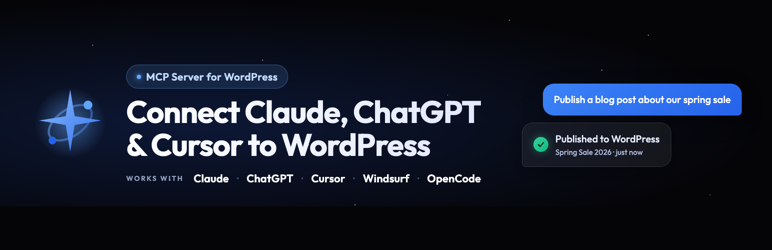
Your WordPress site just became MCP-ready. WPVibe is the Model Context Protocol server for WordPress, connecting your self-hosted site to any AI assistant or AI agent that speaks MCP: Claude, ChatGPT, Cursor, Windsurf, OpenCode, and more. No copy-pasting between tabs. No switching between your AI chat and wp-admin. Tell your AI what you want, and it happens on your live WordPress site.
What People Are Saying
- “New WordPress Plugin Safely And Easily Connects AI To Your Website” (Search Engine Journal, July 2026)
- Thousands of WordPress sites connected and over a million WordPress operations performed since launch.
The Model Context Protocol Server for WordPress
WPVibe is a complete MCP server implementation for WordPress. The Model Context Protocol, introduced by Anthropic and now adopted across the AI industry, lets AI assistants discover and call tools on connected services through a standard interface. WPVibe packages every meaningful WordPress operation (content management, media uploads, theme file browsing, REST API access, and plugin abilities) as MCP tools your AI can call.
You install this free plugin, connect your site once, and any MCP-compatible AI client can work on your site. WPVibe handles authentication, encrypts credentials with AES-256-GCM, and relays your AI’s tool calls to the WordPress REST API. Your WordPress site, your data, your choice of AI.
Connect Claude to WordPress
WPVibe connects Claude to WordPress. Use it with Claude Desktop, Claude on the web, or Claude Code in your terminal. Once connected, ask Claude to draft a blog post, schedule an article, reorganize categories, update site settings, or run any WordPress task through conversation. Claude sees your WordPress site through the MCP bridge and responds with direct action, not just suggestions.
Connecting Claude to WordPress takes about 30 seconds. Install WPVibe, open the plugin admin, click to authorize, then add the MCP server URL to Claude’s connectors. From that moment, Claude can manage WordPress content, search WordPress files, upload images, and interact with any WordPress plugin that exposes the Abilities API.
Connect ChatGPT to WordPress
WPVibe connects ChatGPT to WordPress directly instead of wrapping an API key. ChatGPT supports MCP servers directly in the web app and the desktop app, so once you add your WPVibe MCP server URL, ChatGPT can read and write to your WordPress site through ordinary conversation.
Ask ChatGPT to turn a Google Doc into a WordPress blog post, find and tag every customer who downloaded a specific resource, update your About page in your own writing voice, or bulk-publish a content calendar. ChatGPT handles the language and strategy, WPVibe handles the WordPress REST API calls behind the scenes. WPVibe is also an official connector in the ChatGPT Apps directory.
Connect Cursor, Windsurf, and Every MCP-Compatible AI Agent
WPVibe is not locked to a single AI vendor. Cursor, Windsurf, OpenCode, Claude Code, ChatGPT, Claude, and any other AI agent that supports the Model Context Protocol can connect through the same MCP server URL. One WordPress MCP server, every AI assistant, no integration rewrite when you switch tools.
For developers, this means Cursor can edit your WordPress theme files with context-aware suggestions, Claude Code can run WordPress tasks as part of an agentic workflow, and Windsurf can scaffold new WordPress templates. For content creators and agencies, this means whichever AI writes best for your brand can publish directly to your WordPress site through the WPVibe MCP bridge.
Content Management Through Conversation
Create blog posts, update pages, upload media, manage categories and tags, all through natural conversation with your AI assistant. Tell Claude to write a draft post about your latest product launch, ask ChatGPT to update your about page, or have Cursor reorganize your blog categories. Your AI handles the REST API calls, so you never touch wp-admin.
Abilities API Support
WordPress 6.9 introduced the Abilities API, a powerful way for plugins to declare self-describing operations that AI assistants can discover and execute. WPVibe supports it: your AI can discover what abilities your installed plugins expose, inspect their input schemas, and run them directly through natural conversation.
If a plugin registers abilities (WPForms, SeedProd, and others are adopting this standard), your AI assistant can interact with it without any custom integration.
WooCommerce, Elementor, Bricks, and Your Other Plugins
WPVibe works with the plugins already running your site. For WooCommerce, your AI can review the store, manage products, and bulk-edit prices, stock, and descriptions through conversation, so updating fifty product pages no longer means fifty trips through wp-admin.
Page builders get dedicated support. Elementor, Bricks, Breakdance, Beaver Builder, and Divi pages are written through each builder’s own save pipeline, so the result opens in the builder like a hand-built page. Built-in skills cover Gutenberg, Kadence, GeneratePress (including GP Premium Elements), and SeedProd. Other plugins work through their own REST APIs or the WordPress Abilities API, and custom fields (including ACF fields, which are post meta under the hood) are read and written correctly, including on custom post types.
Safely Edit WordPress Theme Files
WPVibe lets your MCP client browse and edit your WordPress theme files safely. Your AI can list files, search file contents, analyze code structure, and make edits through a draft theme workflow. The draft clones the active WordPress theme into a sandbox, makes changes there, and exposes a preview URL so you can see the results before going live. Your live WordPress site is never touched until you explicitly approve and publish.
Every file operation runs through WordPress capability checks, a path sandbox scoped to the draft theme, and PHP syntax validation before save. You keep the safety of wp-admin’s file editing guardrails while giving your AI a real place to work.
WP-CLI Style Commands
Run WordPress administration commands through your MCP client. Activate plugins, switch themes, update options, flush caches, query the database, run serialized-data-aware search-replace with a dry run, and more, all via native PHP dispatch with a security-first command allowlist. Everything is emulated through PHP, so it works on shared hosting with no shell and no SSH. Your AI gets a productive WordPress admin surface without the risks of raw command execution.
Approvals You Can See, and an Audit Log
WPVibe does not open your site to the world. Access runs through WordPress’s own encrypted Application Passwords, revocable in one click. When your AI asks for something destructive (deleting a user, mutating the database, uninstalling a plugin), WPVibe pauses and shows an approval panel in the chat with the exact operation, a dry-run preview, and Approve or Decline buttons. Nothing irreversible happens without you.
Every sensitive action is recorded in an append-only Approval Log in wp-admin, with the preview you saw and the result. Posts default to draft, deletes go to trash, and theme publishing keeps a backup so you can roll back.
Live Notifications in wp-admin
Every change your AI makes triggers a smart notification in your browser with a direct link to view or edit the updated content. The notification knows whether you are in the WordPress admin or on the frontend and adapts the link, so your workflow is never disrupted while your AI works in the background.
One-Click Authorization
Connecting your site takes seconds. No application passwords typed by hand, no API keys copied between tabs: provide your site URL, click the authorization link that appears in your WordPress admin, and approve the connection. Credentials are encrypted with AES-256-GCM and stored securely on Cloudflare-hosted WPVibe servers. One click, done.
Who Uses WPVibe
Whether you are a blogger, a developer building WordPress themes, or an agency managing client sites, WPVibe works through whichever MCP client you already use.
Bloggers and Content Creators write and publish posts, manage media, organize categories and tags, and update site settings through conversation with Claude, ChatGPT, or any MCP assistant.
WordPress Developers and Designers browse and edit theme files with a safe draft-preview-publish workflow, or build classic themes from scratch, directly from Cursor, Claude Code, or your favorite MCP client.
Agencies and Site Managers connect every client site and run updates across all of them from one panel, use the Abilities API to work with installed plugins, and turn on white label mode (free on every plan) so clients see a clean wp-admin while you manage the site through your AI.
Features
- One-click connection with AES-256 encrypted credential storage and OAuth magic-link sign-in (no passwords typed into chat)
- AI content management: posts, pages, media, categories, and tags through conversation, with surgical find-and-replace edits in posts, meta, and options
- Fleet updates: update plugins, themes, and WordPress core across every connected site from one panel, with a recheck before and a version verification after each update
- WooCommerce management: review the store and bulk-edit products, prices, stock, and descriptions
- Page builder integrations: Elementor, Bricks, Breakdance, Beaver Builder, and Divi through each builder’s own save pipeline
- Human-in-the-loop approvals with a dry-run preview, plus an append-only Approval Log in wp-admin
- Full WordPress REST API and Abilities API access as MCP tools, including custom post types and plugin routes
- WP-CLI style commands (plugins, themes, users, comments, options, database) through native PHP dispatch, no shell required
- Theme editing with a draft-preview-publish workflow, sandboxed file operations, PHP syntax validation, and a classic theme builder
- Media uploads from URLs and Unsplash stock photo search
- Works with Claude Desktop, Claude on the web, Claude Code, ChatGPT, Cursor, Windsurf, OpenCode, and any MCP-compatible AI agent
- On-demand skills that teach your AI the right approach for each WordPress task, and smart live-reload notifications in wp-admin
Third-Party Service
This plugin connects to the WPVibe service at wpvibe.ai to relay requests between your AI assistant and your WordPress site over the Model Context Protocol. When you connect your site, a WordPress application password is created and encrypted with AES-256-GCM on WPVibe servers hosted on Cloudflare. All communication between the plugin and the WPVibe MCP service occurs over HTTPS.
No data is collected, tracked, or shared with third parties beyond what is necessary to relay your AI assistant’s MCP requests to your WordPress REST API. Your content stays on your WordPress server.
Requests from WPVibe to your site may pass through relay servers that WPVibe operates on DigitalOcean, so that they arrive from fixed IP addresses your host’s firewall can allow. Each request, including the application password that authenticates it, passes through the relay in transit over HTTPS. The relays do not store requests, responses or credentials, and log only the site’s hostname.
On WPVibe’s own authorization page (the Approve screen an authorize link opens), if your site’s REST API answers the approval request with a firewall page or no response, the plugin reports that outcome to the WPVibe service (the HTTP status, whether the answer was a page or JSON, and the security vendor if recognised; never page content) so support can see what blocked the connection. Nothing is reported on a successful approval.
To report a security issue, email security@wpvibe.ai.
Third-Party Libraries
WPVibe bundles three third-party libraries:
- Alpine.js v3.15.12, MIT License, https://alpinejs.dev/, included at
starter-themes/classic/assets/js/alpine.min.js. Used as the interactivity layer (modals, dropdowns, tabs, accordions, sliders) for AI-generated classic themes. Not loaded outside scaffolded themes. - Tailwind CSS browser build (@tailwindcss/browser) v4.3.3 by Tailwind Labs, MIT License, https://github.com/tailwindlabs/tailwindcss, included at
assets/js/tailwindcss-browser.min.js. Styles the draft theme preview while you build a Tailwind theme. Loaded only on draft previews of WPVibe Tailwind themes; published themes use compiled CSS instead. - svg-sanitize (enshrined/svg-sanitize) v1.0.0 by Daryll Doyle, GPL-2.0-or-later, https://github.com/darylldoyle/svg-sanitizer, included at
third-party/svg-sanitize/with its PHP namespace prefixed so it cannot clash with other plugins that bundle it, such as Safe SVG. Used to clean SVG files before WPVibe writes them to a draft theme or adds them to the Media Library.
Built by SeedProd
WPVibe is built by the team behind SeedProd, the WordPress landing page and theme builder plugin used on over 1 million websites. We have been building WordPress tools since 2012.
Why an MCP Server Instead of a Custom Integration
If you have connected AI to WordPress before, you have probably dealt with custom API wrappers, hand-rolled Custom GPTs, or copying content between Claude and your browser. WPVibe replaces that with an MCP server built on an open standard supported by Claude, ChatGPT, Cursor, Windsurf, and a growing list of AI tools. Connect once, use any MCP client, no custom code to maintain.
Unlike bundled-AI plugins that ship one model and one prompt style, WPVibe lets you bring your own AI and use whichever model reasons best for each task. Your content stays on your WordPress server.
Branding Guidelines
This plugin is a product of SeedProd LLC. The product name is WPVibe, one word, everywhere: the plugin, wpvibe.ai, the documentation, and the in-product UI. When writing about it, please use WPVibe rather than WPvibe, Wp Vibe, WP Vibe, or VibeAI.
Resources
Screenshots


Installation
- Upload the
vibe-aifolder to/wp-content/plugins/ - Activate the plugin through the ‘Plugins’ menu in WordPress
- Open the WPVibe menu in your WordPress admin and click the Connect button to view setup instructions for Claude, ChatGPT, Cursor, and other MCP clients
For detailed setup instructions, visit wpvibe.ai/docs.
FAQ
-
No, not from version 1.13.0 onward. Some servers, commonly Apache running PHP as CGI or FastCGI, do not pass the Authorization header to PHP unless CGIPassAuth is enabled. WordPress then treats every authenticated REST request as logged out. WPVibe sends the same credential under an X-WPVibe-Authorization header, which those servers do pass through, and the plugin restores it before WordPress authenticates. This mirrors what WordPress core already does in wp_populate_basic_auth_from_authorization_header(): it only runs when no credential arrived by any normal route, it validates the header format, and WordPress still checks the credential exactly as it always has, so nothing about who may do what changes.
If you would rather it did not run, add
define( 'WPVIBE_DISABLE_AUTH_FALLBACK', true );to wp-config.php, or return false from thewpvibe_allow_auth_fallbackfilter. -
Is WPVibe free? Do I need another AI subscription?
-
The plugin is free, and the WPVibe service has a free plan that includes every tool and skill with a daily allowance of WordPress actions. You bring the AI you already use: WPVibe works with the free plans of Claude and ChatGPT, and it never charges for AI inference. Optional paid plans raise your daily WordPress action allowance, which is completely separate from your Claude or ChatGPT limits.
-
Which AI assistants work with WPVibe?
-
Any AI assistant that supports the Model Context Protocol (MCP): Claude Desktop, Claude on the web, Claude Code, ChatGPT, Cursor, Windsurf, OpenCode, and any future MCP-compatible client.
-
Is WPVibe a WordPress MCP server?
-
Yes. WPVibe is a full Model Context Protocol server implementation for WordPress. Your AI client connects to the WPVibe MCP server, which relays authenticated requests to your WordPress REST API.
-
Does this plugin modify my live WordPress site directly?
-
For content management (posts, pages, media), changes go live immediately, just like editing in wp-admin. For theme editing, all changes happen in a sandboxed draft theme. The live site is never modified until you explicitly publish.
-
What authentication does WPVibe use?
-
WordPress application passwords (built into WordPress 5.6+). WPVibe uses a one-click authorization flow, so no passwords are typed into the AI chat. Credentials are encrypted with AES-256-GCM at rest.
-
Is my WordPress data sent to third-party servers?
-
No. WPVibe connects your AI assistant directly to your WordPress REST API over MCP. Your content stays on your server. The only external connection is between your AI client and the WPVibe MCP server, which proxies authenticated requests to your WordPress site.
-
Can the AI break my WordPress site?
-
WPVibe has multiple safety layers: draft theme isolation for file editing, file extension allowlists, path sandboxing, PHP syntax validation, WordPress capability checks, and WP-CLI command allowlisting. Destructive operations (mutating database queries, user deletes, plugin uninstalls, permanent deletes) pause for an in-chat approval panel with a dry-run preview before anything runs, and every approved operation is recorded in the append-only Approval Log. DELETE operations move to trash (never permanent delete), new posts default to draft status, and publishing a draft theme keeps a backup of your previous theme files so you can roll back.
-
Does WPVibe work with Elementor and other page builders?
-
Yes. WPVibe creates and edits pages in Gutenberg, Elementor, and SeedProd, with built-in skills for each, plus dedicated Elementor endpoints for pages and Elementor Pro theme builder templates. Other builders work to varying degrees through the REST API.
-
Does WPVibe work with WooCommerce?
-
Yes. Your AI can review your store and create, update, and bulk-edit WooCommerce products, prices, stock, and descriptions through conversation.
-
Does WPVibe work with ACF and custom fields?
-
Yes. Custom fields are post meta under the hood, and WPVibe reads and writes them correctly, including on custom post types where plain REST setups often fail silently. Plugins that register meta or expose the Abilities API work automatically.
-
Can I connect multiple WordPress sites?
-
Yes. Connected sites are unlimited on every plan, including the free plan. Connect all your sites to one account and switch between them in any conversation.
-
Do I need to know how to code to use WPVibe?
-
No. WPVibe lets you manage your WordPress site entirely through conversation with your AI assistant. No coding required for content management. Theme editing is also conversational, your AI writes the code for your WordPress theme.
Reviews


Contributors & Developers
“WPVibe – MCP Server for WordPress, works with Claude, ChatGPT & other AI MCP agents” is open source software. The following people have contributed to this plugin.
Contributors

“WPVibe – MCP Server for WordPress, works with Claude, ChatGPT & other AI MCP agents” has been translated into 4 locales. Thank you to the translators for their contributions.
Interested in development?
Browse the code, check out the SVN repository, or subscribe to the development log by RSS.
Changelog
1.22.0
- Feature: Your AI can now make several changes to one post, setting or field in a single edit, saved together as one revision. If any change does not match, nothing is saved and your AI is told which one failed.
- Feature: Elementor’s own AI abilities (Elementor 4.3 and later) now work through WPVibe even when Elementor’s MCP setting is off. The setting stays as you left it for everything else, including Elementor’s own MCP connection.
- Feature: Before saving an Elementor page, WPVibe now checks every element with Elementor’s own rules: unique ids, widgets that are installed and active, and Elementor 4 settings in the right shape. A page with problems is not saved, and your AI is told which element to fix. Your AI can also check a page without saving it.
- Feature: WPVibe now keeps your site’s last few PHP fatal errors for 7 days, with the plugin or theme that caused them, so WPVibe can tell why a site fails even when it cannot sign in. It keeps PHP’s own error text, file names inside WordPress, memory use and your WordPress, PHP and active plugin versions: no stack traces, values or request data. The connection check on the WPVibe page shows the latest one.
- Fix: WPVibe connects again on sites running WP 2FA 4.3.0, which blocked Application Password logins for every user with two-factor set up. Only WPVibe’s own password, on a WPVibe request over HTTPS, gets through. WP 2FA’s lockout and every other password stay as they were.
- Fix: When WPVibe’s draft theme record holds a value no draft action accepts, such as “none”, every draft action used to fail. Deleting the draft now clears that record, and only when nothing exists at that path, so no files are deleted.
- Security: Theme delete and update, and their approval preview, now refuse a theme name that is a path (a slash, a backslash, “.” or “..”). Until now an approved theme delete given such a path could remove a folder outside your themes folder.
- Hardening: A search-replace that runs without an approval showing that exact change, such as a fleet run, now leaves out tables that hold code or keys (Code Snippets, Header Footer Code Manager, Wow Coder, WPVibe’s own records and WooCommerce API keys), and never changes a post’s type or a term’s taxonomy. A search-replace you approved still covers them.
1.21.7
- Fix: When your AI tries to delete the folder of a WPVibe draft theme, it is now refused and pointed to discarding the draft instead, so WPVibe is never left pointing at a draft that no longer exists. A publish that moved the draft live but could not restore its theme name no longer leaves that stale draft record behind either.
- Fix: With “Allow for WPVibe” on, the WPVibe page now explains that while a security plugin turns Application Passwords off, only a password WPVibe created gets through. If your account has none yet, it says so and how to connect.
- Fix: On sites where another plugin turns on strict database error reporting, a database query from your AI with a mistake in it now returns the SQL error instead of WordPress’s critical error page, and no longer leaves a read-only transaction or time limit open.
1.21.6
- Fix: wp-admin no longer offers Activate or Live Preview on a WPVibe draft theme, which locked every draft change once active. A switch to a draft from anywhere else puts the site straight back on its theme and says how to preview or publish the draft instead.
- Fix: Asking your AI to search or edit a post that does not exist now says the post does not exist, instead of reporting a missing permission and asking you to reconnect.
- Fix: When Approve is refused because the request is not a plain browser login, the message now names the cause (an Application Password, a server password such as HTTP Basic Auth, or an extra header) and how to get past it.
- Fix: On white-labelled sites with “Dangerously bypass approvals” on, the warning banner now turns it off in place. Your AI can turn the setting off for you too, but never on.
- Fix: When your AI cannot make a draft copy of your theme, it now says why and what to do: a theme the host links in from elsewhere (as on WordPress.com), a link inside the theme, a themes folder WordPress cannot write to, or a draft record the database did not keep. It used to say only that the existing draft was preserved.
- Fix: Connecting a site now tells WPVibe which way WordPress created the connection’s password, to help trace connections that fail.
- Hardening: Before WPVibe first changes a post’s title or content, WordPress keeps a revision of the original, so the first AI edit can be undone. When revisions are off for that post, your AI is told the change cannot be undone.
1.21.5
- Fix: Approve now connects on sites whose REST API address answers “not found”. It retries through the ?rest_route= address, which those sites still answer, and the help notice names the address it tried.
- Fix: The connection check no longer fails on sites running LiteSpeed Cache, which could serve an earlier check’s answer. WPVibe now tells LiteSpeed Cache not to cache it.
- Hardening: A search-replace that runs without an approval showing that exact change, such as a fleet run, now leaves WPCode and Elementor code snippets unchanged and says so. A search-replace you approved still changes them.
1.21.4
- Fix: SeedProd pages your AI saves compile again on sites where other plugins run background tasks, such as Action Scheduler, while the page is saved. The builder sign-in now refuses those requests instead of signing itself out, so the save goes through.
- Fix: WPVibe’s update notices show in wp-admin even when WPVibe is hidden from admins.
- Hardening: The draft theme preview loads Tailwind from the plugin instead of a CDN.
- Security: The readme now explains that requests to your site may pass through WPVibe’s relay servers, and how to report a security issue (security@wpvibe.ai).
1.21.3
- Feature: WPVibe now finds and runs abilities that a plugin offers to AI agents only (marked for MCP but hidden from the REST API), such as those in Fluent Forms, Meta Box, Premium Addons for Elementor and PixelYourSite. Each ability’s own permission check still decides who can run it.
- Fix: Publishing a draft theme no longer rolls back when a maintenance or coming-soon page is on (SeedProd, LightStart, CMP or Maintenance). The publish is kept, and WPVibe tells you to view the site logged in before you turn maintenance off. A real error page still rolls back as before.
- Security: The SeedProd builder sign-in now also limits Super Admins on multisite, accepts only the exact fields the builder sends on each call, refuses file uploads, and views the front end signed out.
1.21.2
- Security: The one-time sign-in WPVibe uses to save a SeedProd page in the builder now only reaches that page’s builder. It can no longer open other admin screens, upload plugins or themes, add users or change settings, it ends after 10 minutes instead of 2 days, and any request outside the builder signs it out.
- Security: On multisite, a site administrator who is not a Super Admin now only reads their own site: database reads, user lookups and network transients stay on that site, and search and replace skips network and other sites’ tables.
- Security: Search and replace now escapes table and column names when it writes, and skips any table whose name is not a plain identifier.
- Hardening: Reading wp-config constants now uses an allowlist of diagnostic settings (paths, debug, cache, memory, multisite), so a credential stored under an unusual name is never returned.
- Hardening: WPVibe only takes back a draft theme folder it created itself. A folder that merely ends in -wpvibe-draft is left alone, including on uninstall.
1.21.1
- Security: The approval log on your site no longer keeps passwords and other secret values from the commands you approved, such as post passwords and the values in a database query. Before, only user passwords were hidden. Approved commands are now logged by their shape.
- Feature: Your AI can read large plugin and theme files a section at a time, up to 1 MB. Before, any source file in wp-content over 64 KB was refused, even for a few lines. The whole file is still checked for secrets, and they are masked before any lines are returned.
- Feature: Beaver Builder pages can be edited one part at a time. Your AI sends only the rows and modules it changed, so it no longer has to pass your whole layout, including form keys such as reCAPTCHA secrets, back through the chat.
- Feature: Your AI can list a post’s categories and tags (wp post term list), look up a single category or tag (wp term get), and read and change term meta (wp term meta).
- Fix: Reading a page’s HTML works on WordPress sites installed in a subfolder (for example example.com/blog). It used to fetch a “page not found” page instead and report success.
- Fix: Beaver Builder saves refuse a module whose internal id does not match its key, which Beaver would otherwise drop or rename while reporting success.
1.21.0
- Security: Pending plugin, theme and WordPress updates can no longer be pointed at a different download through an option change. WordPress’s update records are now read-only to your AI.
- Security: The list of user roles is now protected on every site, including sites with a custom database table prefix and every multisite subsite.
- Security: The draft theme file tools only ever work inside a draft theme WPVibe created, never in your live theme or its parent theme.
- Security: The SeedProd builder sign-in that WPVibe opens to compile your pages can no longer switch on “Dangerously bypass approvals”.
- Security: The approval preview for a database query no longer runs statements the query itself would refuse, such as file reads or queries on protected tables.
- Security: With “Allow for WPVibe” on behind a security plugin that blocks application passwords, only the WPVibe password of an account connected to WPVibe gets through. Other accounts, and the same account’s other application passwords, stay blocked.
- Fix: Draft theme editing works on Windows hosts and local Windows installs (for example Local). Reading, editing and outlining existing files no longer fail with a path error.
- Fix: Your AI can no longer delete the WordPress user WPVibe is connected as, which used to break the connection until you reconnected by hand. It is told to reconnect as another user first.
- Fix: Post meta and user meta writes follow WP-CLI’s –format option. JSON text stored by plugins such as SeedProd and Elementor stays text instead of being turned into an array, and –format=json or –format=plaintext picks either one.
- Fix: User meta saved through WPVibe keeps escaped quotes, so JSON text in user meta stays valid.
- Improvement: option pluck supports –format=json, so your AI can tell true, 1 and “1” apart. Undoing an Astra setting change uses it.
1.20.5
- Security: User meta changes that need your approval can no longer be slipped past it with a key the database treats as the same as a protected one (for example a different letter case, an accent or a hidden character). Keys like that are refused, and a write is refused whenever WPVibe cannot confirm which stored key it would touch. Thanks to Mahesh Bohara (https://github.com/maheshbohara) for reporting it.
- Improvement: WPVibe’s own updates are safer. An update waits while WordPress is running its own background updates, a failed or rolled-back update is always reported as failed (with the reason when the site could not reach itself to check the new version), maintenance mode is cleared if an update is interrupted, and WPVibe records a note whenever it had to switch itself back on.
- Fix: Approved database writes no longer fail with “Multiple SQL statements” when a quoted value contains a semicolon, such as serialized data or CSS. Anything the check cannot read with certainty is still refused.
- Fix: When another plugin or theme crashes while WPVibe saves an edit, administrators see the PHP error with its file, line and the plugin or theme it came from, instead of WordPress’s bare “critical error”. Your AI is told to check whether the change was saved rather than send the same edit again.
- Fix: An upload your site refuses because of its file type (for example an SVG blocked by an SVG plugin) is reported as an unsupported file type with the site’s own message, not as a disk error, so your AI stops retrying it.
- Fix: Menu changes no longer fail on sites whose plugins look up the admin screen when a menu is saved (for example Ocean Extra).
- Fix: The plugin page now names the right Wordfence screen (All Options, Brute Force Protection) for the setting that turns off application passwords.
- Fix: Astra child themes are recognized in the dashboard widget and when WPVibe picks the right Astra tools.
- Improvement: When a site refuses WPVibe’s sign-in, the connection check reports a few more facts about why (whether the server passed the credentials through and whether WordPress’s application password check ran), never the credentials themselves.
1.20.4
- Fix: When WPVibe updates itself, it stays switched on. Before, an update WPVibe ran on its own (from your AI or a fleet job) could leave the plugin deactivated until someone turned it back on. The update now runs the way WordPress’s own background updates do, so WordPress also checks the new version for errors and restores the previous one if it would break the site.
- Improvement: Beaver Builder pages save on Beaver Builder versions before 2.6. When a save hits a PHP error, administrators see the error with its file and line, and a page the failed save created is removed.
- Feature: Bricks header and footer templates built through WPVibe now show on the site. Before, they were saved where Bricks does not read them.
- Improvement: Other plugins can log WPVibe’s activity: the new
wpvibe_operation_executedaction fires each time an approved operation runs, with the command and the preview you approved. - Fix: WPVibe’s SeedProd-only login route no longer appears in the plugin’s route list, so AI agents stop calling it on sites without SeedProd.
- Improvement: WPVibe can turn off a WPCode snippet it created, with no approval needed, because turning it off loses nothing and you can turn it back on in WPCode. It can also delete one of its own snippets after you approve it on the approval page (or at once, if you turned on “Dangerously bypass approvals”). A deleted snippet goes to the trash in WPCode, where you can restore it. WPVibe never turns off or deletes snippets you created, and it does not delete one of its own snippets after you changed its code. Turning a snippet off also stops it running when it was moved to the trash while still on, and clears the page caches WPVibe supports.
- Fix: Draft theme previews work on sites that use the SeedProd Website Builder. Before, the preview showed the live SeedProd site instead of the draft. The preview and the publish result say that the live site keeps showing the SeedProd site until the Website Builder is turned off.
- Fix: Preview pages tell hosts, caching plugins and CDNs not to cache them, so a page cache no longer serves a stale preview after an edit.
1.20.3
- Fix: Approved database writes that are long (over about 8 KB) and wrapped in double quotes no longer fail with a syntax error on some hosts.
- Fix: File listings with a name pattern such as *.php now find matching files in every folder, and a pattern used with a folder now matches inside that folder. Before, *.php found only top-level files, and with a folder it found nothing.
- Fix: Saved Site Editor changes on the live theme no longer override a published draft theme by default. Publishing sets aside the live theme’s saved global styles, and its saved templates and template parts that the draft also has. Set-aside changes are kept and can be brought back, and you can ask to keep them instead. Changes saved in the Site Editor during the preview now go live with the theme, unless you keep a live change with the same name. Deleting a draft sets its saved changes aside too.
- Feature: The preview and the publish result warn when the theme’s folder name belongs to a theme on WordPress.org, because a WordPress.org update could replace a custom theme. Adding “Update URI: false” to style.css stops this.
1.20.2
- Fix: Live reload puts much less load on your server. It checks for changes every five seconds instead of every two and a half. When a check times out, every open tab of the site stops checking, so it cannot tie up the server’s PHP workers; reload the page after five minutes to turn live reload back on.
- Fix: When an approved database change fails, the Approval Log now records the error message instead of an empty result, and the change is labelled as a write.
1.20.1
- Improvement: Claude users can add WPVibe from Claude’s connectors directory. The “Add to Claude” button on the WPVibe settings page and a new link in the dashboard widget open the listing. The server address is still there for Claude Code, Cursor and other clients.
- Hardening: Turning on white label mode always asks for approval, even when “Dangerously bypass approvals” is on. White label hides the Approval Log, so a person confirms it each time. Sites that already use white label are not affected.
1.20.0
- Feature: Dangerously bypass approvals. A new per-site checkbox on the WPVibe settings page in wp-admin, off by default. When it’s on, WPVibe asks for no approvals on that site: deletes, SQL, WP-CLI, REST writes, abilities and fleet jobs run right away. Only a logged-in administrator can turn it on or off, from wp-admin. WPVibe’s tools can’t change it. A red banner shows on every admin page while it’s on, and turning it on or off, plus every operation that ran without approval, is recorded in the Approval Log. Code snippets are still saved disabled, so enabling one stays a click in wp-admin.
- Improvement: Fewer SQL prompts. Approving a database row change (UPDATE, INSERT, DELETE or REPLACE) can now cover the rest of your session on that site, for 30 minutes or 25 statements. Schema changes, code snippet tables, WPVibe’s own tables and WooCommerce API keys still ask every time, and remembering stays off on multisite and on databases with triggers, views, stored routines or custom database drop-ins.
- Security: Remembered SQL writes run inside a transaction, and any change to code snippet storage rolls the write back. If the database connection drops mid-write, WPVibe reports an error instead of replaying the statement.
- Security: Database reads now run inside a read-only transaction, so a query that looks like a read can never change data. Reads with unusual quoting that used to be refused now run.
- Fix: Approving a connection no longer fails on sites whose server labels REST answers as HTML. WordPress used to hand back an unreadable password, and the connect link failed with a misleading hint.
- Improvement: The Approval Log header now says it lists approved and bypassed operations.
1.19.2
- Security: WPCode snippets and their storage (the active-snippet cache, the site-wide header and footer scripts, snippet posts) can only change through WPVibe’s code snippet flow, which saves new code disabled for you to review. Content edits and page builder saves that would reach them are refused.
- Security: Raw SQL can no longer write to the users, user meta or options tables, even with approval. WPVibe points the AI to the matching WordPress command instead, which runs WordPress’s own checks.
- Improvement: Fewer approval prompts. Clearing expired transients runs without one, and snippet saves that land disabled no longer ask, because enabling a snippet in wp-admin is the real approval.
- Improvement: A domain migration with search-replace can change the site and home addresses again after approval, with a clear warning. Other protected settings are skipped.
- Fix: WPVibe refuses to activate its own working draft of a theme, which would serve the site without its compiled styles. Uninstalling WPVibe keeps an active draft or backup theme in place.
- Fix: When another plugin or theme prints warnings or errors during a WPVibe request, the response stays clean, so a command that succeeded is no longer reported as a failure.
1.19.1
- Fix: Opening a draft theme preview can no longer crash wp-admin. On some hosts a preview could run out of memory on every admin page until the browser’s site data was cleared, and a broken draft theme could take the whole admin area down with it.
- Fix: Sites whose server garbles the standard login header now connect. WPVibe falls back to its own copy of the header when WordPress can’t read the standard one.
- Fix: Content search answers instead of refusing. Searching a field a post doesn’t have returns 0 matches, list-type fields are searched as text, and short field names like “title” and “content” work.
- Fix: Content edits inside page builder data (for example Elementor) and block settings now escape quotes and special characters safely instead of being refused.
- Improvement: WPVibe can read basic site settings such as the site address, home address, active theme and active plugins. Changing them is still blocked.
- Improvement: When a site has never saved an Application Password, WPVibe now says so, so the connection message can name the cause and offer a fresh connect link.
- Improvement: The connection check no longer claims WordPress accepted the Application Password when it only confirmed the header arrived.
- Improvement: The WPVibe admin page links to reviews on WordPress.org.
1.19.0
- Feature: WPVibe can now add SVG images to your Media Library and write SVG files in a draft theme. Every SVG is cleaned before it is saved, including for administrators: scripts, event handlers, links to other sites, embedded web pages and styles that could load or run anything are removed. A file that cannot be cleaned safely is refused, with a suggestion to use PNG or WebP instead.
- Improvement: SVG uploads are allowed for that one file only. Your site’s own upload settings do not change, so SVG uploads in wp-admin work exactly as before.
- Improvement: SVG images added to the Media Library get their width and height from the file, so they show at the right size in the editor and as featured images.
Older versions
WP.org caps the changelog at 5,000 words. For the full release history back to 1.0.0, see https://wpvibe.ai/changelog/
