The Hexa-Bouncer May Be The Most Overengineered Thing You See This Week

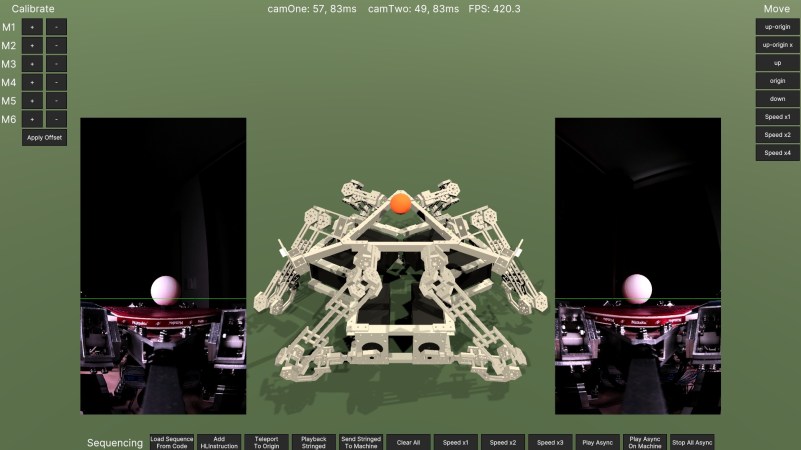
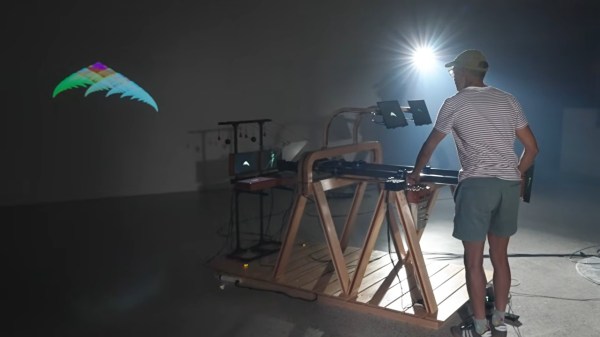
Sometimes, you want to build a simple project– the minimum viable product that solves your problem and nothing else. Other times you might be feeling a little extra, and want to use oodles of machined aluminum, six steppers, two cameras, a Teensy and a PC with a GPU just to bounce a ball. That’s the mood behind [T-Kuhn]’s hexa-bouncer, a Stewart Platform on steroids.  You can read all about it on his blog or witness it in action in the video below.  Trust us, really have to see it in action.

Continue reading “The Hexa-Bouncer May Be The Most Overengineered Thing You See This Week” →

The Big Moon Plot

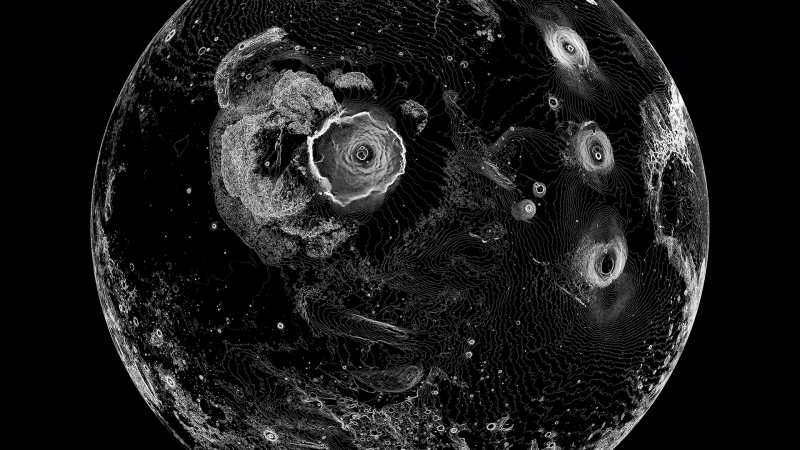
When you look into the night sky, you can’t help but wish to bring the outer worlds to your doorstep. One of the best ways to do that is to photograph the Moon’s surface to display in a frame. However, [Sebastian Lague] found a simple image too lackluster compared to something with a bit more style, such as a plotted image of the lunar terrain.

Why plotting? Well, the Moon is not defined in the same way with contrasting colors as Earth is. The Moon is peppered with craters and differing elevations that separate regions, so why not build an entire DIY plotter from scratch? [Sebastian Lague] did exactly this with a custom algorithm to take the elevation maps and create vector drawings which are plotted on his custom plotter.

Continue reading “The Big Moon Plot” →

Enormous Fluid Simulation On Flip Dots Is Also Enormous Amount Of Work

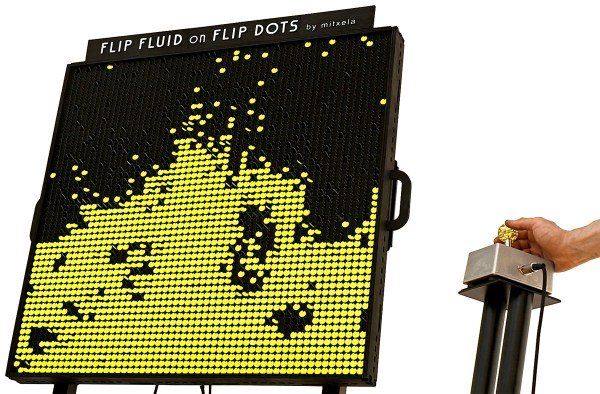
Flip dot displays are cool, and more people realize that after [mitxela]’s fluid simulation on flip dots installation was on display at EMF 2026. As glorious as the result is, it was also an amazing amount of work!

Not only did [mitxela] need to source a large number of flip dots, he also needed to find a solution for driving them that didn’t end up more trouble than it was worth. Just about everything about the surplus flip dots — from electrical requirements to mounting — was a pain to work with in one way or another. Even his optimized method of integrating a custom backpack-style driver board into the existing PCB involved a staggering amount of soldering. This project was a long time coming, and the work never really let up.

The payoff, however, is exquisite. Check it out in the video (embedded below) which really shows it off. Flip dots are like nothing else, and the subtle rippling of sound that accompanies their physical movement is oddly soothing.

The installation at EMF 2026 had a GRAVITY CONTROL joystick that allowed folks to interactively shift the display, but [mitxela] also has an accelerometer mounted so that the display physically reacts to being moved. It’s a fantastic spectacle, even more impressive in light of the work it involved.

Unsure how, exactly, flip dots work? We’ve covered all the details about how these devices function. And while a large number would be prohibitively expensive for most projects, if your project can get away with only one dot you’re probably in luck.

Continue reading “Enormous Fluid Simulation On Flip Dots Is Also Enormous Amount Of Work” →

A Flip Disc Display That Does It Slow And Steady

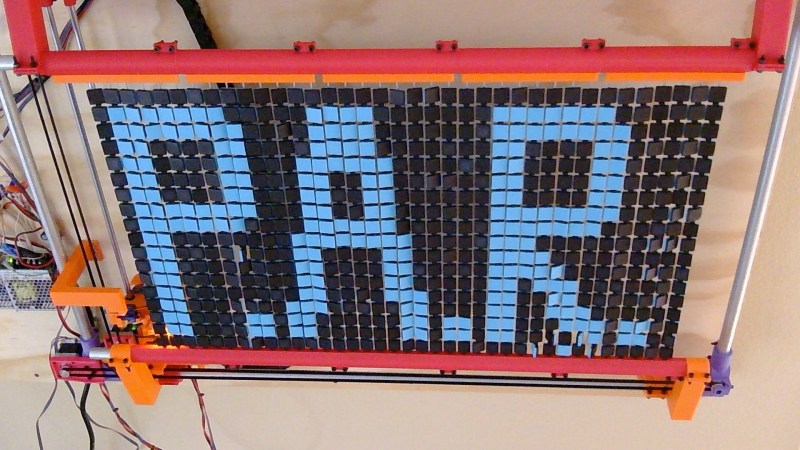
Flip disc displays can be quite a task to drive, what with having some sort of actuator mechanism for each and every dot in the display. [Zimm] has built an altogether different kind of flip disc display, though, which gets around this with a complexity all its own.

The idea behind the build is simple. There is still an array of discs, in this case, 37 x 18 square discs that are black on one side and blue on the other. However, they’re not actuated by magnets or any kind of per-disc flipper. Instead, a CNC machine is charged with flipping them one at a time. There’s a tool head that scans through the array, and uses a color sensor and LIDAR to identify which pixels to flip and how far to push them. It’s not fast, by any means, but it’s a perfectly cromulent way to build a flip disc display, as it turns out.

If you so desire, you can draw or upload images to be displayed on PAR yourself, right from your browser. The project reminds us quite a lot of various plotters we’ve covered over the years, perhaps more than a traditional flip disc display, even.

Continue reading “A Flip Disc Display That Does It Slow And Steady” →

Analog Optical Feedback Generates 4K Fractals With No Computer

For users of a certain age, fractal patterns and computers are nearly synonymous. Typing in BASIC programs and seeing the Mandelbrot set or other fractals slowly render on screen is a key memory for some of us. Others will have generated recursive patterns mucking about: point an analog camera at the screen showing its video feed, and you’d better believe you get recursion. It’s called video feedback, and it looks a lot better than audio feedback sounds, especially in the hands of a master like [The Light Herder] who has now found a way to take this vintage art into the 4K resolution of the 21st century.

Physically this build is very similar to the “God Machine II” sculpture we covered previously, which in turn built on the first 720p version of his art piece. Getting analog video feedback in HD was hard enough — you need to be able to adjust the hue, saturation, brightness and contrast of the monitor as you go in order to have the full control of the resulting image. Most old TVs had those back in the SD era, but once HD came around it was rare; [The Light Herder] despaired of ever finding a screen that would to this in 4K.

As it turns out, the answer was to embrace digital — all the knobs on his analog control board feed into a Teensy, which is communicating via RS-232 with the LCD driver boards to alter the desired display properties. Obviously judicious selection of driver boards was required. If you watch the build video embedded below, you’ll find there’s an awful lot of tech in this analog, ‘no computer’ setup. If you want to skip the how-to and a master’s explanation of video feedback and just see pretty pictures he’s got a demo video as well. It really has to be seen to be believed.

If you want to create a colorful analog light show that isn’t quite so self-referential and a lot simpler to build, you could always try soap. Actually, we’d love to see him start the feedback with some soap-film colors. The result would likely be as was once said “totally far out, man”.

Continue reading “Analog Optical Feedback Generates 4K Fractals With No Computer” →

Reject Fluid Simulations, Return To Rheoscopic Fluid

Fluid simulations are one of the “killer apps” of high-performance computing, but if you can’t afford the performance, they can take a depressingly long time to run. Depending on your use case, as long as you keep the Reynold’s number in mind– or are just looking for a qualitative look at pretty flows–you might be able to get away with purely-practical simulations using rheoscopic fluid, as [Visual Thinker] demonstrates in a recent video.

The fluid, as you can guess from the name, lets you scope out rheos— that’s flow, for those of you didn’t take Greek. Making it is as simple as you could ask for: get some mica flakes, which are readily available to add ‘sparkle’ to cosmetics, and mix with water and a drop of soap. The soap isn’t always necessary, but depending on your mica it helps keep it in suspension and avoid clumping– [Visual Thinker] found it helped him a good deal. Being flat plates of reflective material, the mica flakes catch the light and sparkle beautifully– and since they align with the fluid shear, they show you exactly what’s going on in your ‘simulation’.

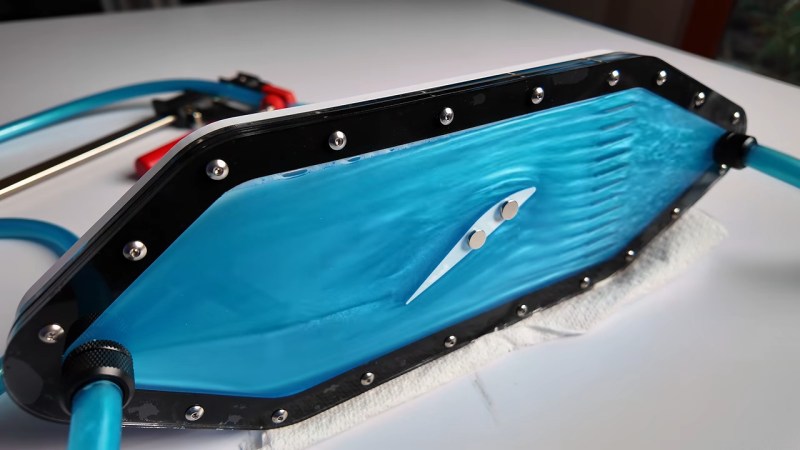
[Visual Thinker] isn’t starting with serious simulations; the first thing he tries is essentially a toy that lets him see fluid flow around a Benchy by sticking magnets in it and using it to move a cross-section of its hull though a thin layer of fluid sandwitched betwixt pieces of laser-cut acrylic. We don’t call it a toy to disparage it, though– we totally want one. [Visual] mentions the idea of a coffee table combining the concept with the kind of underslung mechanism we see in sand drawing tables, which sounds dangerously hypnotic. If any of you build one, please try and tear your eyes away long enough to let us know.

He has another beautiful piece that make the video worth watching: a wind-tunnel, again made of laser-cut acrylic and printed parts. With careful consideration of the scale and flow speeds, that one might actually prove useful– and even if it doesn’t, it’s pretty enough that it doesn’t really matter. Beauty has its own utility sometimes.

Most wind tunnels we see around here use actual wind, but rheoscopic fluid was invented for this sort of thing, even if it does make for pretty baubles.

Continue reading “Reject Fluid Simulations, Return To Rheoscopic Fluid” →

Track Bird Visitors With A Raspberry Pi And A USB Mic

Avian Visitors is a lovely project by [Teddy Warner] that uses a Raspberry Pi and microphone to keep track of which birds have been visiting your home, and creates a colorful illustration of recent visitors on top of it all.

It reports on a web interface of its own making, but what really takes things to a new level is an optional, stylish E-Ink panel that shows the last 24 hours’ worth of visitors at a glance in a collage.

The key to identification is BirdNET (GitHub here), a deep learning classifier from Cornell that can reliably identify and classify more than 11,000 species worldwide based on sound alone.

Based on that information, the system pulls bird images from a reference set for the region and creates a collage representing the breadth and frequency of visitors in a single image. The larger the image of a bird, the more frequently it was heard.

That’s a cool project, but [Teddy] took things one step further by setting up a color E-Ink display to show a running summary of all the avian visitors the system identifies. [Teddy] has a knack for leveraging projects into wall-mounted art, as we saw with his generative art wall plotter. Continue reading “Track Bird Visitors With A Raspberry Pi And A USB Mic” →